3. Installation and Configuration
This chapter provides specific hardware and firmware installation and configuration steps.
Hardware Installation
This section provides information on installing drives and expansion cards and replacing memory modules.
Drive Installation
The TVS-x72XT is compatible with 3.5-inch and 2.5-inch hard drives, 2.5-inch solid-state drives, and M.2
solid-state drives.
Installing 3.5-inch Drives on 3.5-inch Trays
Warning
• Installing a drive deletes all data on the drive.
• Observe electrostatic discharge (ESD) procedures to avoid damage to components.
1. Power off the NAS.
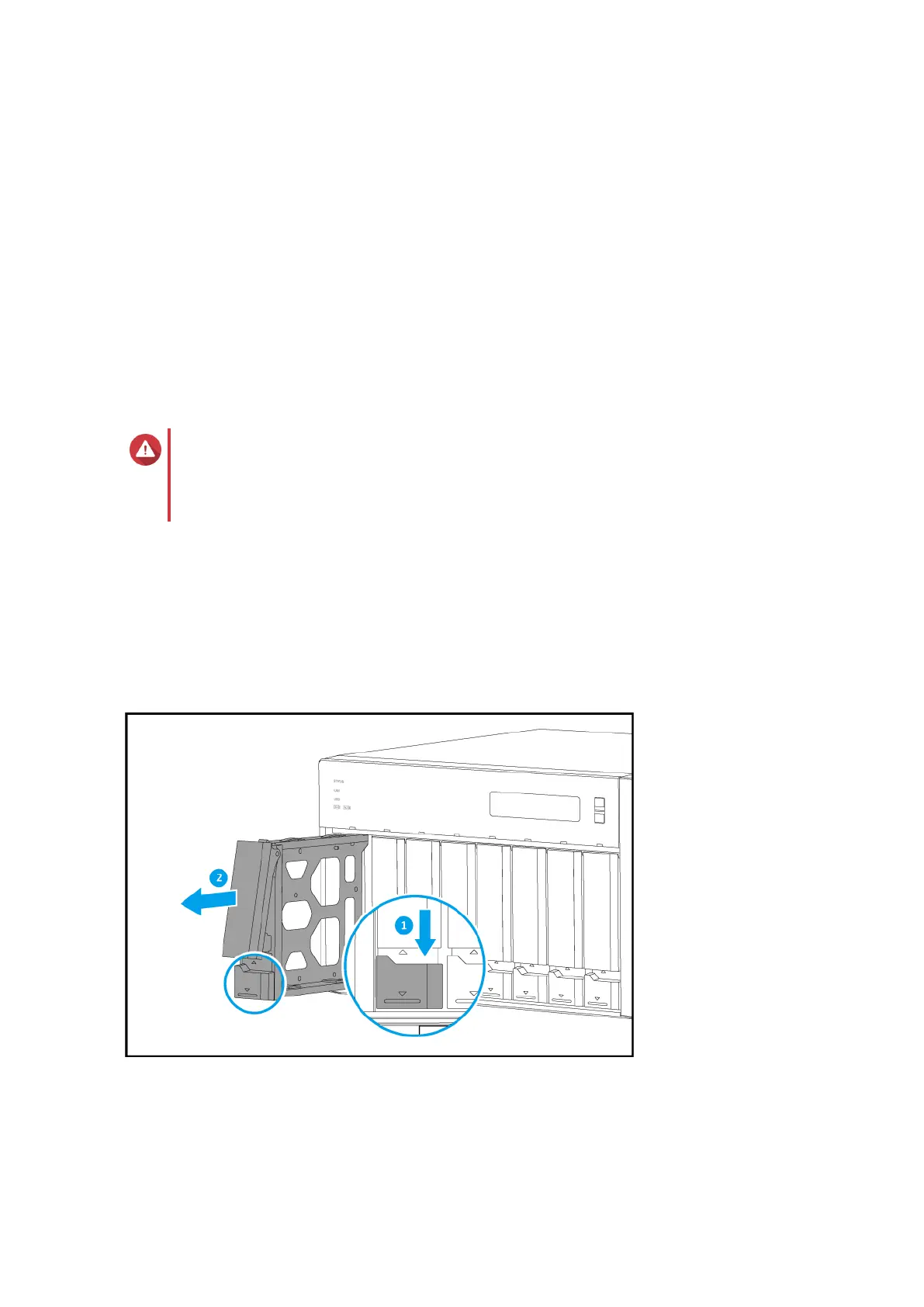
2. Remove the drive tray.
a. Slide the lock down.
b. Pull the handle to release the tray.
c. Pull the tray out.
3. Install a drive on the tray.
a. Remove the fastening panels from the sides of the tray.
TVS-x72XT User Guide
Installation and Configuration 17


 To Next Page