Viewing System Information
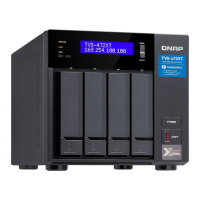
The LCD panel can display the CPU temperature, system temperature, and system fan speed.
1. Press Enter or Select.
The panel displays the NAS name and QTS version.
2. Press and hold Enter for two seconds.
The panel displays Main Menu 1. TCP/IP.
3. Press Enter repeatedly until the panel displays Main Menu 4. System.
4. Press and hold Enter.
The panel displays the CPU and system temperature.
5. Press and hold Select.
The panel displays the system fan speed.
Powering Off the NAS
1. Press Enter or Select.
The panel displays the NAS name and QTS version.
2. Press and hold Enter for two seconds.
The panel displays Main Menu 1. TCP/IP.
3. Press Enter repeatedly until the panel displays Main Menu 5. Shut down.
4. Press and hold Enter.
The NAS powers off.
Restarting the NAS
1. Press Enter or Select.
The panel displays the NAS name and QTS version.
2. Press and hold Enter for two seconds.
The panel displays Main Menu 1. TCP/IP.
3. Press Enter repeatedly until the panel displays Main Menu 6. Reboot.
4. Press and hold Enter.
The NAS restarts.
Changing the LCD Password
Specifying a password for the LCD panel prevents unauthorized access.
1. Press Enter or Select.
The panel displays the NAS name and QTS version.
2. Press and hold Enter for two seconds.
The panel displays Main Menu 1. TCP/IP.
3. Press Enter repeatedly until the panel displays Main Menu 7. Password.
4. Press and hold Enter.
The Change Password screen appears.
TVS-x72XT User Guide
Basic Operations 46


 To Next Page