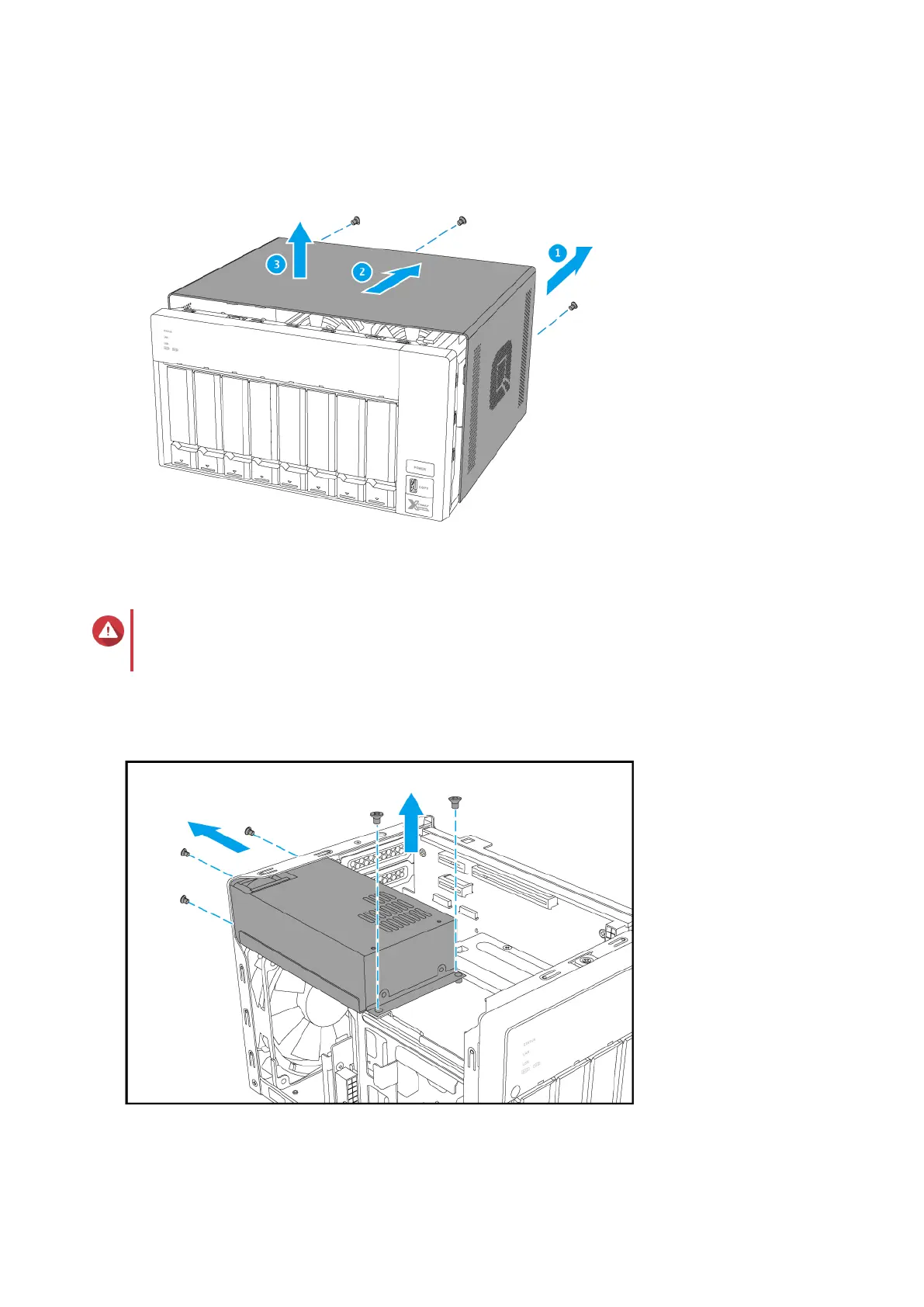
b. Slide the cover back.
c. Lift the cover until it is completely detached from the chassis.
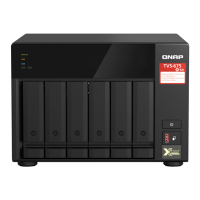
6. Remove the power supply unit.
Warning
To avoid potential injury or damage to components, ensure that the drives and other internal
system components have cooled before touching them.
a. Disconnect the power supply cables.
b. Remove the screws that secure the unit to the chassis.
c. Remove the unit from the chassis.
TVS-x72XT User Guide
Installation and Configuration 28


 To Next Page