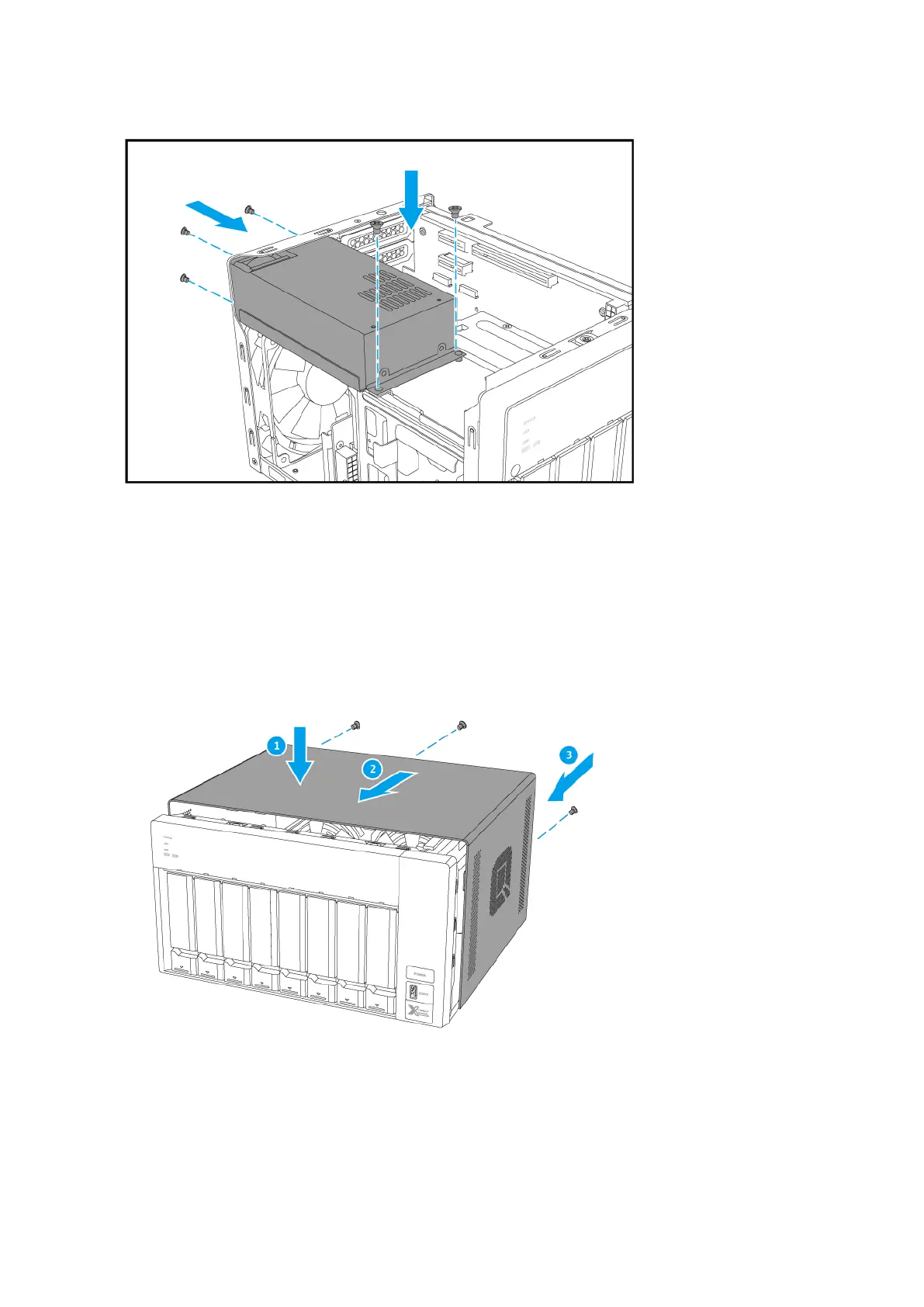
c. Connect the power supply cables.
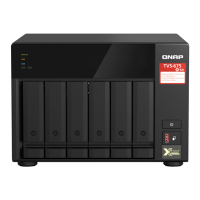
10. Attach the case cover.
a. Slide the cover down until it is completely connected to the chassis.
b. Slide the cover forward.
c. Attach the screws to the back of the NAS.
11. Connect all cables and external attachments.
12. Connect the power cord to the electrical outlet.
13. Power on the NAS.
TVS-x72XT User Guide
Installation and Configuration 31


 To Next Page