QRS PNO
3
User Guide
QRS Music Technologies, Inc.
Technical Support - 800-247-6557
www.qrsmusic.com
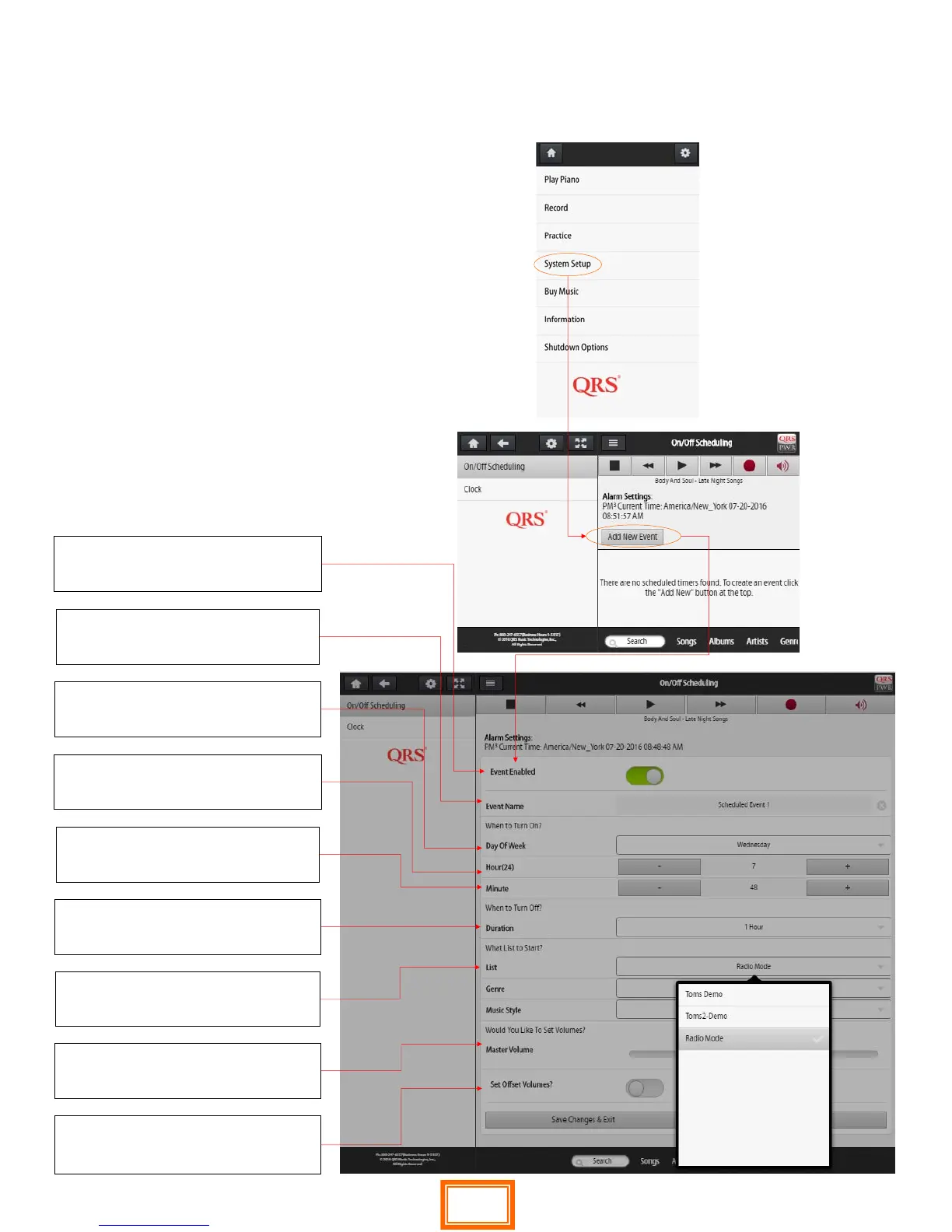
Scheduling Events
Event Enabled
Turns on the event schedule
Event Name
Name your event schedule
Day Of Week
Select the day(s) you would like event to
Hour(24) of day
Hour of day to turn on
Minute
Part of hour of day to turn on
Duration
How long does event stay on
Master Volume
What volume will event playback at
List/Genre/Music Style
Pick from a playlist or set the radio up
Oset Volumes
Enables you to adjust audio vs piano for
the event
Scheduling Events enables the PNO3
player system to turn on and play a
selected playlist on a schedule.
An almost unlimited number of
schedules and events can be
programed.
The most recent event will prevail if
there is a conict.
41


 To Next Page
 Loading...