+7(495) 797-3311 www.qtech.ru
Москва, Новозаводская ул., 18, стр. 1
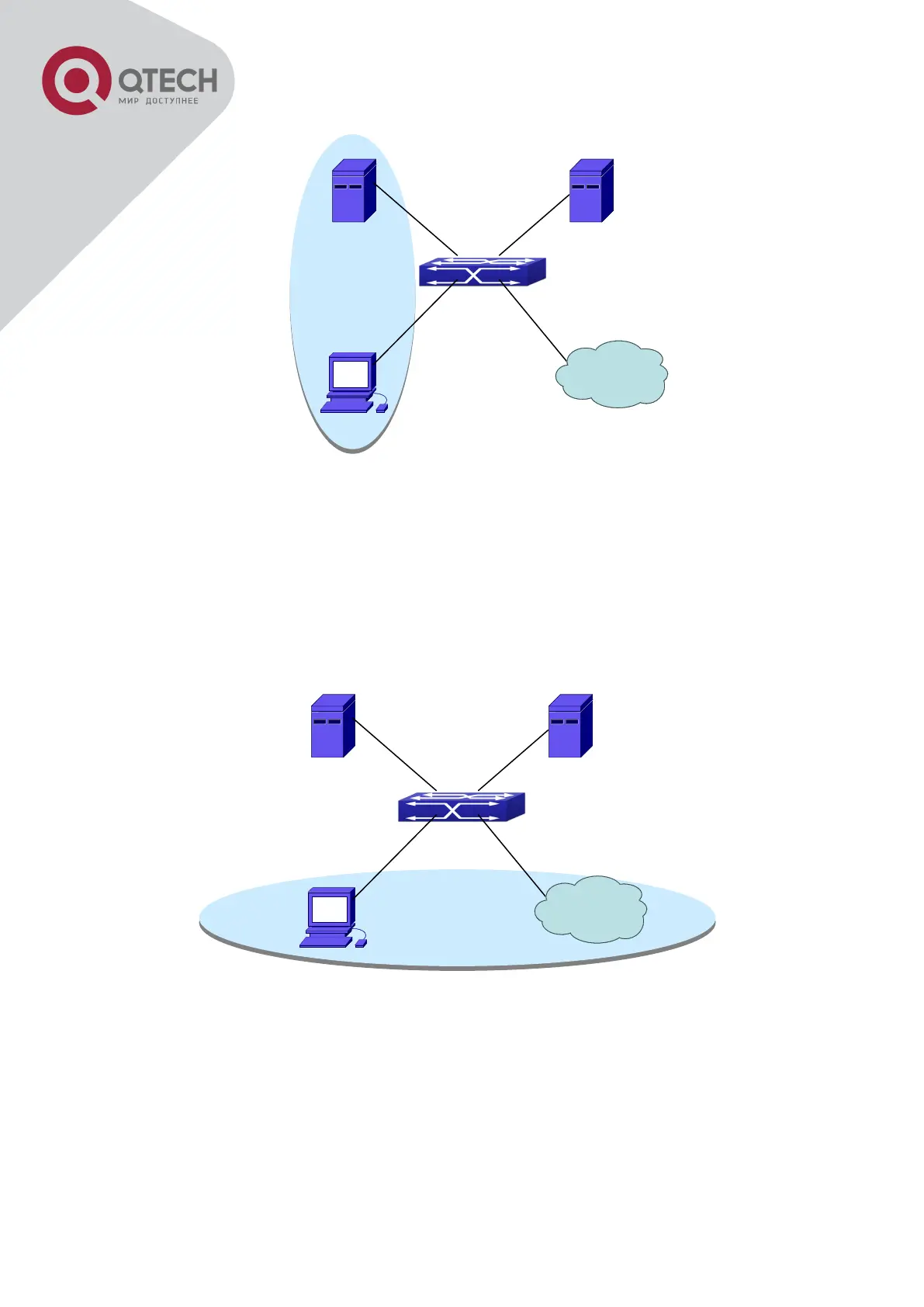
User Joining Guest VLAN
As illustrated in the up figure, on the switch port Ethernet1/2, the 802.1x feature is enabled,
and the VLAN10 is set as the port’s Guest VLAN. Before the user gets authenticated or when
the user fails to do so, port Ethernet1/2 is added into VLAN10, allowing the user to access the
Update Server.
User Being Online, VLAN Being Offline
As illustrated in the up figure, when the users become online after a successful authentication,
the authentication server will assign VLAN5, which makes the user and Ethernet1/6 both in
VLAN5, allowing the user to access the Internet.
The following are configuration steps:
# Configure RADIUS server.
Switch(config)#radius-server authentication host 10.1.1.3


 To Next Page
 Loading...