980 HDMI Protocol Analyzer Application Guide – Source Compliance Test Automation Rev. A1
Page 10 Feb 14, 2013
DHCP server. These procedures assume that you have powered up the 980/980B and that the embedded 980 GUI
Manager has been launched and established a physical Ethernet connections have been made.
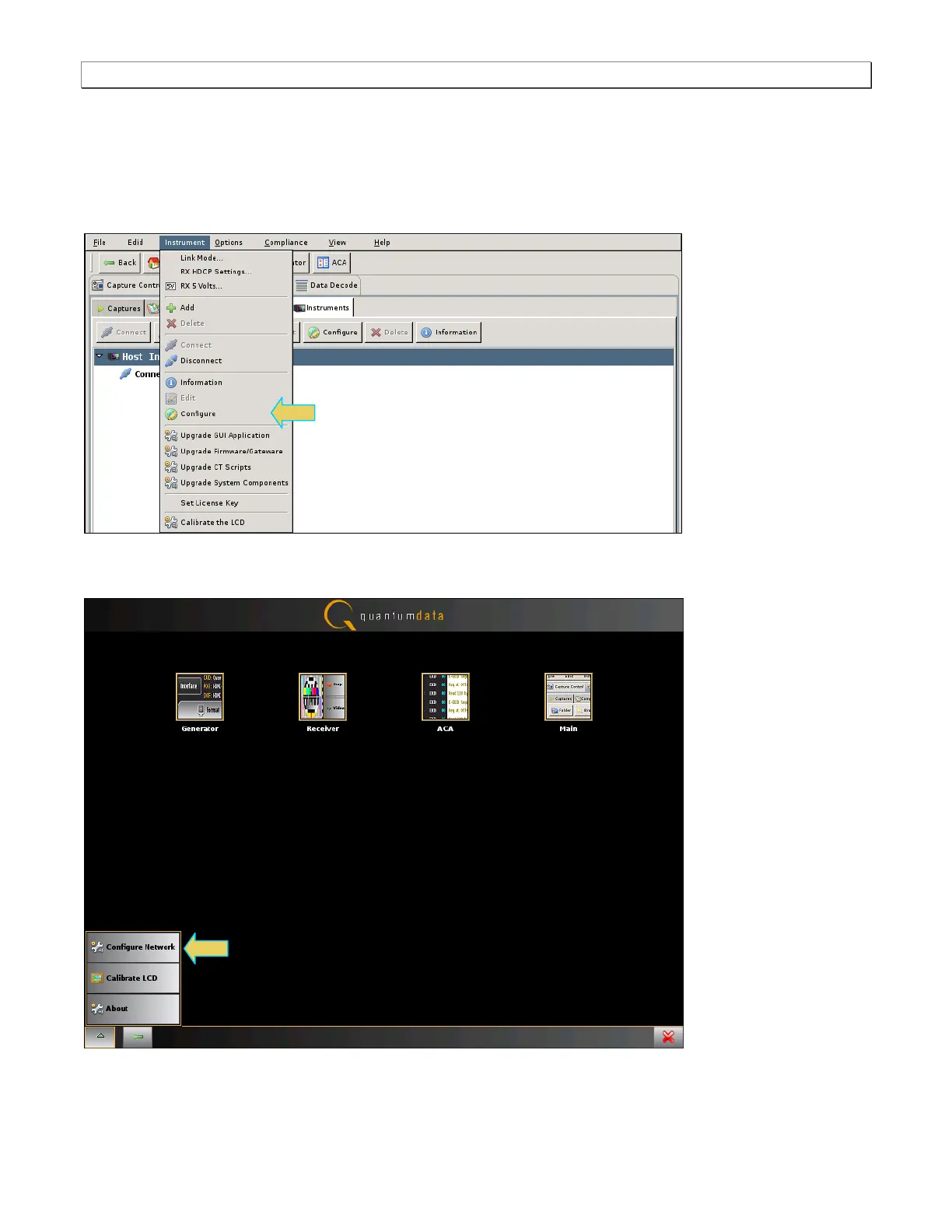
To set the IP address of the 980/980B through the embedded 980 GUI Manager:
1. Access the Instrument Settings dialog box by touch selecting the Instrument pull-down menu. Then select
Configure.
2. Alternatively, access the Instrument Settings dialog box from the Main window by touch selecting the pop-up
menu icon on the lower left corner of the 980 built-in display and select Configure Network.
The following dialog box appears:



 To Next Page