980 HDMI Protocol Analyzer Application Guide – Source Compliance Test Automation Rev. A1
Page 11 Feb 14, 2013
If the IP address of the 980/980B is compatible with IP address of your PC and corporate network, no further
action is required.
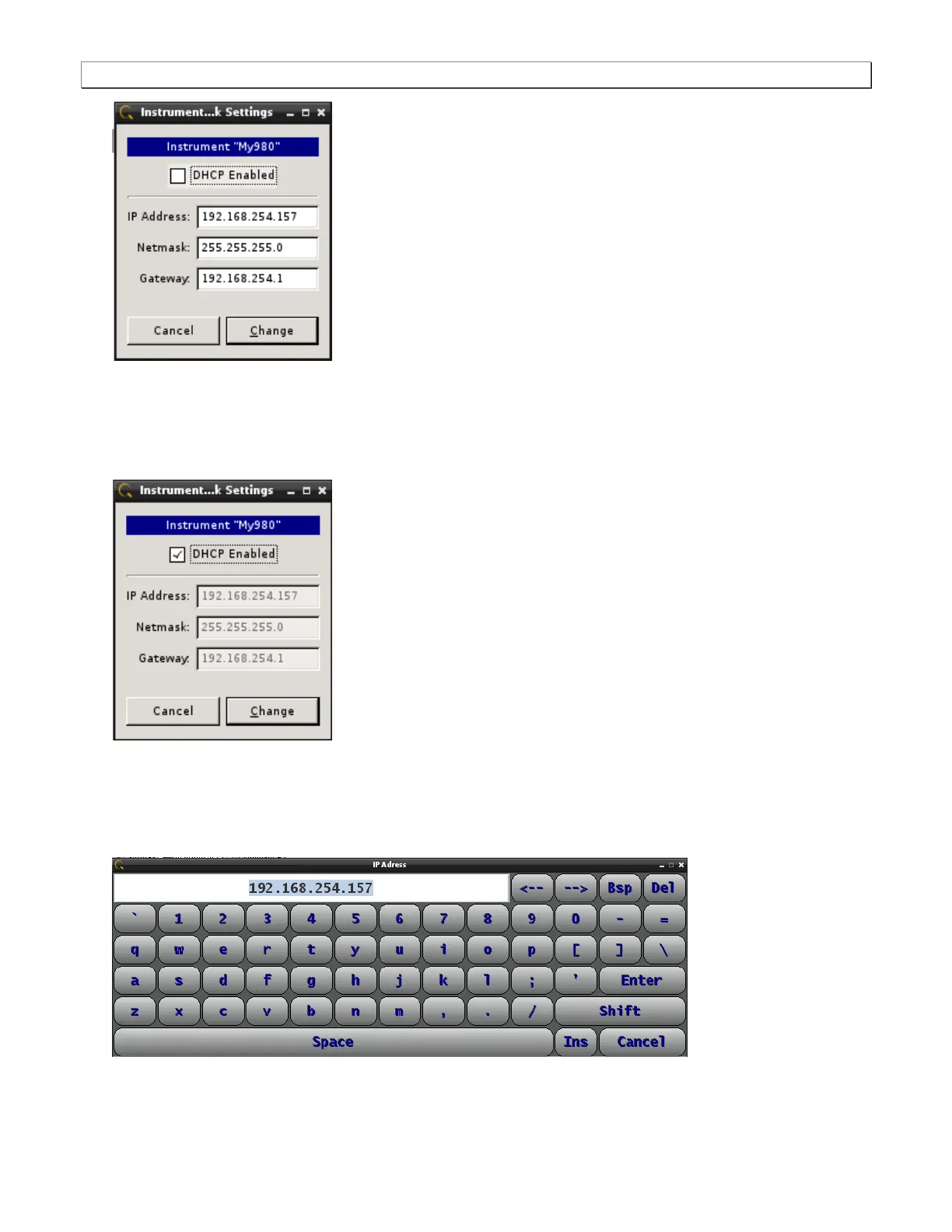
3. If you are wish to allow the 980/980B’s IP address to be set through DHCP services, select the DHCP
Checkbox as shown below:
4. Alternatively, if you wish to set the IP address without DHCP, touch select the IP address field to access the
on-line keyboard which enables you to change the IP address. Edit the IP address and press the Enter key on
the on-line keyboard.
Note: You will have to deselect DHCP if it is checked in order to access the pop up keyboard.
5. Touch select the Change activation button to initiate the change. You do not have to reboot the 980/980B for
the IP address change to take effect.



 To Next Page