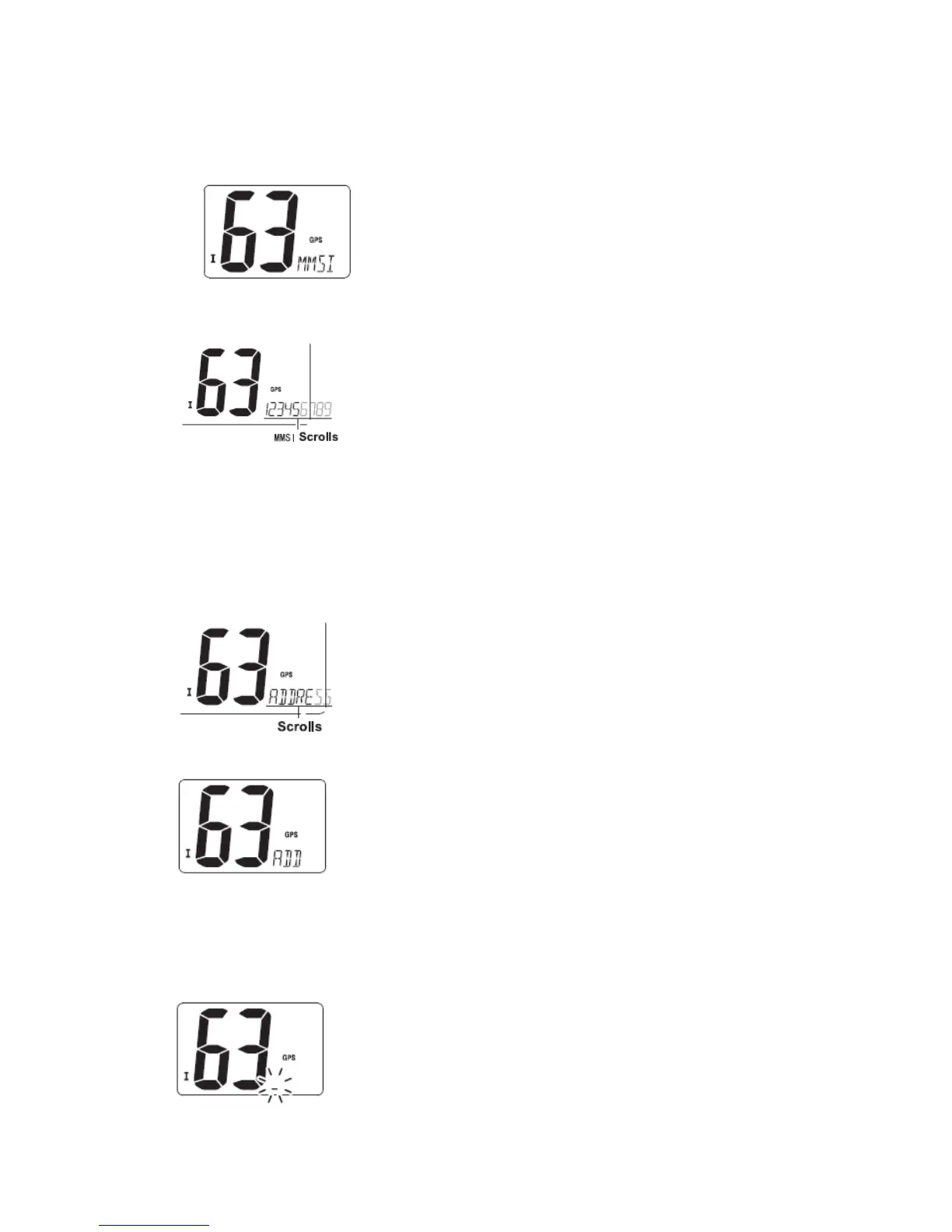
The 9-digit MMSI (DSC self ID) code can be checked.
① Push [DSC] to enter the DSC menu.
② Push [▲] or [▼] to select “MMSI” and push [DSC].
③ Check the 9-digit MMSI (DSC self ID) code.
·The MMSI code is displayed and scrolls at the channel comment indicator.
④ Push [DSC] to return to the normal operation.
■ DCS address ID
A total of 30 DSC address IDs (9-digit) can be programmed and named with up to 5
characters.
◆ Programming address ID
① Push [DSC] to enter the DSC menu.
② Push [▲] or [▼] to select “ADDRESS”, and push [DSC]
③ Push [▲] or [▼] to select “ADD”, and push [DSC]
④ Push [▲] or [▼] to input 9-digit of the appropriate address ID.
·Push [16] or [CH/WX] to move the cursor forward or backward, respectively.
·Push [SCAN] to cancel and exit the condition.
Note: 1
st
digit ‘0’ is fixed for a group ID. When you input 1
st
digit ‘0’ and other 8 digits, the
ID is automatically registered as a group ID.


 To Next Page