■ Geographical Area call
The Geographical Area call function allows you to transmit a DSC signal to all ships in a
geographical area.
◆ Receiving a Geographical Area call
While monitoring Channel 70 and a Geographical Area call (for the area you are in) is
received:
① The emergency alarm or beeps sound depending on the received category.
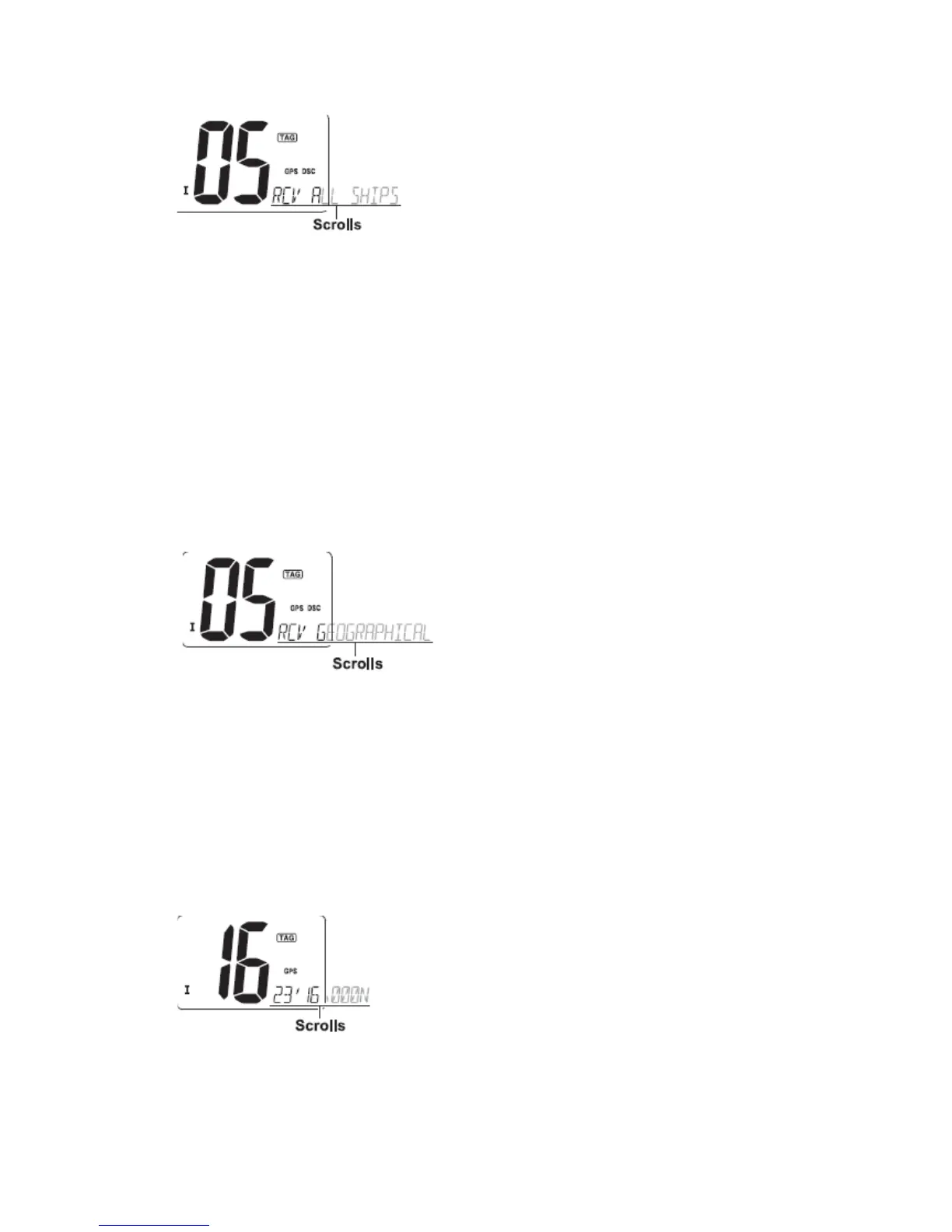
② “DSC” appears and “RCV GEOGRAPHICAL” scrolls at the channel comment
indicator.
③ Push any key to stop the beep.
④ Push [DSC] to change to the channel specified by the calling station for voice
communication; Push any other key to ignore the Geographical Area call.
■ Position indication
When a GPS receiver is connected, the transceiver indicates the current position data in
seconds of accuracy.
A NMEA0183 ver. 2.0 or 3.01 (sentence formatters RMC, GGA, GNS, GLL) compatible
GPS receiver is required.
Push and hold [DSC] for 1 sec. to display the current position.
·‘Latitude’ and ‘Longitude’ scroll in sequence at the channel comment indicator.
·“NO POSITION” scrolls when no GPS is connected.
·“GPS” blinks when the GPS data is invalid.
◆ Transmitting Position Request call
Transmit a Position Request call when you want to know a specified ship’s current
position, etc.


 To Next Page