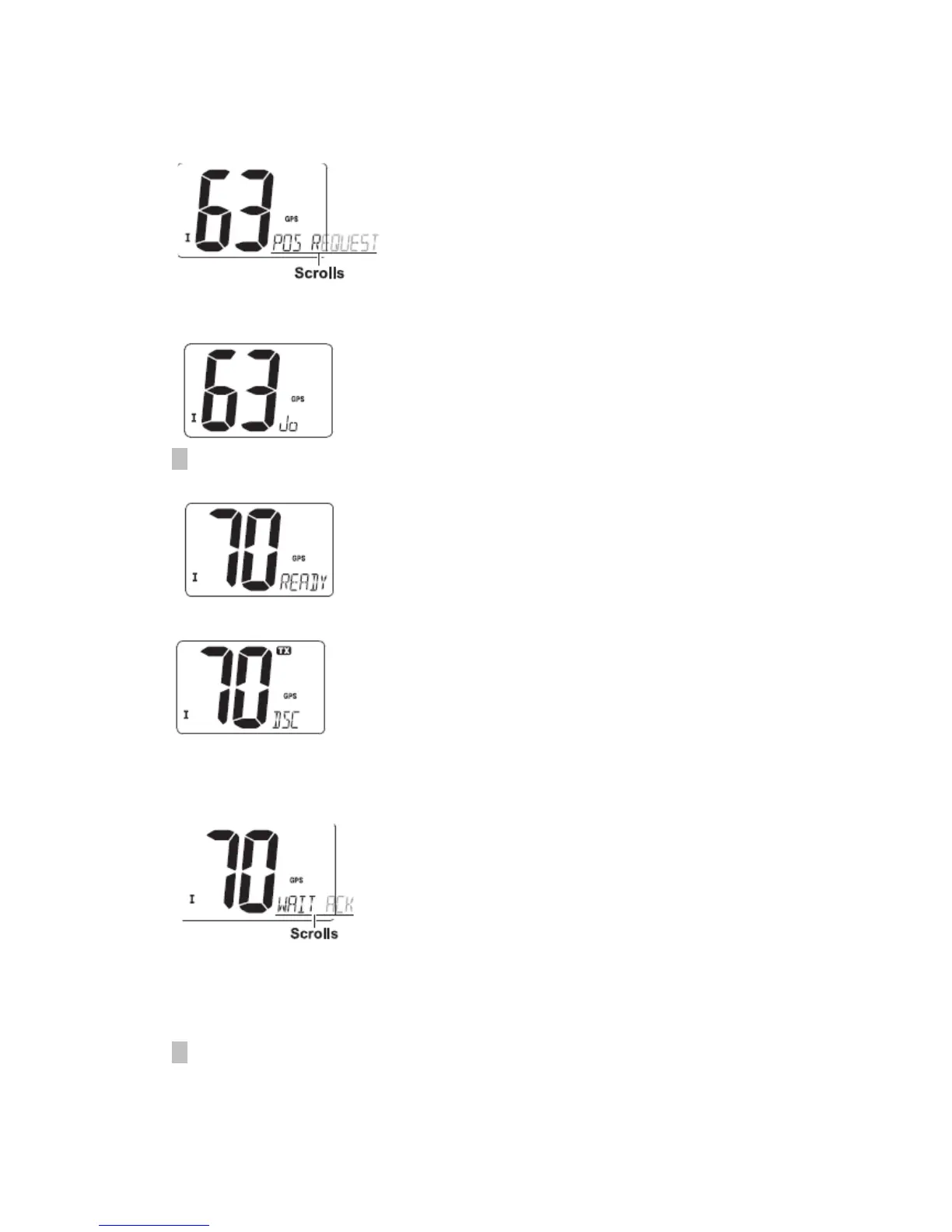
① Push [DSC] to enter the DSC menu.
② Push [▲] or [▼] to select “POS REQUEST”, then push [DSC].
③ Push [▲] or [▼] to select the desired pre-programmed individual address.
·The ID code for position request must be set in advance.
④ Push [DSC] to enter the standby condition for Position Request call.
·Channel 70 is selected and “READY” appears.
⑤ Push [DSC] to transmit the Position Request call.
⑥ After the Position Request call has been transmitted, the following indication is
displayed.
· “WAIT ACK” scrolls at the channel comment indicator.
⑦ Push any key to exit the condition and return to the normal operation.
◆ Transmitting Position Report call
Transmit a Position Report call when you want to announce your own position to a
specific ship and to get an answer, etc.
① Push [DSC] to enter the DSC menu.
② Push [▲] or [▼] to select “POS REPORT”, and push [DSC].


 To Next Page