The provided document is a "GNSS SDK Commands Manual" for Quectel GNSS Module Series, specifically applicable to L70, L80, L76, L76-L, L86, and L26 modules. This manual details the SDK commands developed by Quectel for controlling and configuring these modules, with configuration parameters saved by SDK commands persisting in flash even after firmware upgrades.
Function Description
The Quectel GNSS modules, through their SDK commands, offer a comprehensive suite of functionalities for Global Navigation Satellite System (GNSS) applications. These functionalities are primarily exposed via an extended NMEA packet protocol, allowing for detailed control and configuration. The core function is to provide precise positioning, velocity, and timing (PVT) information. The SDK commands enable users to customize various aspects of the module's operation, from basic communication settings to advanced positioning and integrity monitoring features.
Key functions include:
- NMEA Port Configuration: Users can change the default baud rate of the NMEA port, allowing for flexible integration with different host systems.
- Sentence Output Control: The modules provide granular control over which NMEA sentences are output. This includes enabling or disabling specific proprietary sentences like PQEPE (Estimated Position Error), ECEFPOSVEL (Earth-Centered, Earth-Fixed Position and Velocity), PQVEL (3 Ways Velocity), and PQGBS (GNSS Satellite Fault Detection). Standard NMEA sentences like GPTXT (General Purpose Text) can also be controlled.
- Positioning Modes: The modules support specialized low-power modes such as FLP (Fitness Low Power) and GLP (GNSS Low Power), optimizing power consumption for specific use cases.
- Odometer Functionality: An odometer feature allows for starting, stopping, and querying distance readings, with the option to set an initial distance. This is useful for tracking movement over time.
- Datum Switching: The modules can switch between different geodetic datums, specifically from WGS84 to PZ-90.11, which is crucial for applications requiring specific coordinate systems.
- Jamming Detection: A jamming detection function can be enabled or disabled to monitor for interference that might degrade GNSS performance, providing status indications (No jamming, healthy; Warning; Critical).
- Return Link Message (RLM) Output: The modules can enable or disable the output of Return Link Messages, which are relevant for specific GNSS augmentation systems.
- Geo-fence Configuration: A sophisticated geo-fencing capability allows users to define up to 10 geo-fences (IDs 0-9) with various shapes (circular with center and radius, circular with center and one point on the circle, triangle, quadrangle). Users can configure the module to report when it enters or leaves a defined geo-fence, or to not report at all. The geo-fence status (unknown, inside, outside) can also be queried.
- Parameter Precision: The precision of latitude, longitude, and altitude parameters in NMEA sentences can be configured by setting the number of digits after the decimal point.
- Receiver Autonomous Integrity Monitoring (RAIM) Support: The PQGBS command enables or disables the output of GBS sentences, which are used to support RAIM, enhancing the reliability of position solutions.
Important Technical Specifications
While the manual primarily focuses on commands, it implies several technical specifications through the parameters and responses:
- Baud Rate Support: The NMEA port supports a range of baud rates including 4800bps, 14400bps, 19200bps, 38400bps, 57600bps, and 115200bps, with a default of 9600bps.
- Packet Length: The maximum length of any NMEA packet is restricted to 255 bytes.
- 1PPS Output: The 1PPS (1 Pulse Per Second) output can be configured to trigger after the first fix, 3D fix, 2D fix, or always. The pulse width is adjustable from 2 to 998 milliseconds.
- Odometer Range: The initial distance for the odometer can be set within a range of 0 to 1e09 meters.
- Geo-fence Capacity: Up to 10 geo-fences (IDs 0-9) can be configured.
- NMEA Parameter Precision: Latitude and longitude precision can be set from 4 to 6 digits after the decimal point (default 4). Altitude precision can be set from 1 to 3 digits (default 1).
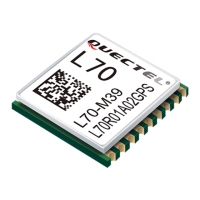
- Supported Modules: The SDK commands are compatible with Quectel L70, L80, L76, L76-L, L86, and L26 modules. Specific command support varies across modules (indicated by 'Y' for supported and 'N' for not supported in Table 1).
Usage Features
The SDK commands are designed for ease of use and flexibility in configuring the GNSS modules.
- NMEA Packet Protocol: The commands follow a standard NMEA packet structure, making them familiar to developers working with GNSS devices. Each packet starts with '$', includes a TalkerID ("PQ" for Quectel proprietary commands), a PktType, DataField, a '*' symbol, a two-byte checksum, and ends with CR/LF.
- Write, Read, and Query Operations: Most commands support write operations (to set parameters), read operations (to retrieve current settings), and query operations (to get real-time status or values, e.g., odometer distance, geo-fence status).
- Immediate vs. Saved Settings: Parameters can be set to be effective immediately or saved in flash memory to persist after a restart. This allows for both temporary testing and permanent configuration.
- Error Reporting: Commands include error responses (e.g., "$PQBAUD,W,ERROR*Checksum") to indicate issues during command execution.
- Unsolicited Result Codes (URC): Some commands trigger URC messages (e.g., for EPE data, ECEFPOSVEL, GPTXT antenna status, PQVEL, PQJAM jamming status, PQRLM, PQGEO geo-fence events), providing real-time updates without explicit polling.
- Geo-fence Flexibility: The geo-fencing feature offers various shapes (circular, triangle, quadrangle) and reporting modes (enter, leave, enter/leave, no report), catering to diverse location-based applications. The Reserved2 pin (pin 17) can be configured to change level based on geo-fence entry/exit events for L76 module (GEO ID 0 only).
- Datum Identification: When PZ-90.11 switching is enabled, a DTM sentence is displayed to identify the datum used, ensuring clarity in coordinate interpretation.
Maintenance Features
The manual implicitly describes several features that aid in the maintenance and reliability of the modules:
- Persistent Configuration: The ability to save configuration parameters in flash memory ensures that settings are retained even after power cycles or firmware upgrades, reducing the need for re-configuration.
- Error Handling: Explicit error responses for commands help in diagnosing and troubleshooting issues during module configuration.
- Real-time Status Updates: URC messages provide continuous feedback on module status, such as antenna connectivity (GPTXT), jamming status (PMTKSPF), and geo-fence events (PQGEO), which are critical for monitoring module health and performance.
- Documentation: The manual itself serves as a key maintenance tool, providing detailed explanations of each command, its parameters, examples, and notes on behavior (e.g., immediate effect, saving behavior, module support).
- Technical Support: Quectel emphasizes timely and comprehensive service, providing contact information for headquarters and local offices, as well as dedicated channels for technical support and documentation error reporting. This ensures that users have resources available for assistance.
- Firmware Upgrade Compatibility: The SDK commands' configuration parameters are designed to persist through firmware upgrades, simplifying maintenance procedures and ensuring consistent operation across different firmware versions.
- Backup Mode Considerations: Specific notes, such as the odometer command not being supported in backup mode, guide users in understanding operational limitations and planning for robust system designs.

 Need help?
 General



 To Next Page