22
EN
RDS 1562 - IT EN - REV001A
OPERATION
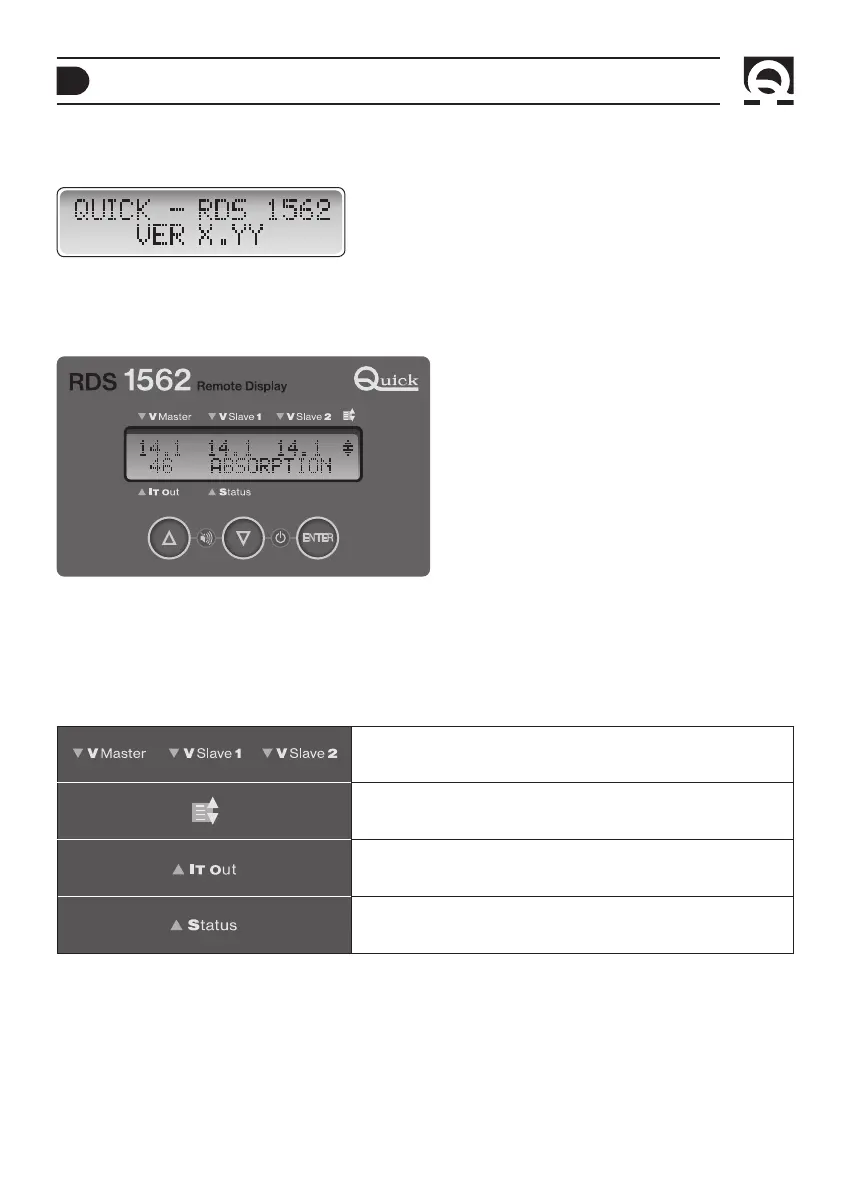
Where X.YY is the current version of the software.
After 2 seconds the instrument displays the battery charger’s information.
Example with SBC 700 NRG+ FR connected:
The instrument is made-up of at alphanumeric LCD display and three buttons p UP - q DOWN - ENTER.
Using these buttons you can navigate the system menu, change the parameters and confirm selections.
Simultaneously press and hold the p and q (UP and DOWN), buttons to silence the audible alarm, triggered by warning
messages or manual reset errors.
Refer to “messages table” in the NRG+ MEDIUM or HIGH series battery chargers manual.
Information concerning the voltage measured on the output terminals
of battery charger.
The symbol that is shown in this area means that there are several
system status messages in the circular queue.
Shows the measurement of the overall current delivered by the battery
charger.
Status indications of the system (charging status, warnings or problems
with automatic reset).
INSTRUMENT OPERATION
After connecting the instrument to the power supply, the display shows the following window for 2 seconds:
STAND-BY
Press simultaneously for a short time the q (DOWN) and ENTER buttons to put the RDS 1562 into stand-by mode.
The device will automatically turn ON when the connected battery charger is restarted or after pressing one of the three
buttons.
F



 To Next Page