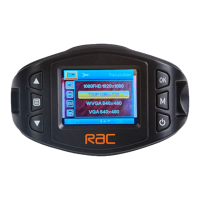
Function List Description Available Option
Manage the backlight of the screen.
It is advisable to enable this feature to
preserve battery power.
Off - Select to disable power saving for
the screen. This is the default setting for
this option.
1min / 3min - The driving recorder will
automatically shut down the screen after
1min / 3min if no operation.
Note: If enabled, the driving recorder
continues to record video even when the
screen is shut off.
Press any button to turn on the screen.
Off / 1min / 3min
Setting for the sensitivity of G-sensor
to detect collision to protect the
recording video.
Off - Disable the G-sensor function.
Low / Medium / High - The higher sensitivity
the collision will be detected easier.
The default setting is Level 3.
Off / Level 1 Level 2 /
Level 3 Level 4
Setting for activating the motion detection
and the sensitivity.
Off: Disable the motion detection.
Low / Middle / High On - Select to enable
the motion detection and the sensitivity
Off / Low / Middle
/ High
This option sets the driving recorder to the
original factory default settings.
YES / NO
This option displays the current firmware
version of the driving recorder.
This information may be important for
service and support communications.


 To Next Page