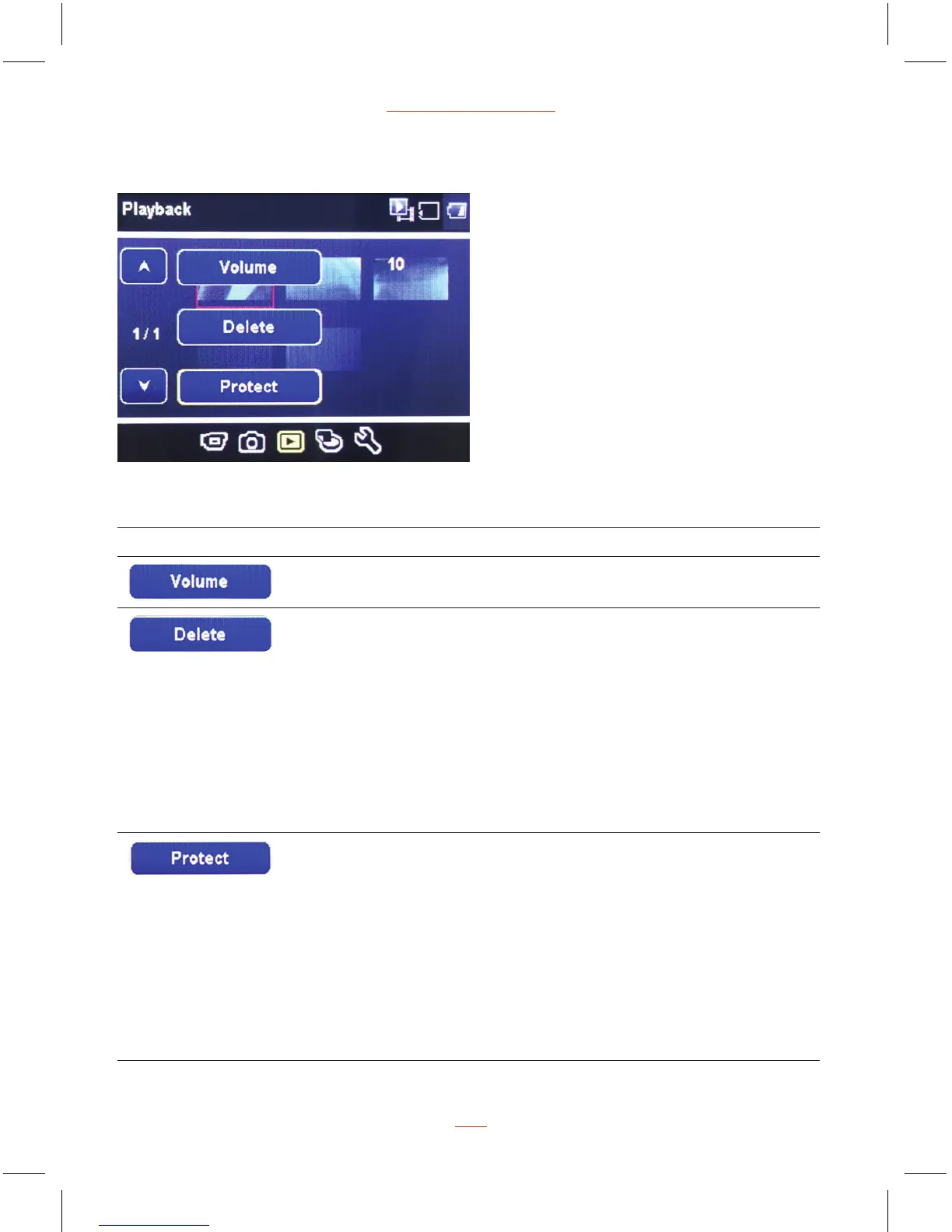
Playback Menu Options
Function List Description Available Option
Setting the video playback & beep Volume. 0-10
This option allows for the deletion of
one or more video/photos from the
memory card.
Delete One - This option allows a single
video or photo to be deleted from the
inserted memory card per action.
Delete All - This option allows all videos or
all photos to be deleted from the inserted
memory card per action.
Warning: Videos and photos CANNOT be
recovered once they are deleted.
Delete One /
Delete All
Protect one or all video/photos from being
replaced when the memory card is full.
Protect One - This option allows a single
video or photo to be protected.
Unprotect One - This option allows a single
video or photo to be unprotected.
Protect All - This option allows all video or
photos to be protected.
Unprotect All - This option allows all video
or photos to be unprotected.
Protect One
Unprotect One
Protect All
Uprotect All
Playback
21


 To Next Page