08 · ANALYSIS
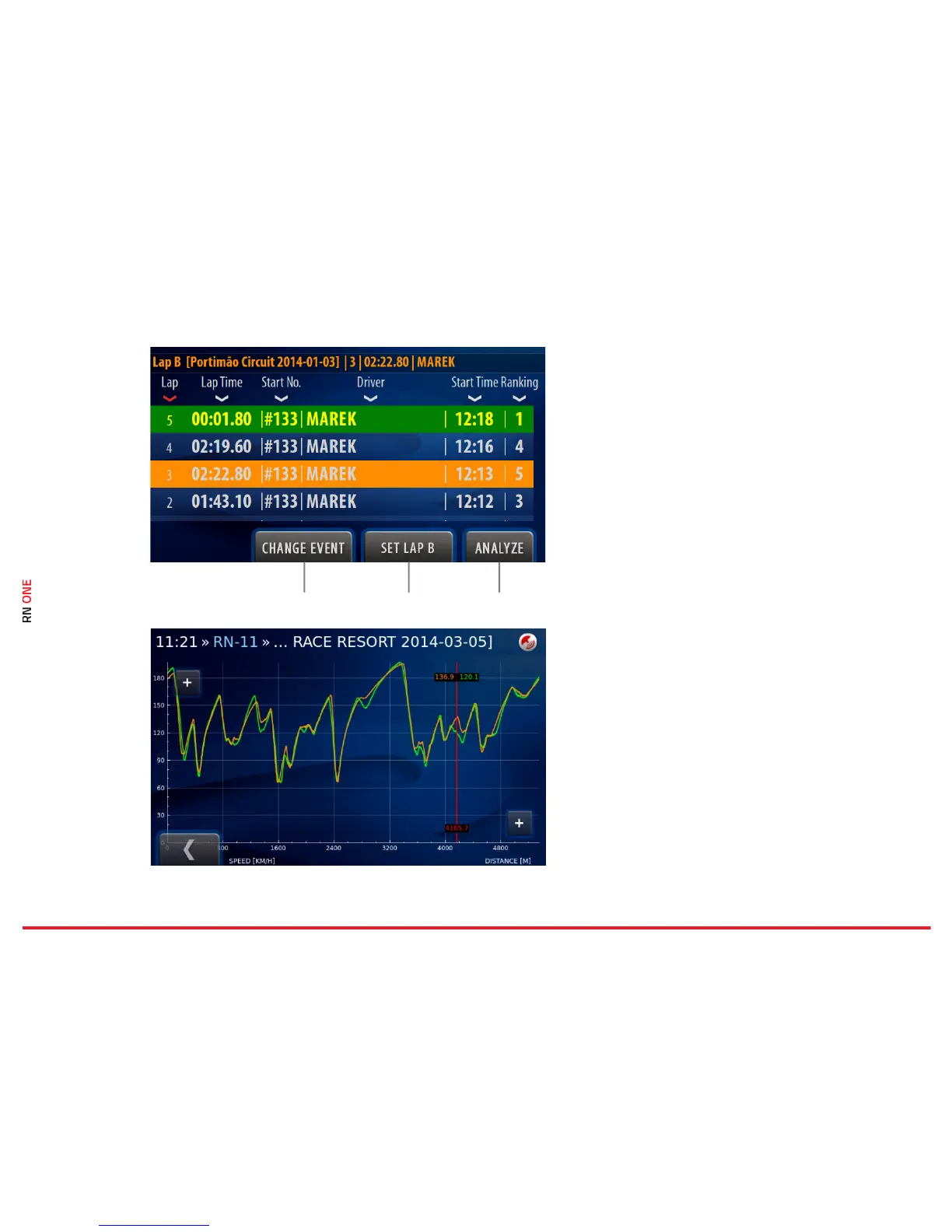
On this page you can select two laps and compare
them with each other.
Full laps are colored white and the others are grey.
The best laps of each driver are colored yellow.
Change Event
Change the event to select proper laps for
comparison.
Set Lap B
This button allows for selecting laps A and B.
Select lap A and click on the button, then select lap
B. If lap A is selected, the button shows B and vice
versa. Lap A is colored green and lap B is colored
orange.
Analyze
The chart displays speed series with colors
corresponding to selected laps. The red line can be
moved with a finger. The chart can be enlarged.
The right Plus button zooms in width, the left one
in the height.



 To Next Page