EasyManua.ls Logo

Race Navigator ONE - Dashboard Panel 1 Details; Gap to Reference Chart Display; Reference Lap Selection Method

Default Icon
43 pages
Print Icon
To Next Page IconTo Next Page
To Previous Page IconTo Previous Page
Loading...
!
!
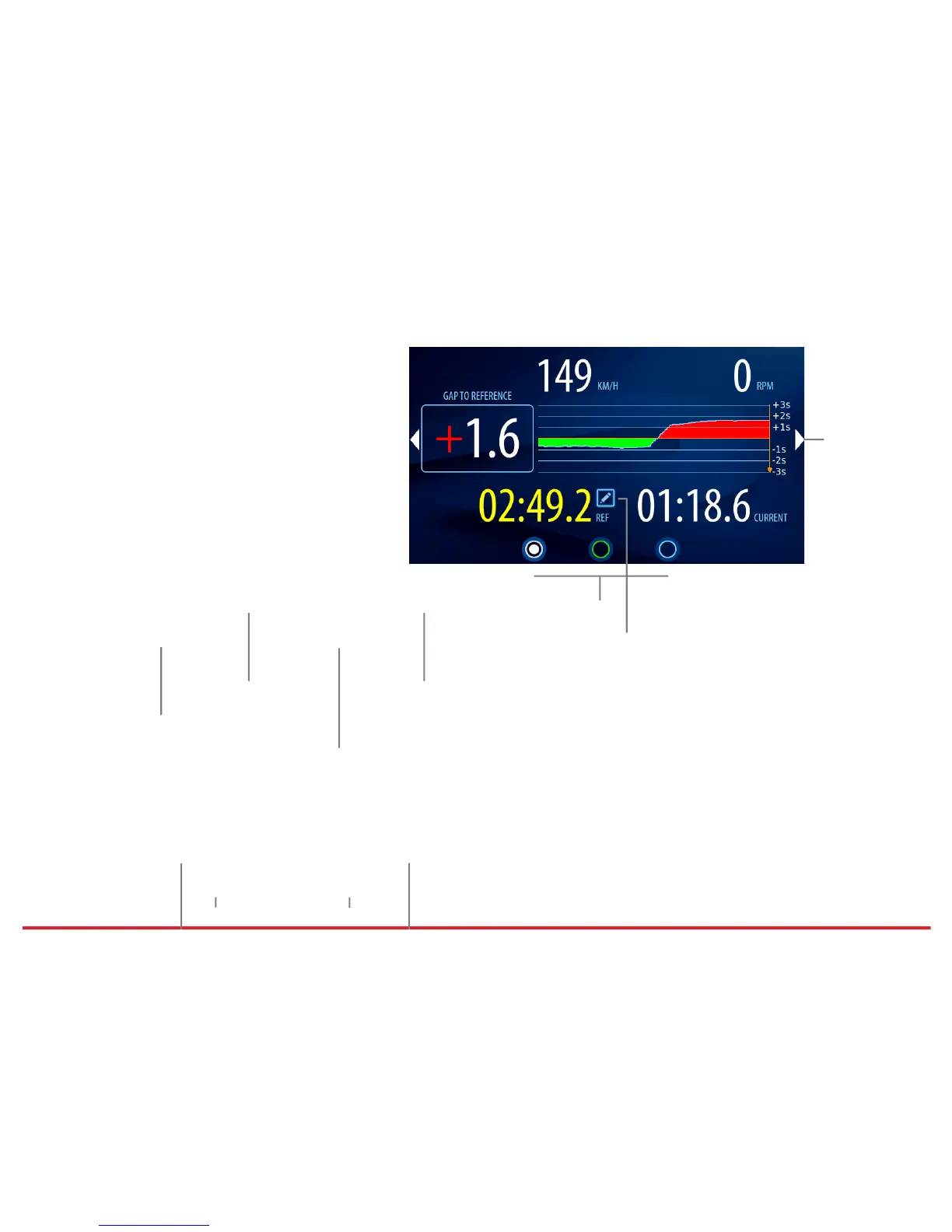
Gap to Reference Chart
The chart displays the gap for the last 20 seconds.
Green color means the time advantage compared
to the reference lap, the red one means the
opposite.
Reference Lap Selection
The fastest lap is automatically selected as the
reference lap. Different lap can be chosen from the
laps list by clicking on the icon.

Current Speed Current RPM
Gap to Reference Gap to Reference Chart
Panels Current Lap Time
Reference Lap Time Reference Lap Selection
Next Panel