EasyManua.ls Logo

RaceChip RS - Page 15

RaceChip RS
25 pages
Print Icon
To Next Page IconTo Next Page
To Previous Page IconTo Previous Page
Loading...
3 Installation
6
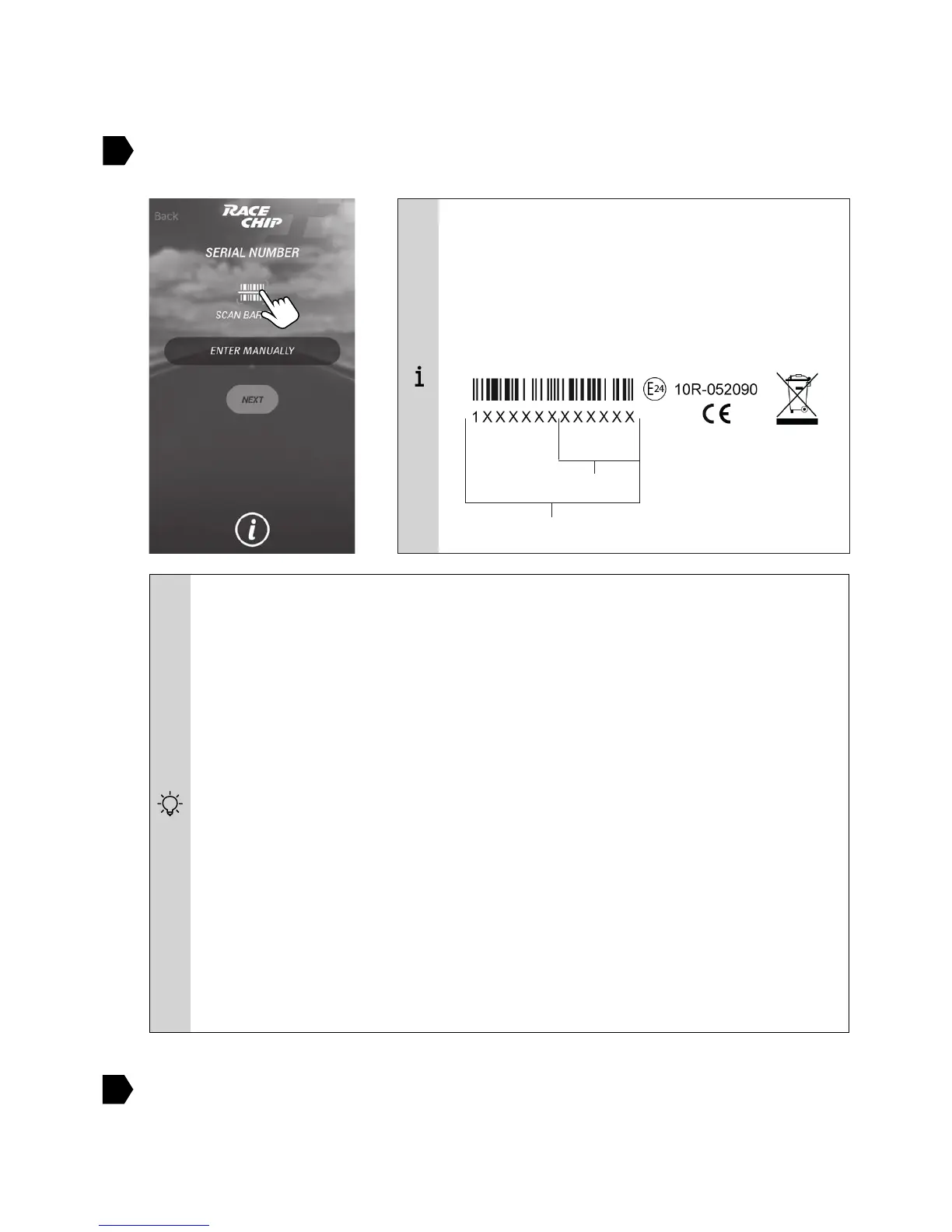
MANUALLY) or with the barcode scanner
SCAN BARCODE).
7

Operation to see how to select a tuning stage via the app.
Having trouble with connecting RaceChip XLR and your phones Bluetooth?

1. Check that the car’s ignition is switched on.
2. CCOverview of
the RaceChipC
3. C
4. Deactivate and then re-activate the Bluetooth connection. Check if RaceChip
and your phone will pair now.
5. Re-start the RaceChip app.
6. 
Select “RaceChip”.
7. “RaceChip” is not shown as a discoverable device or if it is shown but does
C
Example:
T
T
N

Serial number
Bluetooth-PIN
C

Related product manuals