Need help?
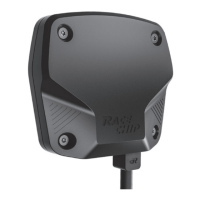
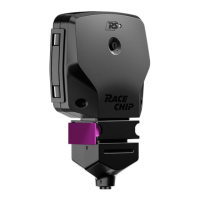
Do you have a question about the RaceChip GTS Black and is the answer not in the manual?
Initial steps before installing the RaceChip, including safety precautions and vehicle preparation.
Instructions on how to safely remove the engine cover to access the engine bay components.
Detailed guide on locating and connecting to the vehicle's common rail sensor.
Steps for connecting the RaceChip unit and verifying its functionality with an initial test.
Methods for securely mounting the RaceChip unit and organizing the wiring harness in the engine bay.
Final procedures for completing the physical installation, including re-attaching covers.
Instructions for establishing a Bluetooth connection between the RaceChip and a smartphone.
Solutions for common issues encountered during the smartphone pairing process.
How to use the RaceChip mobile application to select and adjust performance tuning stages.
Guidance for resolving problems like rough engine operation or unnoticeable performance enhancements.
Using the RaceChip device's interface to select and manage tuning stages.
Resolving problems like lack of power, knocking, jolting, or poor gear shifting quality.
Troubleshooting engine fault lights and issues preventing the car from starting.
Addressing concerns related to fuel economy not improving or increased soot generation.
Resolving problems with smartphone connectivity, app pairing, or software updates.
 General
| Brand | RaceChip |
|---|---|
| Model | GTS Black |
| Category | Automobile Accessories |
| Language | English |


 To Next Page