Raddy PT-3 Manual [EN]
After the APP download is complete, open the APP to register an account and complete the login
According to the illustration, insert the power adapter into the power input interface of B9, the display screen
of the main unit will show all the graphics, and a BEEP sound prompt will be issued. After 3 seconds, it will
switch to the WIFI pairing mode and display "AP 01" .
Note: You can also press and hold the “ ” button for 3 seconds according to the prompt, and the product will
automatically start. If the same product is started manually, it will also automatically enter AP
mode, If it is not normal, the battery may be dead. Please connect the DC power supply to charge
the battery
If the startup is not normal, please press the “RESET” button to reset.
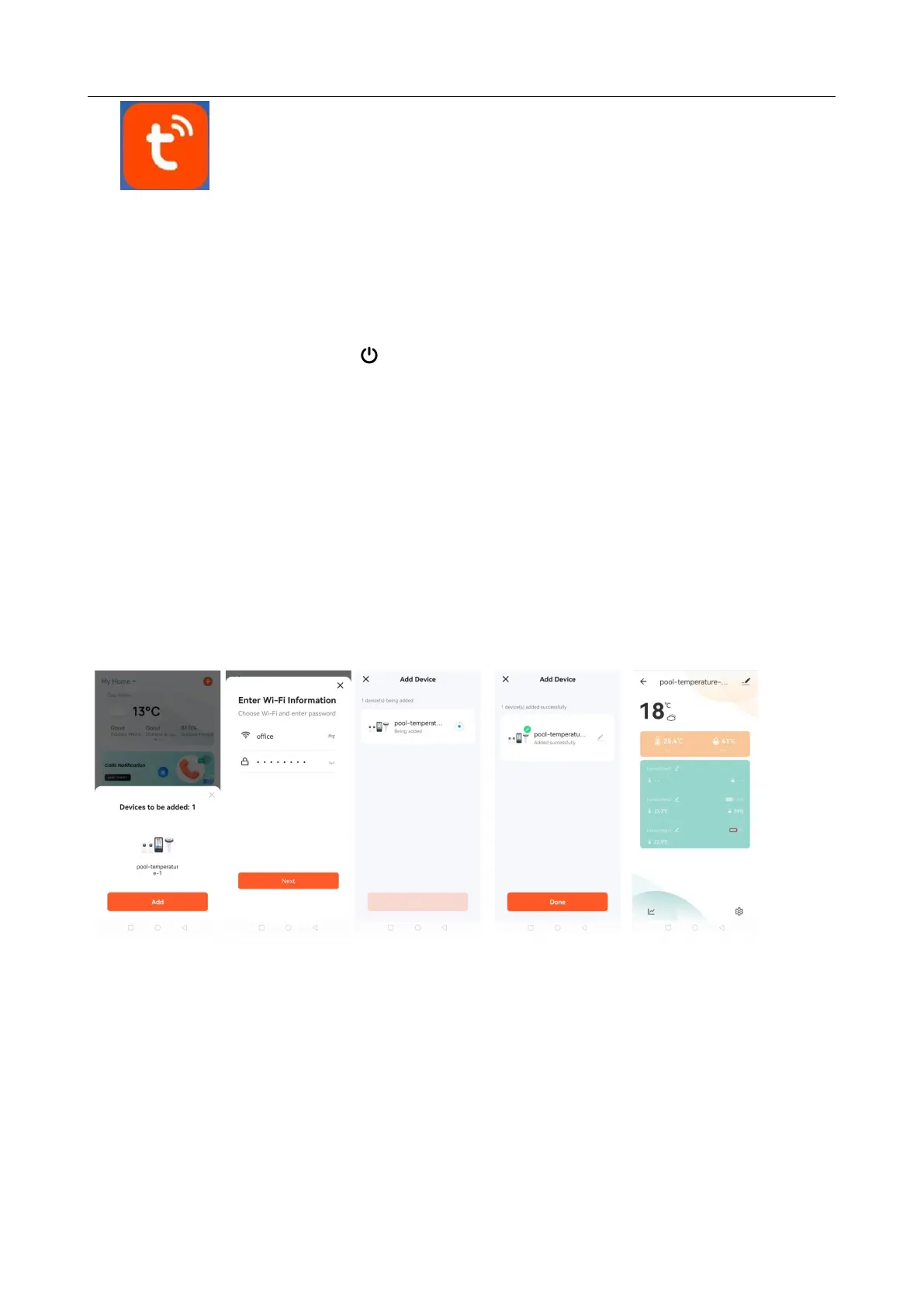
At this time, the APP will automatically prompt whether to join the device, click ADD.
Then follow the APP prompts, step 2: set the WIFI name and password, steps 3: pairing process, click NEXT,
step 4: click Done, switch to the main interface of step 5, indicating that the pairing is complete.
Step1 step2 step3 step4 step6
Note: The paired WIFI hotspot must be 2.4GHz, this product only supports 2.4GHz wireless network
If the main unit does not automatically enter the AP mode when it is powered on for the first time, it can be
entered by pressing the "+" button for more than 3 seconds, and the display after entering is the same as
the display automatically entering the AP mode
When the pairing is completed, the main unit will automatically convert to the conventional display interface,
and at the same time, it will automatically provide the time, and the time will be changed to the current time.


 To Next Page