Raddy PT-3 Manual [EN]
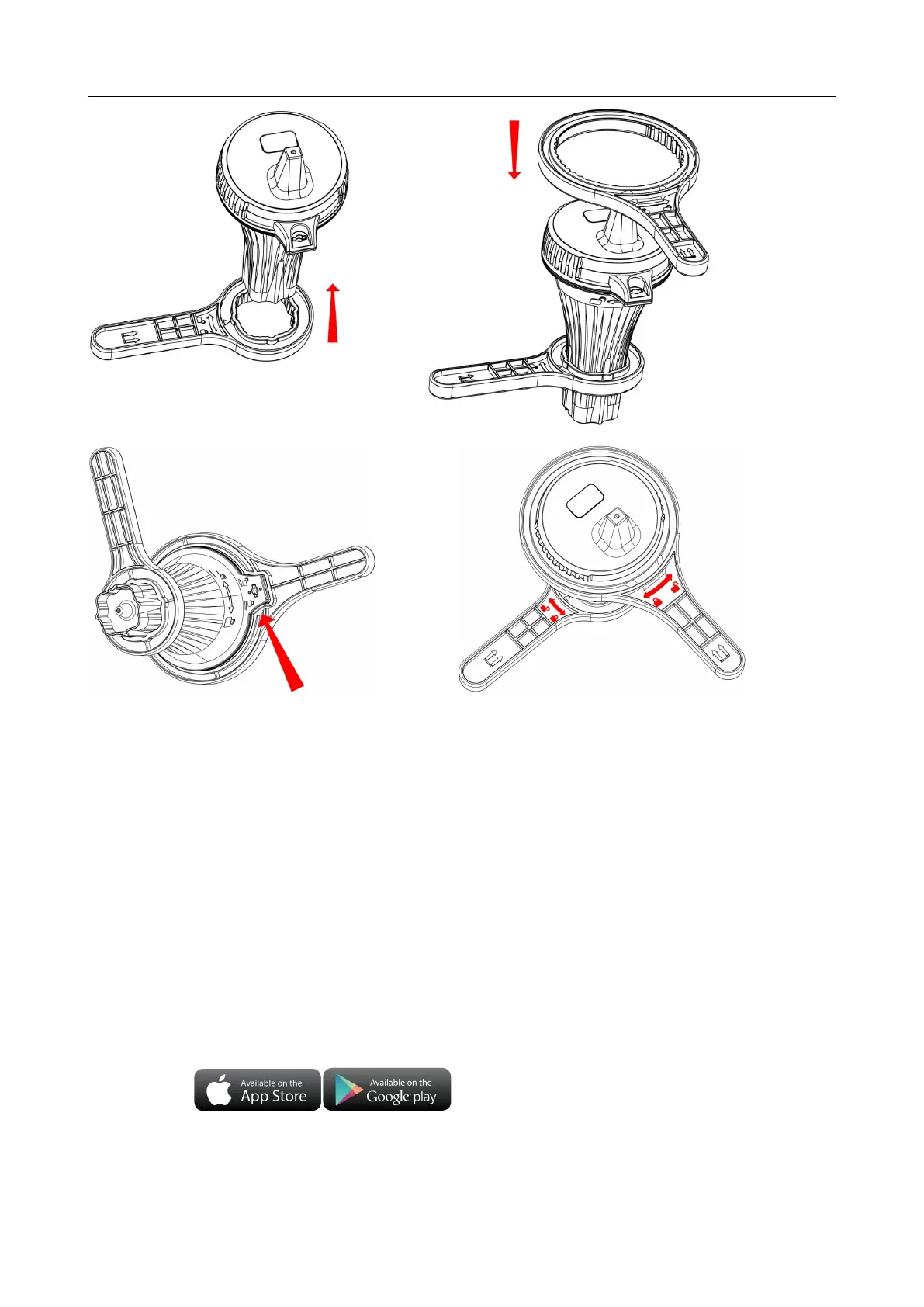
Make sure that the two wrenches are properly matched to 90 degrees, so that it can be opened easily.
Grasp the small wrench with your left hand and the large wrench with your right hand, and twist the wrench
with force in the direction indicated by the arrow on the wrench.
Open the battery compartment covers of two wireless remote temperature and humidity sensors, Insert 2 x
AA batteries observing polarity [ “+” and “–” marks]
When the wireless sensor is loaded into the battery, all the icon on the LCD display will briefly light up for 3
seconds, and detect the temperature and humidity of the sensor, At the same time, LED lights flicker once,
the wireless sensors automatically transmit wireless signals.
Preparation before starting the host:
Download Tuya Smart App:
According to the brand of the phone, search for Yuya through the IOS APP Store or Android's Google
play, find the APP with the icon below, and download the APP.


 To Next Page