7.1.1 “ ” power on/off: Install the battery correctly according to the positive and
negative directions. Press “ ” to show the time and press “ ” again within 10
seconds to turn on the radio.
When the radio is powered on, press “ ” for 2 seconds to turn off the radio. Time
will be shown after the radio is turned off.
Note: after 10 seconds of turning off the radio, the radio enters the mode of power
saving and the backlight&time display is off. To return to check the time, press “ ”
or press “ ” to turn on the backlight&time display. Before the first use, please fully
charge the radio first.
7.1.2 Set the sleep time: press “ ” to turn on the time display. Long press “ ” for
2 seconds to set the sleep time. When the sleep time is displayed, press “ ” to
choose the minutes of automatic power off for sleep: 90-80-70-60-50-40-30-20-10.
After choosing the minutes of automatic power off for sleep, “ ” is displayed on LCD.
7.2. Volume adjustment (level: 00-32)
When the radio is working, press “ ” or “ ” to adjust the volume from 00 to 32.
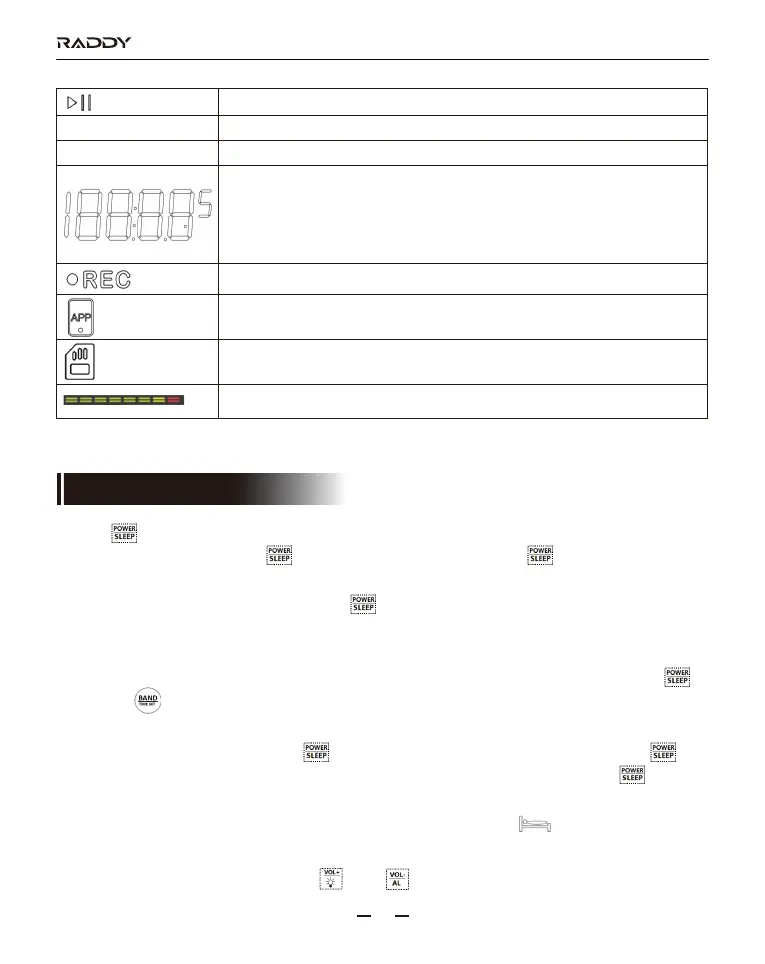
AM
PM
Pause/play
12-hour system AM
12-hour system PM
APP mode. Show the recordings.
Successful connection between this product and mobile APP
TF card inserted into the radio
Marquee
Standby time: show the time
Bluetooth mode: bt shows Bluetooth state
Connection to computer: PC shows audio output state & TF card data
download/deletion
TF card mode: show the total number of songs & show the play time
RF320
08
7. Function Introduction



 To Next Page