10
RF886
a b c
a b c
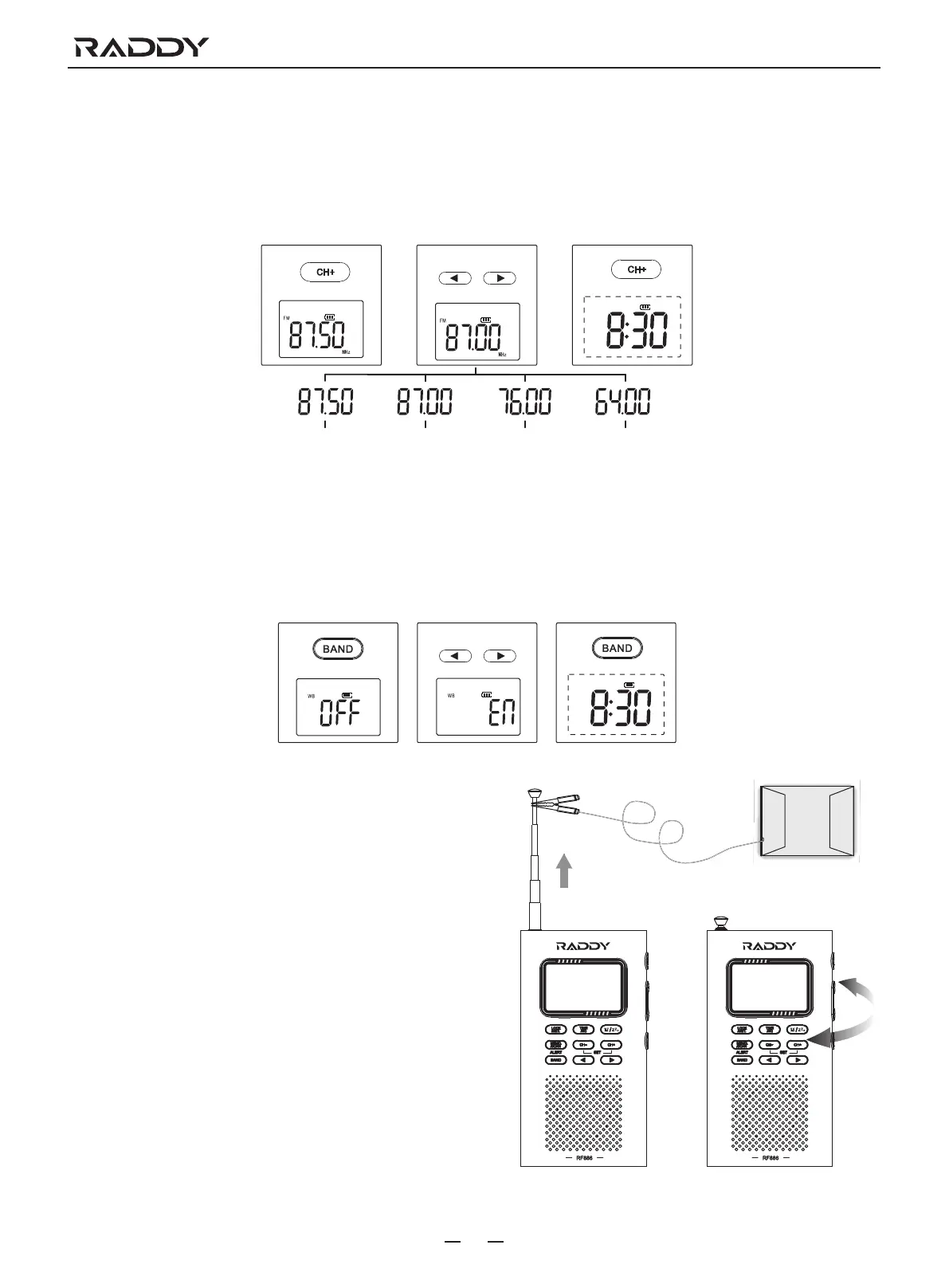
Frequency Setting (In Time Mode)
Users can choose one of the 4 type frequencies according to the local radio frequency.
a. Press and hold the button 8 for 2 seconds, "87.5" will appear and flash on the monitor 1.
b. Press the button 6 or button 7 to choose 87.5, 87, 76 or 64 MHz.
c. Press the button 8 to confirm the setting.
Type 1 Type 2 Type 3 Type 4
NOAA Weather Band Operation (In Time Mode)
a. Press and hold the button 5 for 2 seconds, "OFF" or "ON" appears and flashes on the display.
b. Press the button 6 or button 7 to choose on or off.
c. Press the button 5 to confirm the setting.
Use the Straight Pull Antenna
a. When listening to the FM, VHF, SW or WB band, please extend
the straight pull antenna 11 to optimize the reception. Adjust
the length of the antenna 11 according to the signal intensity to
achieve optimal reception. When the reception signal is weak,
you can use the external antenna in the supplied accessories to
enhance the signal reception.
b. The radio uses its internal iron oxide bar antenna to receive the
AM signal. Therefore, it won't be necessary to use the straight
pull antenna 11. To improve radio's AM reception, try to change
the radio's location or adjust its orientation.
Cautions: It's better to use it near a windows or open space, in
order to receive better signals.
Windows
FM / VHF / SW / WB Band AM Band



 To Next Page