05
RF886
a b c
a b c
d e f
Press and hold
for 2 seconds
Press
Automatic Tuning
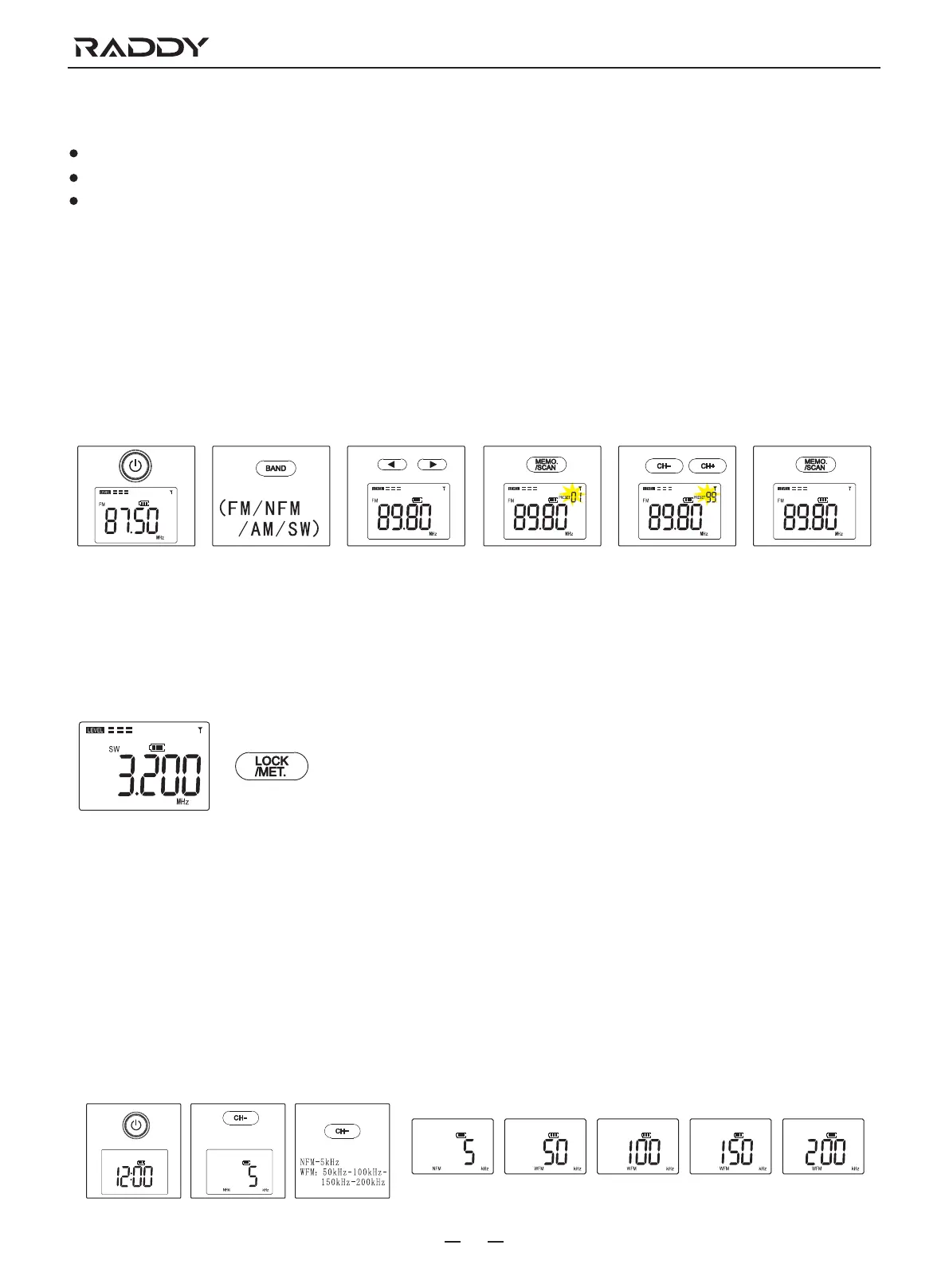
Press the frequency upward search button 6 or frequency downwardsearch button 7 to search for a radio station.
Long press the button 6 or button 7 for 2 seconds to auto search for a radio station and stop when a station is found.
Press and hold the button 6 or button 7 for fast frequency stepping
Manual Storage the Radio Station
a. Press the button 15 to turn on the radio.
b. Press the button 5 to select different radio bands, FM, VHF (NFM/WFM), AM or SW.
c. Press the button 6 or button 7 to choose a radio station frequency you prefer.
d. Press the button 4, the memory address (01-99) and the prefix "PRESET" will appear and flash on the monitor 1.
e. Press the button 8 or button 9 to choose a memory address you prefer.
f. Press the button 4 to confirm and save the settings.
Shortwave (Meter Band) Band Operation
Shortwave frequency range: 3.20-21.95MHz, set with 10 meter bands for more convenient selection of shortwave stations.
When listening to shortwave, press the key lock/stereo button 3, the radio enters the shortwave (meter band) band.
Press the button 3 continuously to choose 4.75, 5.60, 7.35, 9.90, 12.10, 13.87, 15.80, 17.90, 19.10 or 21.85MHz.
4.75MHz-5.60MHZ-7.35MHZ-9.90MHz-12.10MHz-13.87MHz-
15.80MHz-17.90MHz-19.10MHz-21.85MHz
VHF(Very High Frequency) Band Operation
This radio can receive VHF-(NFM/WFM) dual modulation mode.
1. VHF-NFM: The factory bandwidth value of the radio is 5kHz, which can receive train channels/racing channels/VHF 2 way
radio/VHF (HAM), etc.
2. VHF-WFM: In this mode 4 bandwidths 50kHz,100kHz,150kHz or 200kHz can be chosen. The operation of selecting the
bandwidth is:
a. Press the button 15 to enter time mode.
b. Press and hold the button 9 for 2 seconds to enter frequency bandwidth settings.
c. Press the button 9 again to choose a bandwidth step you prefer.



 To Next Page