RF886
08
EQ (Equalizer) Operation
In radio or Bluetooth mode, press EQ (Equalizer) selection button 2 continuously to select EQ (Equalizer):
E1: (NORMAL)
E2: (POP)(NORMAL)
E3: (ROCK);
After selecting the EQ (Equalizer) you prefer, stay for 3 seconds for automatic confirmation.
Siren and SOS Light/Torch Function Operation
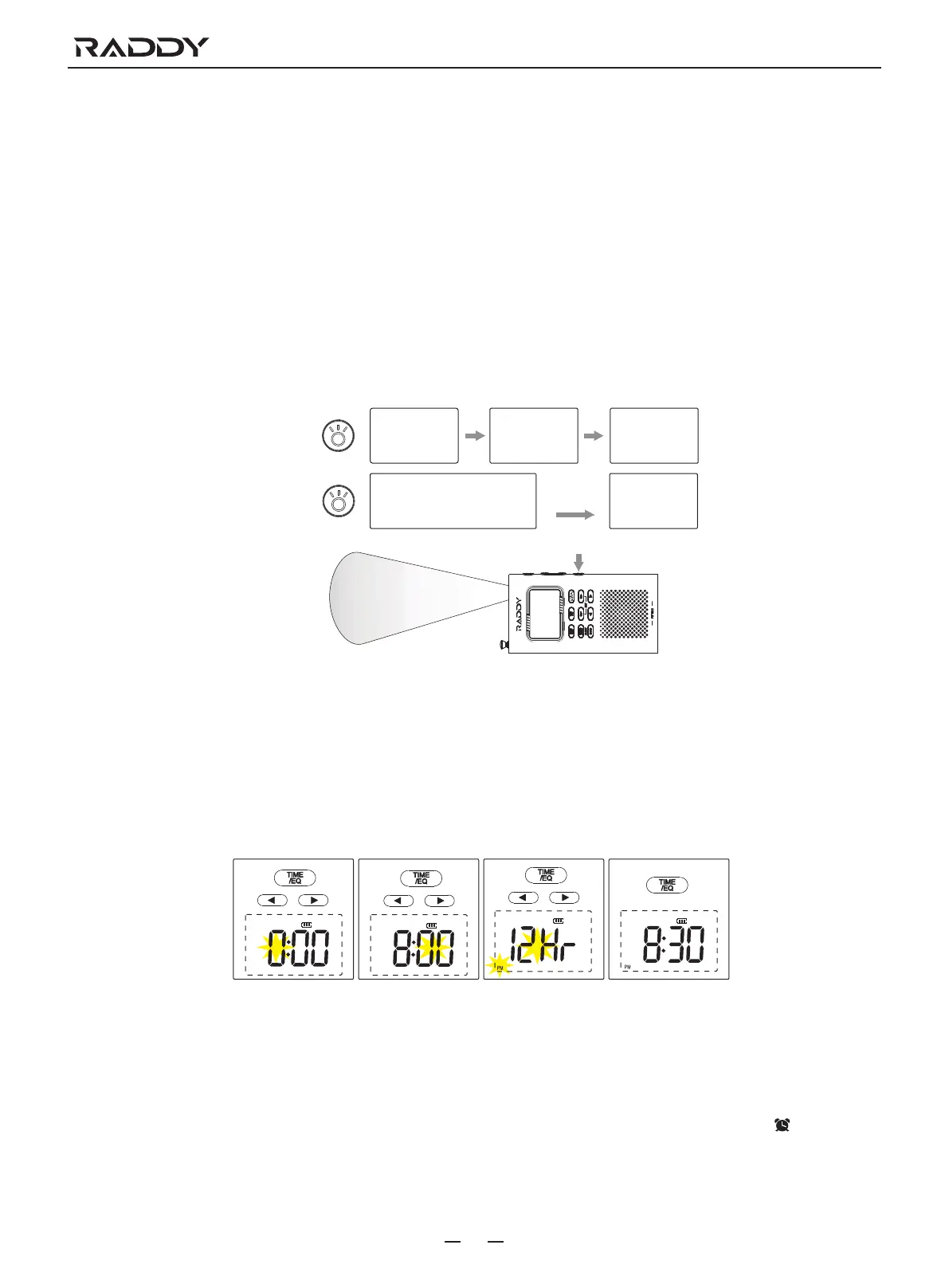
a. Press the button 18 and the lights change sequentially: (torch - flashlight - turns off all lights)
b. Press and hold the button 18 for 2 seconds to enter siren and SOS light mode, then press button 18 again to turn off all lights
and alarms.
E4: (JAZZ);
E5: (CLASSIC);
E6: (COUNTRY);
a. Press
Press
Press
b. Press and hold
Torch Flashlight Turns off
Siren and SOS light
Turn off
Time Function Operation (In Time Mode)
a. Press and hold the button 2 for 2 seconds until the hour is flashing, then press button 6 or button 7 to adjust the hour.
b. Press the button 2, then the minutes flash, then press button 6 or button 7 to adjust the minutes.
c. Press the button 2, "24Hr" or "12Hr" appears in monitor 1, press button 6 or button 7 to select the timing method. If the "12Hr"
timing method is selected, the PM icon will appear in monitor 1 every afternoon.
d. Finally press button 2 to save the time setting.
a
b
c
d
Cautions: Time function operations need to be completed within the flashing time (5 seconds). The current operation will be canceled
when the flashing stops.
Alarm Clock Operation (In Time Mode)
Press the button 10 to turn on/off the alarm clock function, when the alarm clock function is turned on, the clock icon appears
on the monitor 1.
a. Press and hold the button 10 for 2 seconds until the hour is flashing, then press button 6 or button 7 to adjust the hour.



 To Next Page