51
EN
i
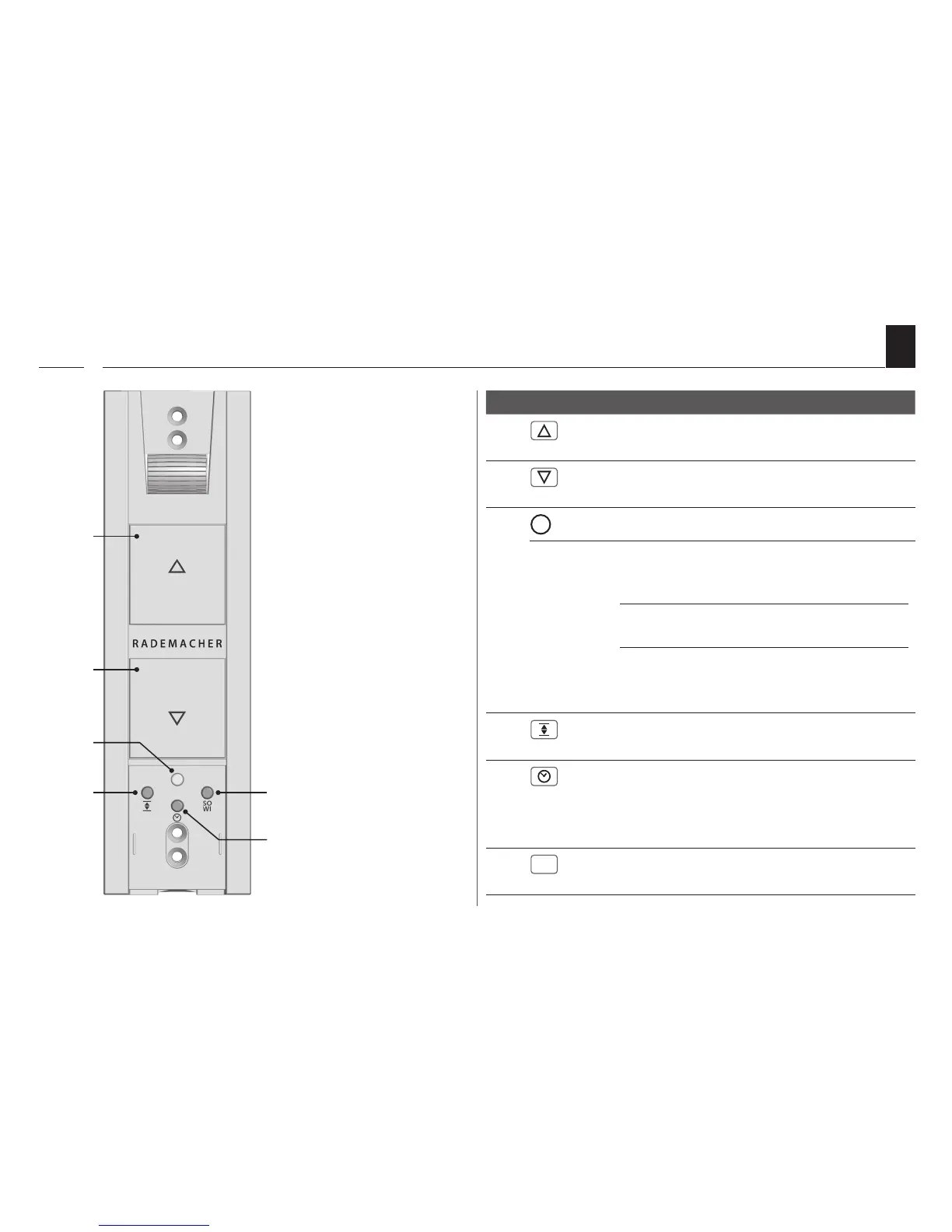
4.1 Operating Buttons and Indicator Light
Pos. Symbol Description
1) Up / Stop button
The roller shutter travels upwards.
2) Down / Stop button
The roller shutter travels downwards.
3) Indicator Light - Status Display
red flashes
briefly
continuous
light
flashes
briefly
Return signal when pressing
the timer button or the SO/WI
button.
Status display of the respective
function (10 seconds)
◆ During the setting process
or when resetting.
◆ After a power failure
4) Set button
Setting the end points.
5) Timer button
◆ Setting both switching times
◆ Switching the automatic timer function
on/off.
6)
SO


 To Next Page