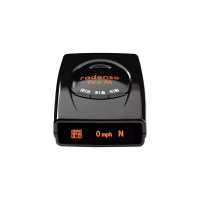
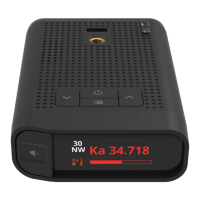
4. Menu Control buttons
4.1. [MARK] button: Toggle downward
4.2. [CITY] button: Toggle upward
4.3. [POWER] button : change Menu setting or execute Menu function forward
4.4. [MUTE] button : change Menu setting or execute Menu function backward
5. Exit Menu
5.1. Select “Exit” in Manu
5.2. Press and hold POWER button for 2 seconds
5.2. Automatically exit Menu If there is no button operation in Menu mode for 20seconds.
=============================================================================
Factory Reset
=============================================================================
1. Select FACTORY RESET in the Menu to reset all settings to the factory defaults except GMT setting.
=============================================================================
User Setting Memory
=============================================================================
1. All features selected are retained in the memory.
2. Mute on is not stored in the memory so Unit stays Mute Off (Default) after Power Reset.
=============================================================================
GPS Connection Message
=============================================================================
: GPS Connection Message displays with a voice when GPS is initially connected after Power On.
=============================================================================
User Point
=============================================================================
1. Press [MARK] button to register or delete User point.
2. You can register up to 100 user points.
=============================================================================
User Point All Delete
=============================================================================
You can select “User Point All Delete” in the Menu to delete all User points registered in the memory.


 To Next Page