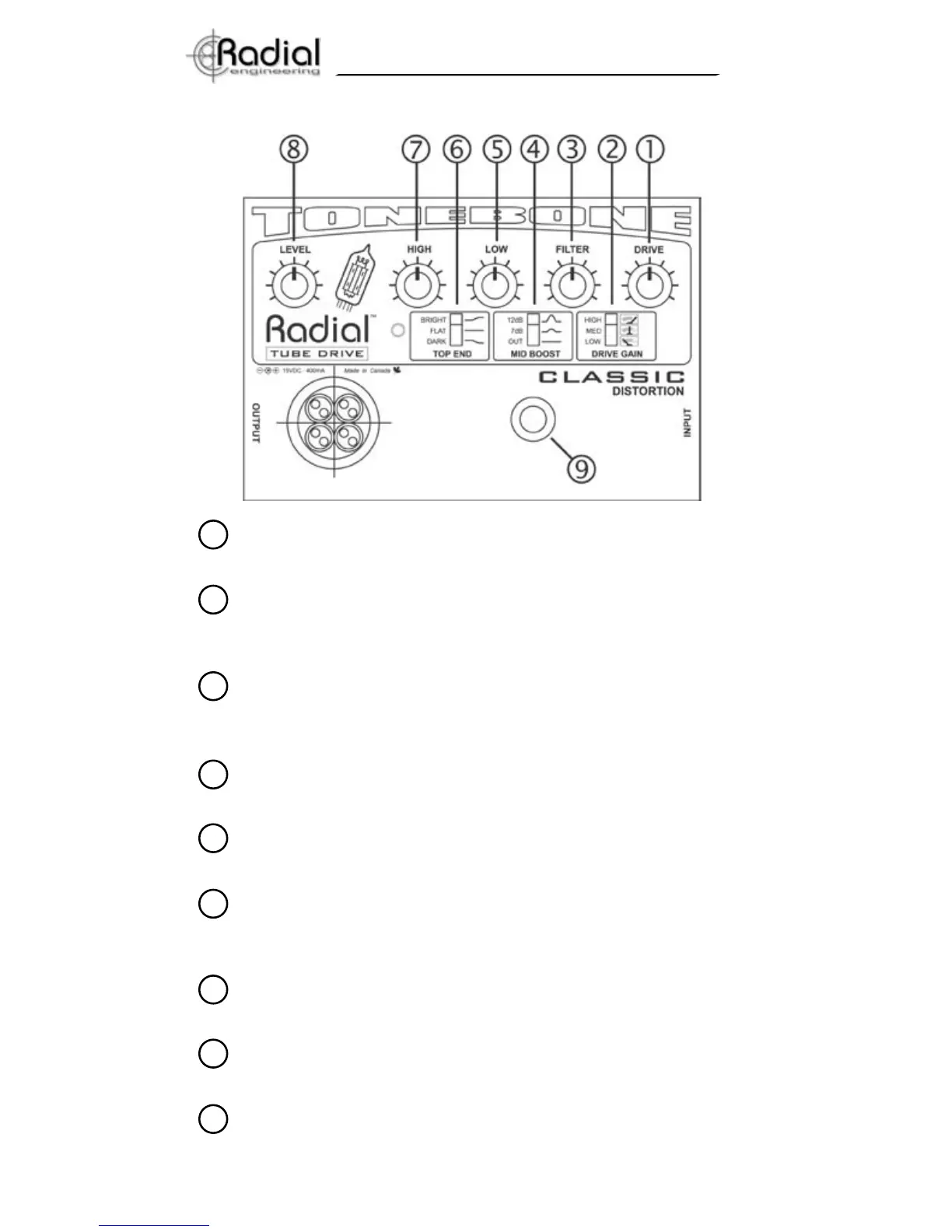
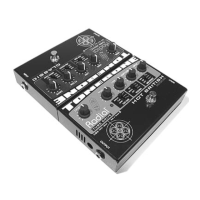
DRIVE control: Used to adjust overall amount of input gain &
distortion. For even more drive, use the GAIN switch.
GAIN switch: Used to boost the gain at preamp input. LOW = 0dB
MED = +9dB HIGH = +20dB. Hint: Start with GAIN in low position and
DRIVE at 9:00 o’clock and LEVEL at 3:00. Then add DRIVE.
FILTER control: Used to balance the high frequency ratio between
the amplifier and the ToneBone. Hint: start adjustments at the
full clockwise position and work backwards.
MID BOOST switch: Gives you +7dB & +12dB boost @ 360Hz.
Allows guitar to cut through the mix; especially useful for soloing.
LOW control: Active ‘post-distortion’ tone control. Boost or cut ±14.5
dB @ 100 Hz from 12 o’clock position.
TOP END switch: BRIGHT: +6dB @ 10KHz; FLAT is the
recommended position when the amp’s bright switch is on;
DARK: -6dB @ 3.3KHz, normally used with super bright inputs.
HIGH control: Active ‘post-distortion’ tone control. Boost or cut
±10dB @ 4.3KHz from 12 o’clock position.
LEVEL control: This is used to adjust the output level without alter-
ing any of the tonal characteristics.
FOOTSWITCH: Toggles between effect and True-Bypass. i.e.
when the Tonebone is off, the signal passes straight through without
any effect. An on/off status indicator LED is provided.
1
2
3
4
5
6
7
8
9
5. Tonebone Classic Function Overview
3
True to the Music
TM


 To Next Page