EasyManua.ls Logo

Radio Shack 2200245 - User Manual

Radio Shack 2200245
19 pages
Print Icon
To Next Page IconTo Next Page
Loading...
2200245
User’s Guide
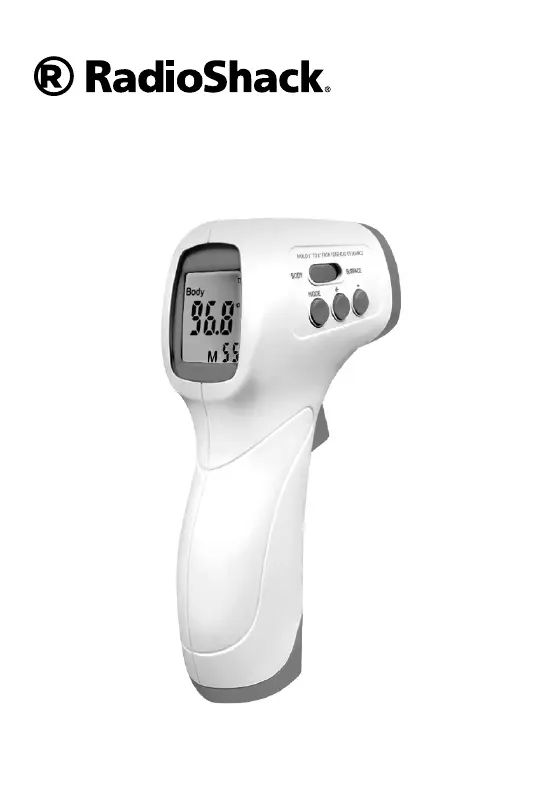
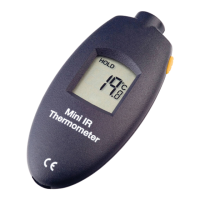
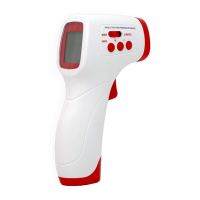
Non-Contact
Infrared Thermometer

Questions and Answers

  • J
    Jill FryAug 4, 2025
    How to fix a Radio Shack Thermometer that won't turn on?
    • S
      susanandersonAug 4, 2025
      If your Radio Shack Thermometer isn't powering on, the batteries might be low, have poor contact, or are not correctly installed. Try replacing the batteries or reinstalling them, making sure they are in the correct orientation.
  • J
    Jessica GatesAug 12, 2025
    Why is the battery icon flashing on my Radio Shack Thermometer?
    • X
      xhallAug 12, 2025
      The battery icon flashes on your Radio Shack Thermometer when the batteries are too low to operate the thermometer. Replace the batteries to resolve this issue.
  • C
    Clifford NguyenAug 20, 2025
    What to do if my Radio Shack Thermometer reads 'Lo'?
    • A
      Ashley HerringAug 20, 2025
      If your Radio Shack Thermometer displays 'Lo', consider the following possibilities: 1. Environmental or air pressure changes: Allow the thermometer to sit for up to 30 minutes before taking another measurement. 2. Obstructions: Remove any hair, clothing, or perspiration covering the forehead. 3. Distance: Position the thermometer 1 to 2 inches (3 to 5cm) away from the object being measured. 4. Sensor lens: Clean the IR sensor lens. 5. Mode setting: Set the measurement mode switch to SURFACE if you are measuring an object. 6. Temperature range: Make sure that you measure temperatures above 89.6°F (32°C) in BODY mode or 32°F (0°C) in SURFACE mode. 7. Ambient temperature: Use the thermometer in a room with a temperature between 50 to 104°F (10 to 40°C).
  • A
    anthonypierceAug 27, 2025
    Why does my Radio Shack Thermometer display 'Hi'?
    • M
      Megan ThomasAug 27, 2025
      A 'Hi' reading on your Radio Shack Thermometer can occur due to: * Changes in environment or air pressure: Allow the thermometer to sit for up to 30 minutes before taking another measurement. * Incorrect mode: If measuring an object, ensure the measurement mode switch is set to SURFACE. * Temperature range: The temperature might be outside the measurable range. This device cannot measure temperatures over 109.4°F (43°C) in BODY mode or 212°F (100°C) in SURFACE mode.

Summary

Essential Safety Precautions

Intended Use of the Infrared Thermometer

Important Usage Notes

Thermometer Measurement Modes and Ranges

Key Product Features

Operating Instructions and Usage

Preparation Before First Use

Outlines essential steps to take before operating the thermometer for the first time.

Temperature Reading Calibration

Provides instructions on how to calibrate the thermometer for accurate temperature readings.

How to Take a Temperature Reading

Step-by-step guide on how to measure body and surface temperatures accurately.

Care and Cleaning Procedures

Cleaning the Infrared Sensor Lens

Instructions for cleaning the sensitive IR sensor lens to maintain performance.

Service and Repair Information

Proper Thermometer Storage

Troubleshooting Common Issues

Technical Product Specifications

Product Warranty Information

Radio Shack 2200245 Specifications

General IconGeneral
BrandRadio Shack
Model2200245
CategoryThermometer
LanguageEnglish

Related product manuals