EasyManua.ls Logo

Radio Shack TRC-93 - User Manual

Radio Shack TRC-93
24 pages
Print Icon
To Next Page IconTo Next Page
Loading...
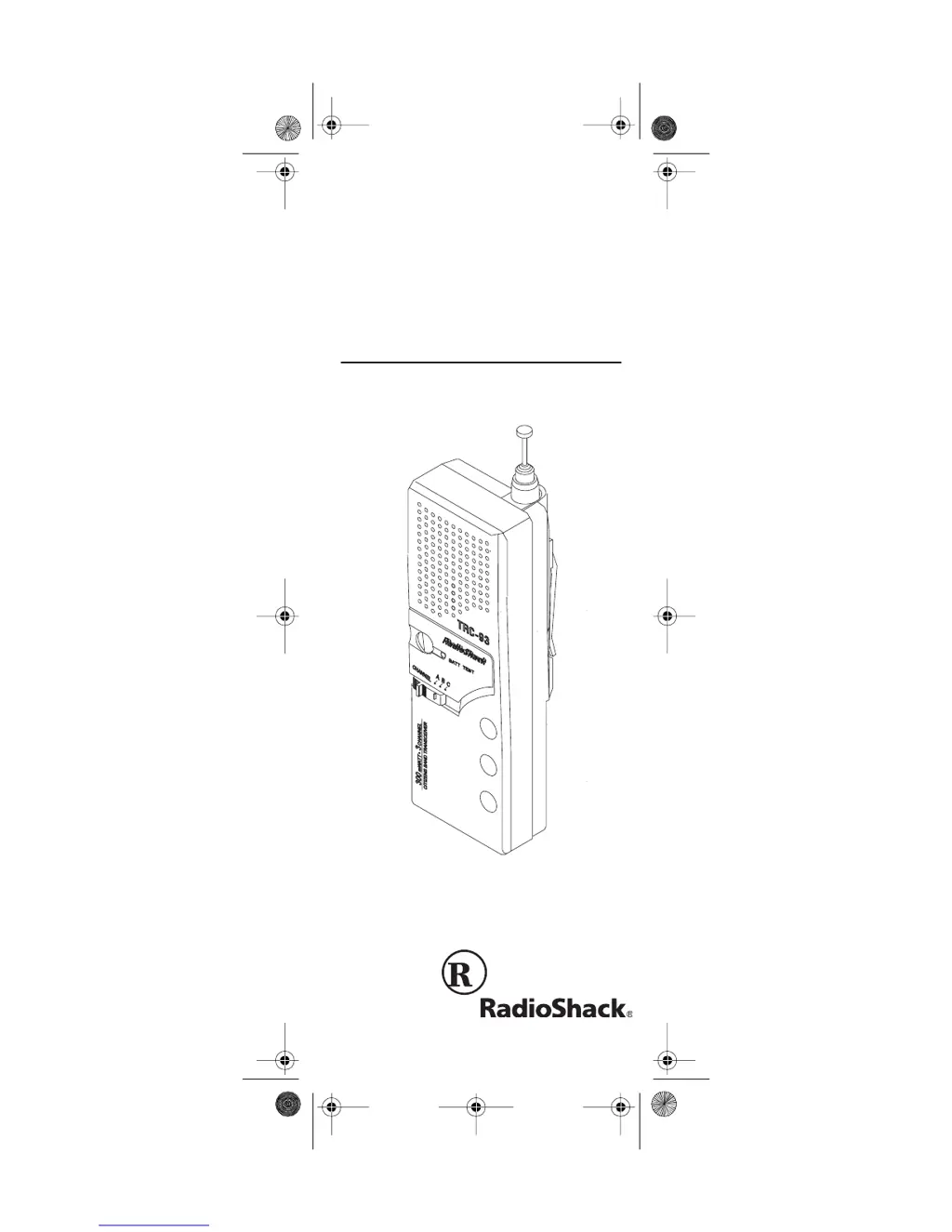
OWNER’S MANUAL Cat. No. 21-1615
TRC-93
300 mW 3-Channel
Walkie-Talkie
Please read before using this equipment.
21-1615.fm Page 1 Thursday, August 5, 1999 11:07 AM

Questions and Answers

  • J
    Jessica GardnerJul 30, 2025
    Why does my Radio Shack TRC-93 Two-Way Radio have weak reception?
    • M
      michaelscottJul 30, 2025
      If your Radio Shack Two-Way Radio has weak, bad, or no reception, make sure the unit is turned on and the volume is turned up. Also, ensure the antenna is fully extended and the batteries are not weak. Check that you are not pressing the PUSH TO TALK button when trying to receive, and confirm that CHANNEL is set to A if you haven't installed additional crystals.
  • A
    Amber WillisAug 14, 2025
    What to do if my Radio Shack TRC-93 has trouble with transmission?
    • D
      Diana MorrisAug 14, 2025
      If you're experiencing trouble with transmission on your Radio Shack Two-Way Radio, first ensure that the antenna is fully extended. Then, make sure you are fully pressing the PUSH TO TALK button while transmitting. Also, confirm that the batteries are not weak and that the CHANNEL is set to A if you have not installed any additional crystals.

Summary

Features

Factory-Installed Crystals

Device comes with Channel 14 crystals installed for immediate use.

Three-Channel Operation

Allows operation on Channel 14 and two additional user-selected channels.

Built-In Modulation Limiter Circuit

Automatically adjusts voice levels for clear transmission.

Telescoping Antenna

Provides excellent reception and transmission by extending.

Battery Indicator

Monitors the condition of the installed batteries.

Removable Belt Clip

Allows hands-free carrying by attaching to a belt.

FCC Information

Preparation

Installing Batteries

Step-by-step guide for inserting six AA alkaline batteries into the device.

Testing the Battery Power

Procedure to check if the installed batteries are good or need replacement.

Using the Belt Clip

Instructions on how to attach and remove the device's belt clip.

Operation

Receiving Transmissions

Steps to set the channel and turn on the device to listen for transmissions.

Transmitting

Guide on how to hold the device and use the PUSH TO TALK button to speak.

CB Operation Tips

Common Uses for a CB Radio

Details on various business and personal applications for using the walkie-talkie.

Using Common 10-Codes

List of standard 10-codes for efficient communication on citizen's band.

CB Courtesy

Guidelines for polite and effective communication practices on the CB radio.

Maximum Range

Factors affecting the transmission and reception distance of the walkie-talkie.

Adding Crystals

Troubleshooting

Maintenance

Specifications

Limited Ninety-Day Warranty

Radio Shack TRC-93 Specifications

General IconGeneral
TypeCitizens Band Transceiver
Channels40
ModulationAM
AntennaFlexible Whip Antenna
Dimensions2 1/4 x 7 1/4 x 1 3/4 inches
Weight1 lb 3 oz (with batteries)
Power SourceBattery

Related product manuals