9
7. FUNCTION MENU
No.
'VODUJPO -$%%JTQMBZ %FTDSJQUJPO
1
Beep sound setting
Key Beep
ON
: turn on beep sound
OFF
: turn off beep sound
Default :
ON
2
Roger beep sound
setting
Roger Beep
OFF
(default),
1
~
6
OFF:
turn off RB sound function.
3
Backlight brightness
setting
Dimmer
Bright
(default)
Dimmed
4
Signal strengt meter type
setting
Display Type
S-Meter
Bargraph
Classic
(default)
5
Select the feature to be
GLVSOD\HGLQ7;
Display Mode
RF
(default)
SWR
NOTE:Use the PF button on the microphone
for quick selection.
6
Microphone type setting
Mic Type
Electret
(default)
Dynamic
1. Press and hold the PUSH knob to enter menu.
2. Turn the rotary PUSH knob or press the UP / DN buttons on the microphone to
select the menu.
3. Press the PUSH knob to validate. The parameter of the chosen function blinks on
the display.
4. Turn the rotary PUSH knob or press the UP / DN buttons on the microphone to
modify the value of the parameter.
5. 1HZSUHVVPUSH knob to validate the chosen value. The parameter stops blinking.
6. ,I QRNH\LV SUHVVHGWKHXQLW H[LWV0(18DIWHU VHQFRQGVPress and hold the
PUSHNQRERUSUHVV377EXWWRQWRYDOLGDWHVWKHODVWVHWWLQJDQGH[LVWV0(18
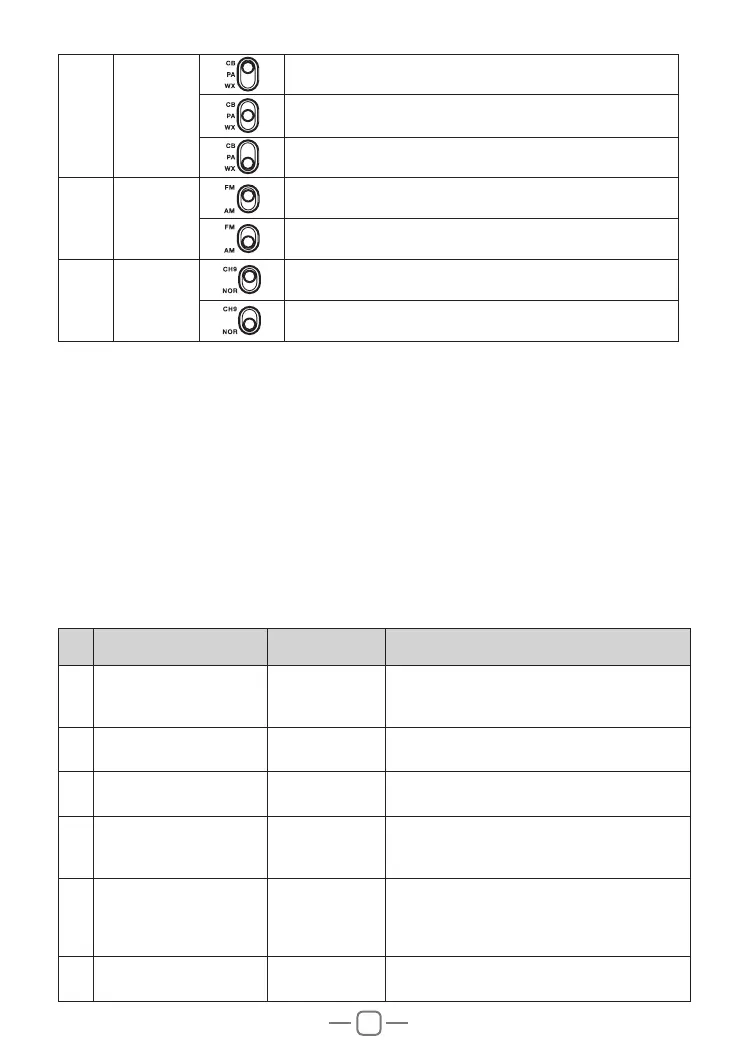
4 Mode
Select the CB mode
Select the Public Address (PA) mode
6HOHFWWKH:;PRGH
5
Modulation
Mode
Select the Frequency Modulation (FM) mode
Select the Amplitude Modulation (AM) mode
6
Instant
Channel
To access Instant channel 9
Return to the original channel selected



 To Next Page