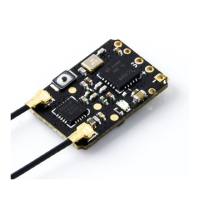
14.2mm
24mm
u.Fl u.Fl
bind
LED
TX 5V gRX
YL320
Ah1V
26.000
MHZ
SX1276
2334
451784
1
ESP
8285
XC2BZ
!"#$%&'(
SiGe
2435L
334EC
SPECIFICATIONS
• Type:
• Size:
• Weight:
• MCU:
• RF Chip:
• Refresh rate:
• Input Voltage:
• Antenna Connector:
• Receiver protocol:
• Firmware (pre-installed):
868MHz / 915MHz
24*14.2*3mm
5.5g (w/ 2x antennas)
ESP8285
SX1276
25Hz~200Hz
5V
U.FL
CRSF
ExpressLRS v3.0
INCLUDES
1x BR3 ELRS 900MHz Receiver
1x 75mm U.FL 900MHz T-Antenna
1x User Manual Card
4x Silicone wires
DEFAULT FIRMWARE
RadioMaster BR3 900 RX
For more information, please visit the ELRS website:
https://www.expresslrs.org/2.0/
TRADITIONAL BINDING
Binding Phrase field must be uncommented in Device options on the RX.
1. Power OFF your transmitter/radio.
2. Plug in and unplug your receiver 3 times.
3. Make sure the LED is doing a quick double blink, which indicates
the receiver is in bind mode.
4. Power ON your transmitter/radio and use the [BIND] button
on the ExpressLRS Lua script, which sends out a binding pulse.
5. If the receiver has a solid light, it's bound!
CONFIGURATION
Open Betaflight Configurator, go to Ports tab and enable the corresponding
UART as a Serial RX (e.g. UART2 as shown above). Save and Restart.
On the Configuration tab, click on Serial-based receiver on the Receiver
panel, and select CRSF.
BOTTOM
1.3
GRAMS
900
MHZ
TOP
BR3 Receiver User Manual
Including
2x Antennas
5.5
GRAMS
75mm
150mm
2X
115200USB VCP
Identifier Serial RXConfiguration/MSP
UART1
UART2
115200
115200
Receiver
Serial (via UART)
CRSF
Receiver Mode
Serial Receiver Pr ovider
• The UART for the receiver must be set to ‘Serial Rx ’ (in the
Ports
tab)
• Select the c orrect data format from the drop-dow n, below:

 Need help?
 General

 To Next Page