11Operation
To Power-Up
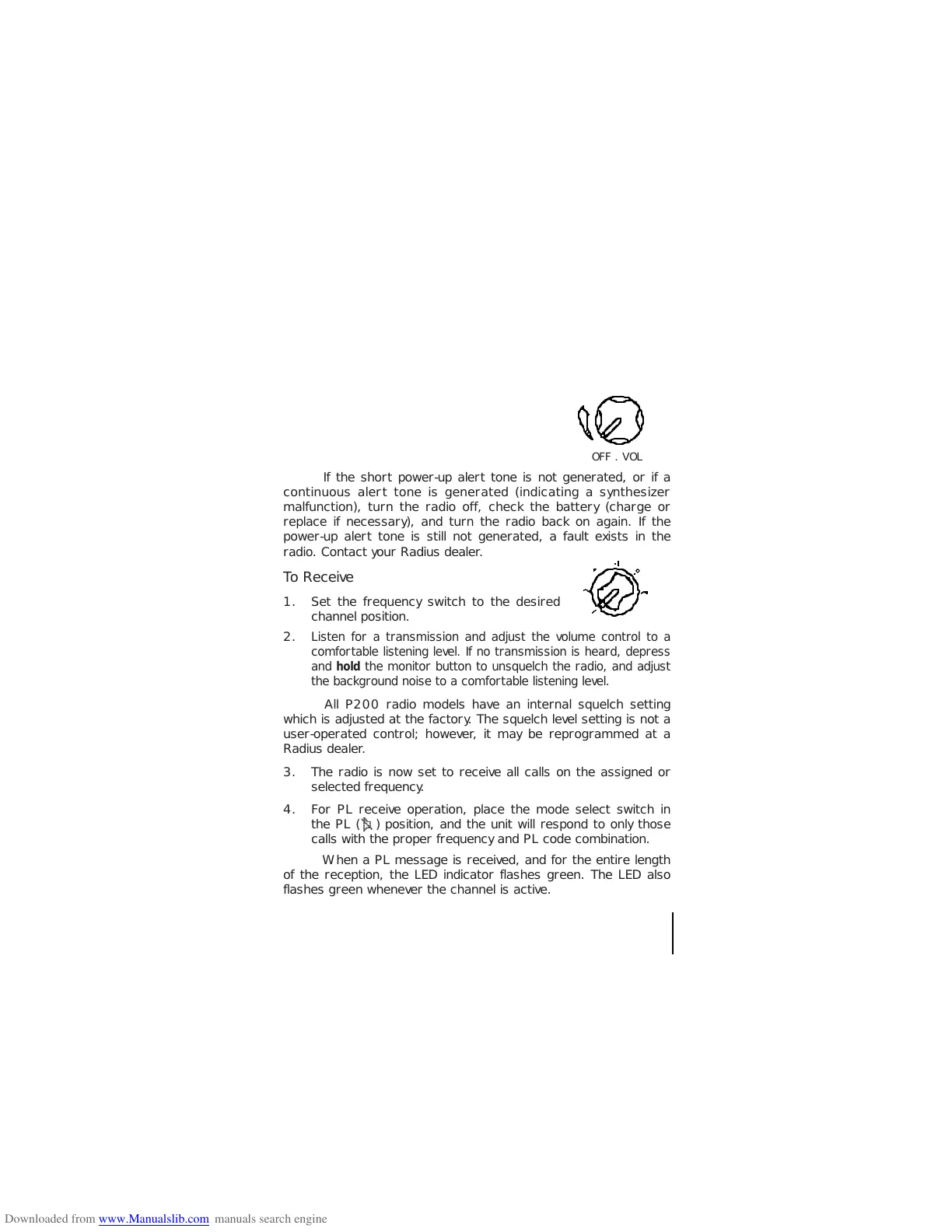
Rotate the volume control 1/2 turn clockwise
to turn on the radio. A power-up alert tone is
generated for approximately one-half second
to indicate that the radio has passed a self-
test of the microcomputer.
?
?
?
O2@@@@@@@6K?hg?
O2@@0MfI4@@@6K?he?
O2@@@?he@@@6X?h?
W2@@0?4@@@6Ke?O2@@@@@)Kh?
?W&@(MfI4@@@@@@0Me?I'@6Xg?
?7@(Y? V'@1g?
J@(Y ?V'@L?f?
?@6Xh?W&(Y? V')Xf?
J@@1h?7(Y ?N@1f?
7@@@L?gJ@ @@L?e?
?J@?I')Xg7@1? ?J@@1?e?
?7@??V')X?f@@@L ?7(Y@?e?
?@5?eN@1?e?J@?@1 ?@H?@?e?
?@H?e?@@?e?7@?@@ J@e@Le?
?@L?e?@5?e?@5?3@ 7@e31e?
?@1?e?@H?e?@H?N@ @5eN@e?
?3@?e?@f?@e?@h?W2@@@he@He?@e?
?N@?e?@f?@e?@hW&(M?@he@Le?@e?
@Le?@f?@e?@g?W&(Y?J@he31e?@e?
@1e?@f?@e?@gW&(Y?W&5heN@L?J@e?
3@L??@f?@L?J@f?W&(Y?W&(Yhe?@1?75e?
N@1??@f?31?75fW&(Y?W&(Y?he?3@?@He?
?3@L?@f?N@?@He?W&(Y?W&(Yhf?N@@@?e?
?N@1?@L?f@@5?eW&(Y?W&(Y? 3@@?e?
3@W@1?f3@H??W&(Y?W&(Y ?@5?e?
V'@Y@LfN@L?W&(Y?W&(Y? 7@H?e?
?N@W@1f?3)?&@H?W&(Y ?J@5f?
3@Y@L?e?V'@@@?O&(Y? W&(Yf?
V'@@1?fN@?@@@(Y ?W&@H?f?
?V'@@Lf?3@@@(Y?f?O@KhW&@5g?
V'@1f?V4@@?e?O2@@@@@@@6Ke?O&@0Yg?
?V'@L?f?I')KO2@@0M?e?I4@@@@@(Mh?
V4@?gV4@@@@he@@@0Y?h?
I4@@@6K?eO2@@@0M?he?
I4@@@@@0M?hg?
?
?
?
?
?
?
O2@@@@@@@6K?hg?
O2@@0MfI4@@@6X?he?
O2@@@?he?@)Khe?
W2@(MI4@@6K?e?O2@@@@@6Kh?
?W&@0YfI4@@@@@@0Me?I'@@?g?
?7(M V'@Lg?
J@H? ?V')X?f?
?W&?h?W&5 V'1?f?
W&@Lh?7(Y ?N@Lf?
7@@)X?gJ@ @)X?e?
?J@?I')Xg7@1? ?J@@1?e?
?75??V'1g@?@L ?7(Y@?e?
?@H?eN@L?f@?@1 ?@H?@?e?
?@f?@@?e?J@?3@ J@e@Le?
?@f?@H?e?75?N@ 7@e31e?
?@L?e?@f?@H??@ @5eN@e?
?31?e?@f?@e?@h?W2@@@he@He?@e?
?N@?e?@f?@e?@hW&(M?@he@Le?@e?
@Le?@f?@e?@g?W&(Y?J@he31e?@e?
@1e?@f?@e?@gW&(Y?W&5heN@eJ@e?
3@L??@f?@L?J@f?W&(Y?W&(Yhe?@L?75e?
V'1??@f?31?75fW&(Y?W&(Y?he?31?@He?
?N@L?@f?N@?@He?W&(Y?W&(Yhf?N@?@?e?
31?@L?f@@5?eW&(Y?W&(Y? 3@@?e?
N@W@1?f3@H??W&(Y?W&(Y ?@5?e?
?3@Y@LfN@L?W&(Y?W&(Y? 7(Y?e?
?N@W@1f?3)?&@H?W&(Y ?J@Hf?
3@Y@L?e?V'@@@?O&(Y? W&5?f?
V'@@1?fN@?@@@(Y ?W&(Y?f?
?V'@@Lf?@@@@(Y? W&(Yg?
V'@1gI'@?e?O2@@@@@@@6Ke?O&(Y?g?
?V4@g?V')KO2@0Mf?I4@6?2@0Yh?
V4@@@?he@@(Mhe?
I4@@@6K?eO2@@@0Y?he?
I4@@@@@0M?hg?
?
?
?
OFF . VOL
If the short power-up alert tone is not generated, or if a
continuous alert tone is generated (indicating a synthesizer
malfunction), turn the radio off, check the battery (charge or
replace if necessary), and turn the radio back on again. If the
power-up alert tone is still not generated, a fault exists in the
radio. Contact your Radius dealer.
To Receive
1. Set the frequency switch to the desired
channel position.
2.
Listen for a transmission and adjust the volume control to a
comfortable listening level. If no transmission is heard, depress
and hold the monitor button to unsquelch the radio, and adjust
the background noise to a comfortable listening level.
All P200 radio models have an internal squelch setting
which is adjusted at the factory. The squelch level setting is not a
user-operated control; however, it may be reprogrammed at a
Radius dealer.
3. The radio is now set to receive all calls on the assigned or
selected frequency.
4. For PL receive operation, place the mode select switch in
the PL ( ) position, and the unit will respond to only those
calls with the proper frequency and PL code combination.
When a PL message is received, and for the entire length
of the reception, the LED indicator flashes green. The LED also
flashes green whenever the channel is active.
@@6X
@@@)X?
W-X?@@@@)X
*@)X@@@@@)X?
V'@@@@V'@@1?
?V'@@@?V'@@L
V'@@L?V'@)K?
?N@@)X?V4@@@@@@@
@@@)X?g@@
@@@@)Xg@@
@@V'@)X?f@@
@@?V'@)Xf@@
@@eV'@)X?e@@
@@e?V'@)Xe@@
@@fV'@)X?@@
@@f?V'@)X@@
@@gV'@@@@
@@g?V@@@@
@@e?W2@@@@@@@L?
@@eW&@@@@@@@@)X
@@?W&@(MfI'@)X?hg
@@W&@(Y?f?V'@1?hg
@@@@(YhV4@?hg
@@@(Y?
@@(Y
@0Y?
@@6X
@@@)X?
W-X?@@@@)X
*@)X@@@@@)X?
V'@@@@V'@@1?
?V'@@@?V'@@L
V'@@L?V'@)K?
?N@@)X?V4@@@@@@@
@@@)X?g@@
@@@@)Xg@@
@@V'@)X?f@@
@@?V'@)Xf@@
@@eV'@)X?e@@
@@e?V'@)Xe@@
@@fV'@)X?@@
@@f?V'@)X@@
@@gV'@@@@
@@g?V@@@@
@@e?W2@@@@@@@L?
@@eW&@@@@@@@@)X
@@?W&@(MfI'@)X?hg
@@W&@(Y?f?V'@1?hg
@@@@(YhV4@?hg
@@@(Y?
@@(Y
@0Y?
?
?
?
?@ ?
?@ ?
?@?@ ?
?@ ?
?
?O2@6K ?
@(gO2@@@@0?4@@@@6K?gW-X?g?
(YfW2@0M?hI4@6X?f*?,?g?
?O&(M?fW26KfI')KfV+Y?g?
?W2@0Yg7@@@@6K??V4@6X?@he?
W&(Mg?J@(M?I4@@6X?I')X?he?
?W&(Y?g?7@HfI4@)K?V'1?he?
?7(YhJ@@?gI'@@?N@Lhe?
J@H?g?W&@5?g?V'@L?3)X?h?
75h?7@(Y?hV')XV'1?h?
?J@HhJ@(Yhe?N@1?N@Lh?
?75?g?O&(Y?hf3@L?31h?
?@H?f?O2@(Y N@1?N@h?
J@f?W2@@0Y? ?3@??@h?
75fO&@(M? ?N@??@h?
?W-X?J@He?@@@0Yf?W2@@@he@??@L?g?
?.R/T&@?e?@hW&(M?@he@??31?g?
?V4@@Le?@g?W&(Y?J@he@?e@?W2@@@??
?I'1e?@gW&(Y?W&5g?O2@@??75?.MI4@??
N@e?@f?W&(Y?W&(YfO2@@0Me?@H?g?
?@e?@L?eW&(Y?W&(Y?eW2@@0Mf?@h?
?@e?@1??W&(Y?W&(Yf7@(Mg?@h?
?@L??3@?O&(Y?W&(Y?e?J@(Y?gJ@h?
?31??N@@@@H?W&(YfW&(Yh75h?
?N@Le@@@@?O&(Y?f7@H?g?J@Hh?
31?J@(?'@@(Yf?J@5hW&5?h?
N@W&@?e@@g?7@Hh7(Y?h?
?@@@@)?&@@)Kf?@5?g?J@Hhe?
?I'@@0?4@@6Ke?@H?gW&5?he?
N@fI4@@@@@@g?O&(Y?he?
W.e?@hI@M?f?W2@0Yhf?
?W.Ye?@@6K?hfO&(Mhg?
?.Y?fI4@6K?hO2@0Y?hg?
I4@@@6KO2@@@@0M? ?
I4@@0M ?
?
?
?
?
?
?
?
?@ ?
?@ ?
?@?@ ?
?@ ?
?
?O2@6K ?
@(gO2@@@@0?4@@@@6K?gW-X?g?
(YfW2@0M?hI4@6X?f*?,?g?
?O&(M?f?@6KfI')KfV+Y?g?
?W2@0YgJ@@@@6K??V4@6X?@he?
W&(Mh7(M?I4@@6X?I')X?he?
?W&(Y?g?J@Hf?I')K?V'1?he?
?7(YhW&@?gV'@@?N@Lhe?
J@H?h7@5?g?V'@L?3)X?h?
75h?J@(Y?hV')XV'1?h?
?J@HhW&(Yhe?N@1?N@Lh?
?75?g?O&(Y?hf3@L?31h?
?@H?f?O2@(Y V'1?N@h?
J@f?W2@@0Y? ?N@??@h?
75fO&@? @??@h?
?W-X?J@He?@@@@?f?W2@@@he@??@L?g?
?.R/T&@?e?@hW&(M?@he@??31?g?
?V4@@Le?@g?W&(Y?J@he@?e@?W2@@@??
?I'1e?@gW&(Y?W&5g?O2@@??75?.MI4@??
N@e?@f?W&(Y?W&(YfO2@@0Me?@H?g?
?@e?@fW&(Y?W&(Y?eW2@@0Mf?@h?
?@e?@L??W&(Y?W&(Yf7@0Mg?@h?
?@L??3)KO&(Y?W&(Y?e?J@?hJ@h?
?31??N@@@@H?W&(YfW&5?h75h?
?N@Le@@@@?O&(Y?f7(Y?g?J@Hh?
31?J@(?'@@(Yg@HhW&5?h?
N@W&@?e@@g?J@?h7(Y?h?
?@@@@)?&@@)Xf?75?g?J@Hhe?
?I'@@0?4@)K?e?@H?gW&5?he?
N@fI4@@@@@@g?O&(Y?he?
W.e?@hI@M?f?W2@0Yhf?
?W.Ye?@@6K?hfO&(Mhg?
?.Y?fI4@6K?hO2@0Y?hg?
I4@@@6KO2@@@@0M? ?
I4@@0M ?
?
?
?
?


 To Next Page