6
Orientaon Modes
Your drone has two orientaon modes:
Standard Mode: The drone will always associate the front
(with the camera) as the front. This is recommended for
normal pilong. The lights will glow steadily in this mode
during ight.
Heading Lock Mode: The path of the drone will always
follow the transmier inputs (the front of the model
as the edge facing away from the pilot). This feature
can be helpful for beginning pilots when you have lost
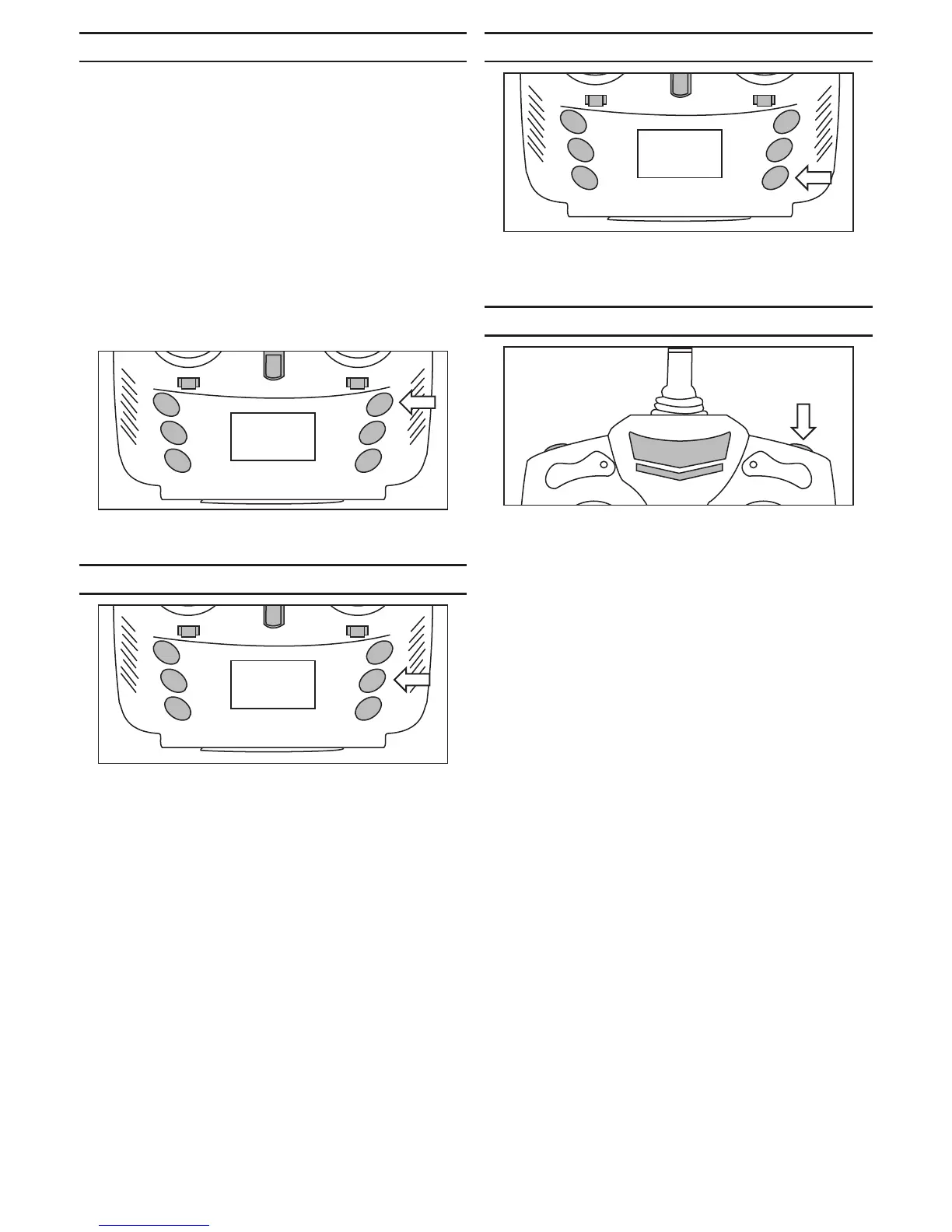
orientaon of the drone. Pressing this buon and using
the instrucon for a control (pulling down on the right
control sck) on page 5 of the manual will bring the
drone back towards the pilot. The lights will ash in this
mode during ight.
Push the upper buon to toggle between the standard
and heading lock modes.
Auto Reverse
Pressing the middle feature buon will make the aircra
y back in the direcon that is opposite from where it
was facing when the ight was started. This funcon can
be helpful when the aircra is geng out of visibility
to pull it back to the vicinity of the pilot. It can also be
used to pull the aircra back if you are ying towards an
obstacle.
LED Lighng
You can turn the lighng on or o using the lighng
buon on the transmier. Press the buon to toggle the
lights on or o.
3D Flip Mode
Pressing the upper right buon on the transmier will
enter the 3D ip mode. A series of beeps will indicate the
mode is acve.
Move the right sck in the direcon you wish your drone
to ip. Make sure to hover at least 3 feet above the
ground and allow for a minimum of 3 feet above your
drone before iniang the ip.


 To Next Page