7
Center Control Surfaces
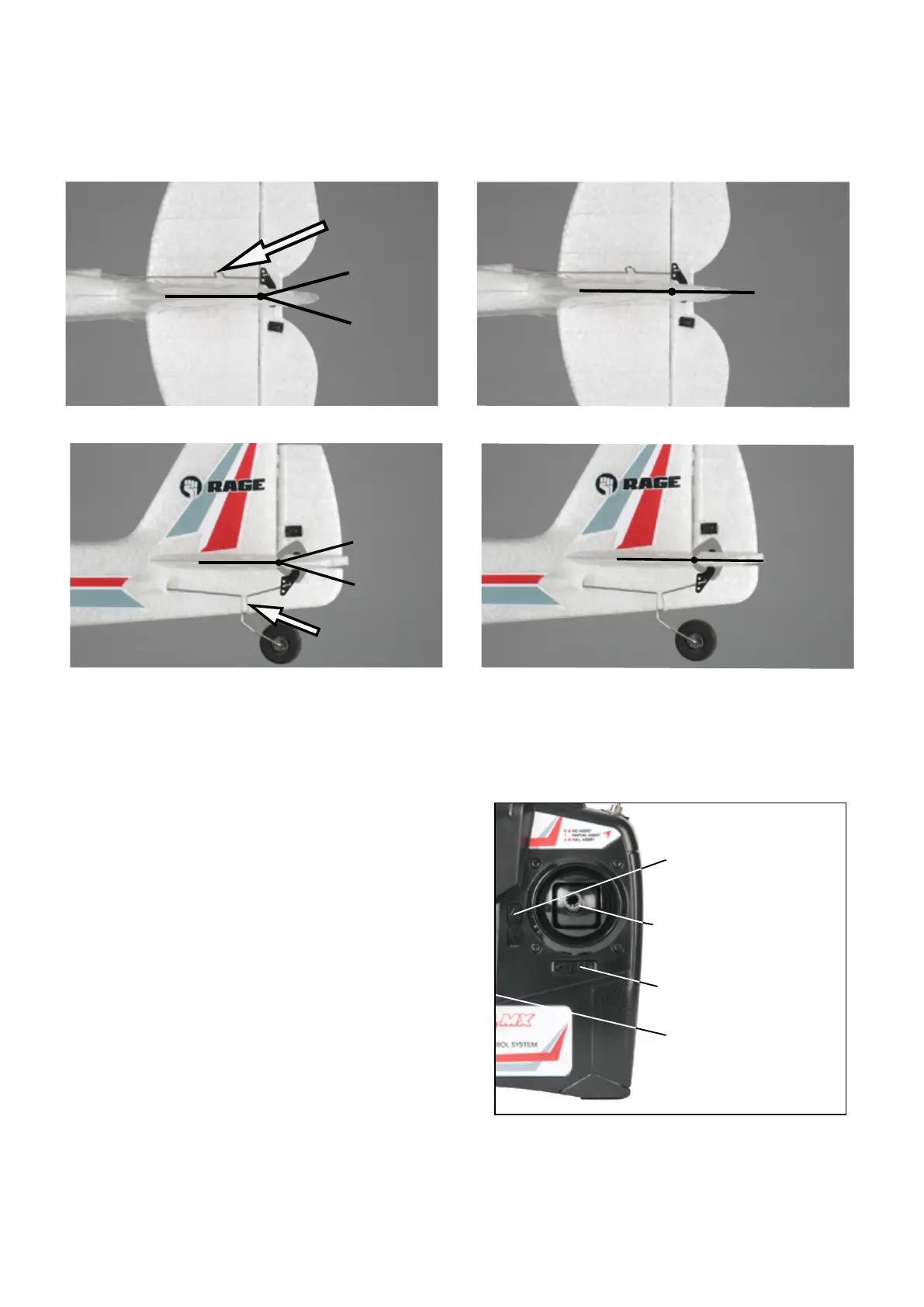
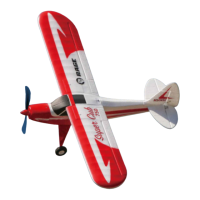
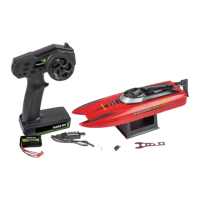
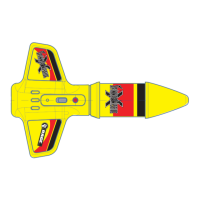
WithboththetransmierandtheaircrapoweredonandthePASSswitchinthe"NoAssist"
posion,checkthecontrolsurfacesforcorrectcentering.Ifthesurfaceisnotcentered,make
theadjustmenttothepushrodlengthbyeitheropeningorclosingthegapattheU-shaped
seconofthepushrod.
Adjust Here
Adjust Here
Ruddernotproperlycentered.
Rudderproperlycentered.
Elevatornotproperlycentered.
Elevatorproperlycentered.
Electronic Trims
Throttle Stick
Elevator/Rudder
Stick
On/Off
Elevator Trim
Rudder TrimNot Used
Not Used
Antenna
Handle
PASS Switch
Power LED
Alltrimsshouldbecenteredmechanically
asshownintheCenterControlSurfaces
seconabove.Ifadjustmentsarerequired
forlevelightwhenyingtheSuperCub
MX,theelectronictrimsshouldbeused.If
upelevatortrimisneeded,pressthebot-
tomhalfoftheelevatortrimbuonseveral
mesunllevelightisachieved.Dothe
opositeifdowntrimisrequired.Insimilar
fashion,ifruddertrimisrequiredpress
eithertheleorrightsideoftheelectronic
trimbuontoachievethedesiredresults.


 To Next Page