• Infrared data transmission (even if the
module is submerged in water)
The Control Modules operate within a 32˚ to
140˚ F (0˚ to 60˚ C) temperature range in a valve
box and up to 150 psi (10 bars).
Connecting the Control Module
Installing the battery
The Control Modules are powered by a 9-volt
alkaline battery (not included), type 6AM6 or
6LR61. We recommend you use a high-quality
alkaline battery, such as Energizer. A high-quali-
ty battery will last up to one year.
To install the battery:
1. Unscrew the cap to the battery compart-
ment.
2. Remove the battery connector from the bat-
tery compartment.
(continued)
english
TBOS
™
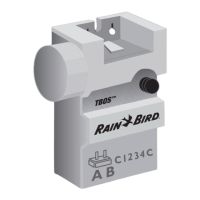
Control Module
5
Welcome to Rain Bird
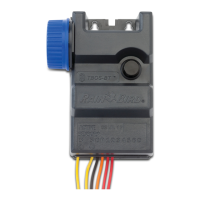
The TBOS
™
One, Two, and Four Station Control
Modules, part of the TBOS irrigation system
family, store programming information and
relay it to the solenoids.
The Control Modules allow:
• One minute to 12 hour irrigation run times
per station in one minute increments
• Three independent programs: A, B, C
• Up to eight start times per program per day
• 365-day calendar (adjusts for leap year)
• Even, odd and 1 through 6 day cycles available
using TBOS Field Transmitter
• Seven-day programming and manual func-
tions available using TBOS or UNIK
™
Field
Transmitter
• Manual irrigation start or stop capacity
english
4


 To Next Page