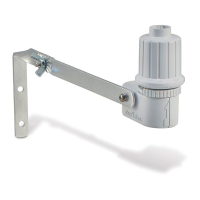
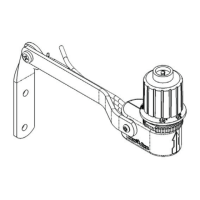
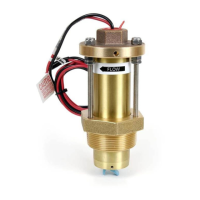
WR2-48 Wireless Sensor
7
Saving, Resetting
and Restoring
Settings
Save Contractor Default
Settings
Once the Controller
Interface is completely
programmed, press
+ and right arrow
buttons simultaneously
for ve (5) seconds to
save contractor default
setting. All programmed
icons will ash in unison
one time to indicate
program is saved.
Reset Contractor Default
Settings
The Contractor default setting stores
programming details related to rainfall and
temperature set points.
Reset and save programming details in
accordance with Section
and .
Restore Contractor Default
Settings
If this programming is inadvertently
changed, it is simple to restore.
Press + and – buttons
simultaneously for ve
(5) seconds, or until
the screen goes blank.
When icons reappear,
contractor default
settings are restored.
Restore Standard Setting
Press the – and
left arrow buttons
simultaneously
for ve (5)
seconds, or until
the screen goes
blank, to cancel
Select the Sensor
Location
The communication range for the
WR2 Wireless Sensor is 700 feet
(213.4 meters).
A blinking light on the bottom of the
Sensor indicates signal strength for 20
minutes immediately following successful
pairing. The Sensor updates its signal
strength every 3 seconds (i.e. 1 blink =
reliable signal strength, series of 4 blinks
= strongest signal strength). If the signal
strength is not optimum in one location,
try another location. Even as little as a few
feet dierence in placement can improve
signal strength.
Select a mounting location where the
rain sensor will receive direct rainfall.
Make sure the sensor extends beyond
the roof line, tree limbs and any other
obstructions. Install the Rain Sensor in
an area that receives as much rain and
sunlight as the landscape. Be sure to
mount the sensor above spray from the
sprinklers.
Signal Sensor LED
GOOD
Install
1-4 Blinks
POOR
DO NOT install
Does not blink
the Contractor default setting and restore
the ”Standard Setting”: temperature 37°F
(3°C), rain fall ¼” (6mm) and “programmed
irrigation” mode. When icons reappear,
”Standard Setting” is active.


 To Next Page