Pro Max User’s Manual Rain Master Irrigation Systems
Upon Receiver Connection
Beep Response Description
1 Beep (1/2 sec) Ready
2 Beeps
Multi-Pro Max receiver mode:
• Requires corresponding access code to
enable Pro Max receiver operation.
3 Beeps
Failed internal diagnostic tests. Contact Rain
Master.
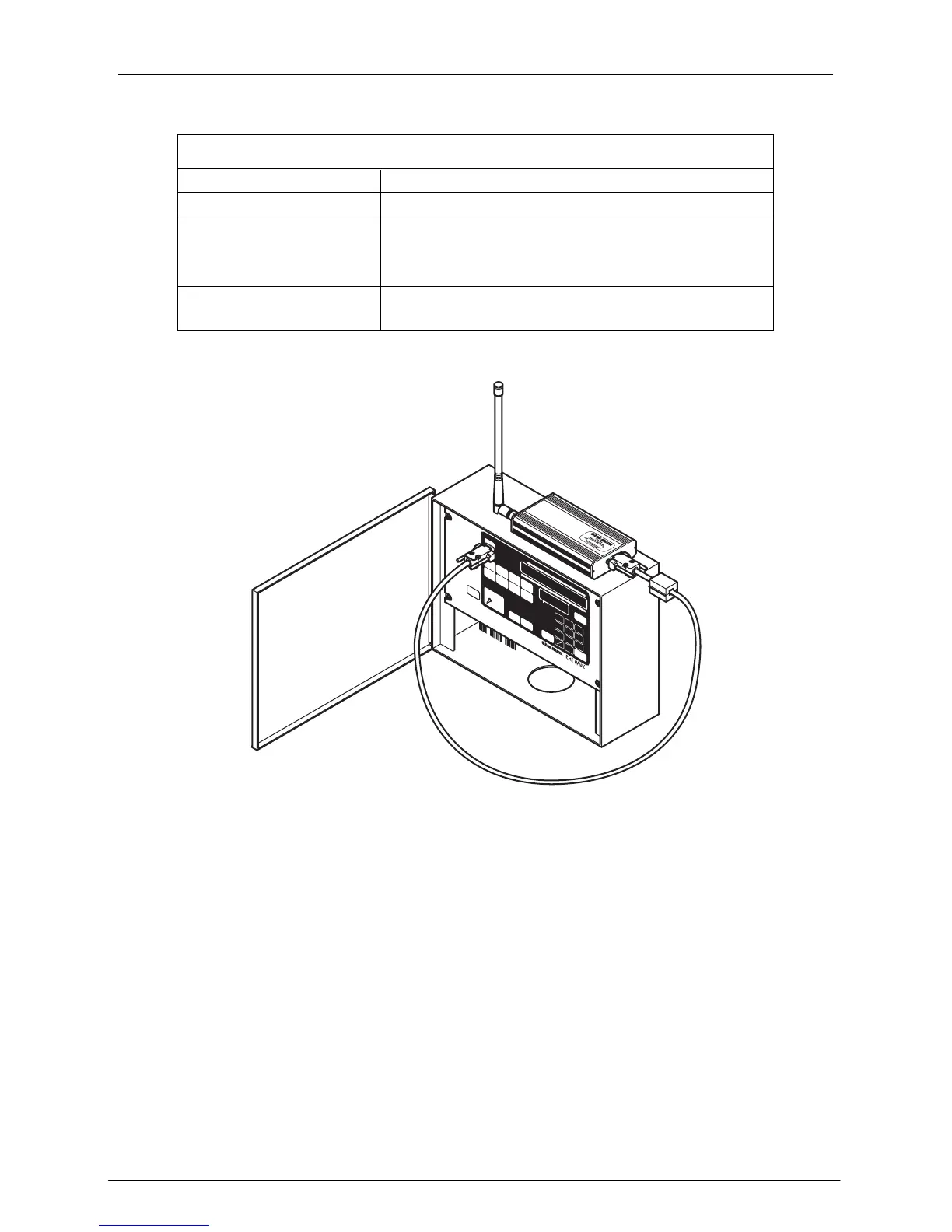
Figure 3: Pro Max Receiver to Rain Master Controller
2.1.2 Disconnecting the Receiver from a Rain Master Controller
To disconnect the Pro Max Pro Max receiver, follow the procedure below.
Step 1 Disconnect the Pro Max receiver’s plug from the controller’s front panel by
grasping the plug housing, not the cable, and pulling straight out. The controller
display should now return to the automatic screen display.
2.2 Permanent Mount Pro Max Receiver
Pro Max Receivers may be permanently installed into any Rain Master controller.
Two items are required for permanent controller installation:
Page 8


 To Next Page