EasyManua.ls Logo

Rain Master PROMAX - User Manual

Rain Master PROMAX
42 pages
Print Icon
To Next Page IconTo Next Page
Loading...
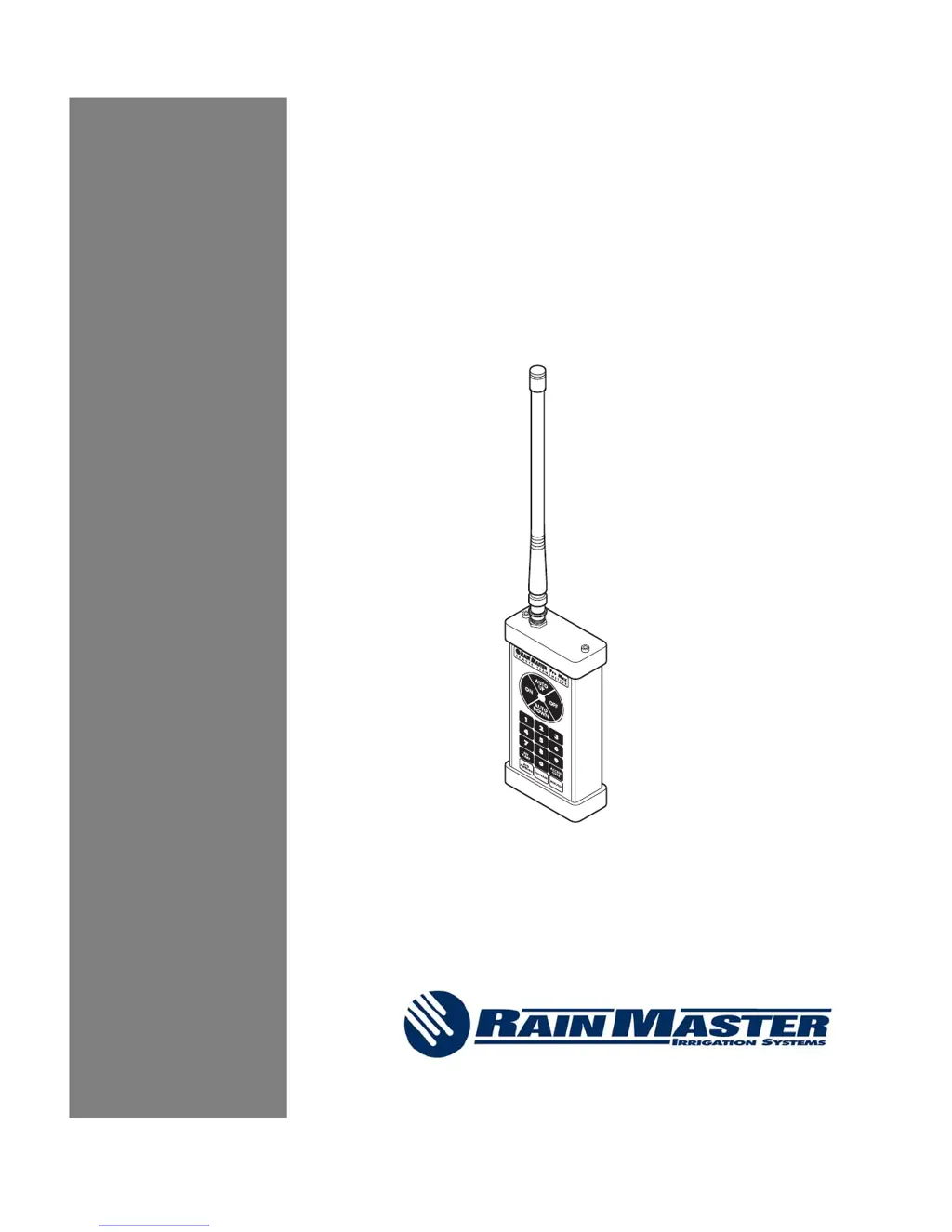
Pro Max
FM Remote Control System
User Manual
Models:
PROMAX
PROMAX-UA
Document No. 500055 Rev. E

Table of Contents

Questions and Answers

Summary

1.0 Introduction

1.1 Pro Max Features

Details the simplicity and flexibility of the Pro Max system, including ease of use, portability, and advanced features.

1.2 Ranges and Method of Transmission

Explains factors affecting transmission distance and the VHF/FM communication method used by the Pro Max system.

1.3 Licensing Information

Provides guidance on radio communication frequencies and licensing requirements for operating the Pro Max radio system.

2.0 Model Pro Max Remote Control System (Rain Master Only)

2.1 Using the Receiver with a Rain Master Controller

Instructions for connecting, disconnecting, and operating the Pro Max receiver with a Rain Master controller.

2.2 Permanent Mount Pro Max Receiver

Details the components and process for permanently installing the Pro Max receiver into a Rain Master controller.

2.3 Keystroke Operation

Explains the basic and timed station operation using the Pro Max transmitter's keypad and functions.

2.3.1 Evolution DX2 Keystroke Operations

Specific keystroke commands for Master Valve operations when using the Pro Max system with an Evolution DX2 controller.

3.0 Model Pro Max-UA Remote Control System (Universal)

3.1 Using the Pro Max-UA Universal Adapter with a Non Rain Master Controller

Guide to connecting and using the Pro Max-UA adapter with controllers from manufacturers other than Rain Master.

3.2 Installing the Pro Max-UA System

Provides precautions and instructions for installing the Pro Max-UA system, particularly permanent connector installation.

3.3 Temporary Connector Installation

Details the installation process for the temporary cable connector (RMIS Part Number 32TC) for the Pro Max-UA system.

3.4 Disconnecting the Pro Max-UA from a Non-Rain Master Controller

Instructions on how to properly disconnect the Pro Max-UA adapter from a non-Rain Master controller.

3.5 Non-Rain Master Controllers Lacking 24 Volts AC

Addresses situations where controllers lack 24 Volts AC and how to use a step-down transformer with the Pro Max-UA.

3.8 Permanent Wire Connections

Describes the parts needed and the process for making permanent wire connections for the Pro Max-UA system.

3.9 Keystroke Operation

Refers to section 2.3 for keystroke operation details applicable to the Pro Max-UA system.

4.0 Detailed Operation

4.1 Remote Operation

Explains how the Pro Max remote system interacts with the controller, including activation, abortion, and disconnection effects.

4.2 Stations On and Off

Details the keystrokes and process for turning individual stations ON and OFF using the Pro Max transmitter.

4.3 Auto Up and Auto down Keys

Describes the function of Auto Up and Auto Down keys for sequential station selection and system checkout.

4.4 On and Off Keys

Explains how the ON and OFF keys affect station status, including previous station states.

4.5 Master Valve;Pump Key

Details how to operate the Master Valve/Pump independently for system testing and troubleshooting.

4.6 Controller Access Code

Explains the use of the Access Code key to enable/disable Pro Max receivers and manage multiple units.

4.7 Add Stations

Covers the Add Stations feature for simultaneous station operation, testing hydraulics, and managing station groups.

4.8 Program Function

Details how to start, stop, and advance programs using the Pro Max system with compatible Rain Master controllers.

4.9 Minutes Function

Explains the Minutes feature for operating stations for a specified duration, up to 60 minutes.

4.10 Beeper Operation

Describes the different beep tones emitted by the Pro Max transmitter and receiver to indicate operational status.

4.11 Transmitter Battery Replacement

Provides instructions and battery specifications for replacing the battery in the Pro Max transmitter.

5.0 Checking Out Electrical Problems

5.1 Field Wiring Shorts, the Receiver, and Rain Master Controllers

Guides on identifying and troubleshooting short circuits in field wiring and solenoids with Rain Master controllers.

5.2 Field Wiring Shorts, the Receiver, and Non Rain Master Controllers

Explains how the Pro Max Universal Adapter handles short circuits in field wiring with non-Rain Master controllers.

5.3 A Note about Solenoids

Warns about the dangers of operating solenoids without a plunger, potentially damaging the system.

6.0 Troubleshooting

Pro Max System Troubleshooting

Provides a table of common symptoms and their corresponding actions for troubleshooting the Pro Max system.

Max-UA

Troubleshooting specific to the Pro Max-UA model, covering valve solenoids, station wiring, and receiver power cycling.

Keys beep at Pro Max transmitter but no valves turn on at a non Rain Master controller. (Model Pro Max-UA)

Troubleshooting steps when transmitter beeps but no valves activate on non-Rain Master controllers using Pro Max-UA.

7.0 Pro Max Specifications

7.1 Pro Max Transmitter

Lists the technical specifications for the Pro Max transmitter, including operating frequency, power, and battery.

7.2 Pro Max Receiver

Details the technical specifications for the Pro Max receiver, including operating frequency, sensitivity, and power source.

7.3 Pro Max Universal Adapter

Provides the technical specifications for the Pro Max Universal Adapter, covering power, temperature, and output.

7.4 Pro Max Carrying Case

Specifies the dimensions of the Pro Max carrying case.

8.0 Pro Max Series Parts List

Model

Lists the different models available in the Pro Max series, including Pro Max and Pro Max-UA.

Accessories

Details available accessories for the Pro Max system, such as permanent mount kits, connector cables, and adapters.

Pro Max Replacement Parts

Lists replacement parts for the Pro Max system, including transmitters, receivers, and antennas.

Option

Lists optional items like receiver connection cables and remote cases for the Pro Max system.

Rain Master Limited Warranty

SERVICE

Provides instructions for obtaining service for the Pro Max system, including troubleshooting and contact information.

Rain Master PROMAX Specifications

General IconGeneral
BrandRain Master
ModelPROMAX
CategoryRemote Control
LanguageEnglish