EN
27
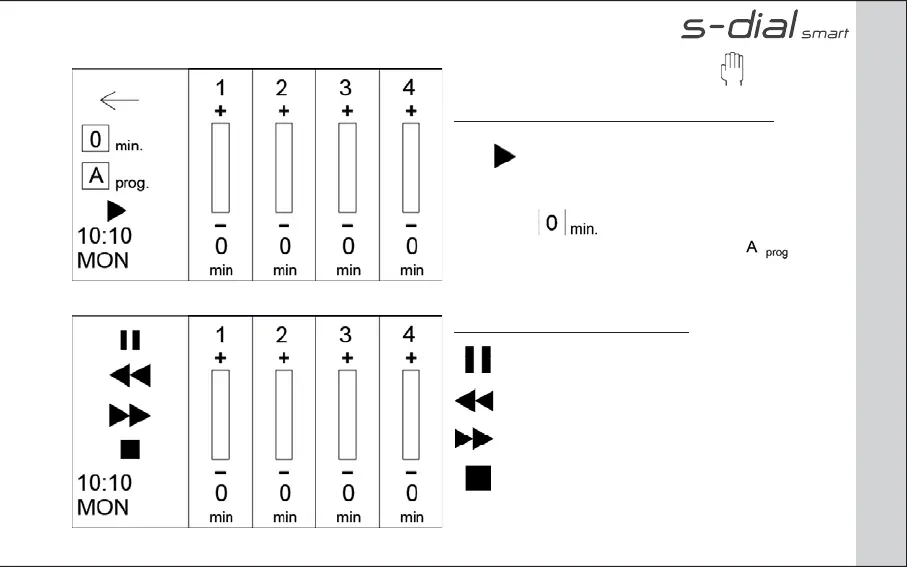
From the HOME page select the icon to go into the
SMART MANUAL START page.
From SMART MANUAL START page you can:
- Set up the duration of manual start per each valve.
Press to run manual irrigation
- Set up the same duration of manual run per each
valve. Press to run manual irrigation
- Run a program of irrigation by pressing icon
During manual irrigation you can:
Pause the manual irrigation
Go back at the preceding valve
Go ahead to the following valve
Stop the manual irrigation
PAGE: MANUAL START


 To Next Page