()||
Home Tune Utilities
Utilities
Move Axes
Move Steps
10.0mm
1.0mm
0.1mm
Filament Loader
L-Nozzle
R-Nozzle
215 C
215 C
0.0 0.0 0.0 0.0
Load Unload
Load Unload
The following section will show how the E-Step value can be adjusted directly on the printer.
The E-Step value tells the controller the number of steps (micro steps) that are needed to
extrude 1mm of lament. The new extruder has a dierent drive gear diameter and gearing
ratio and must be adjusted to extrude the proper amount of material. In return, the increased
step value means that the extruder will feed the lament with higher precision.
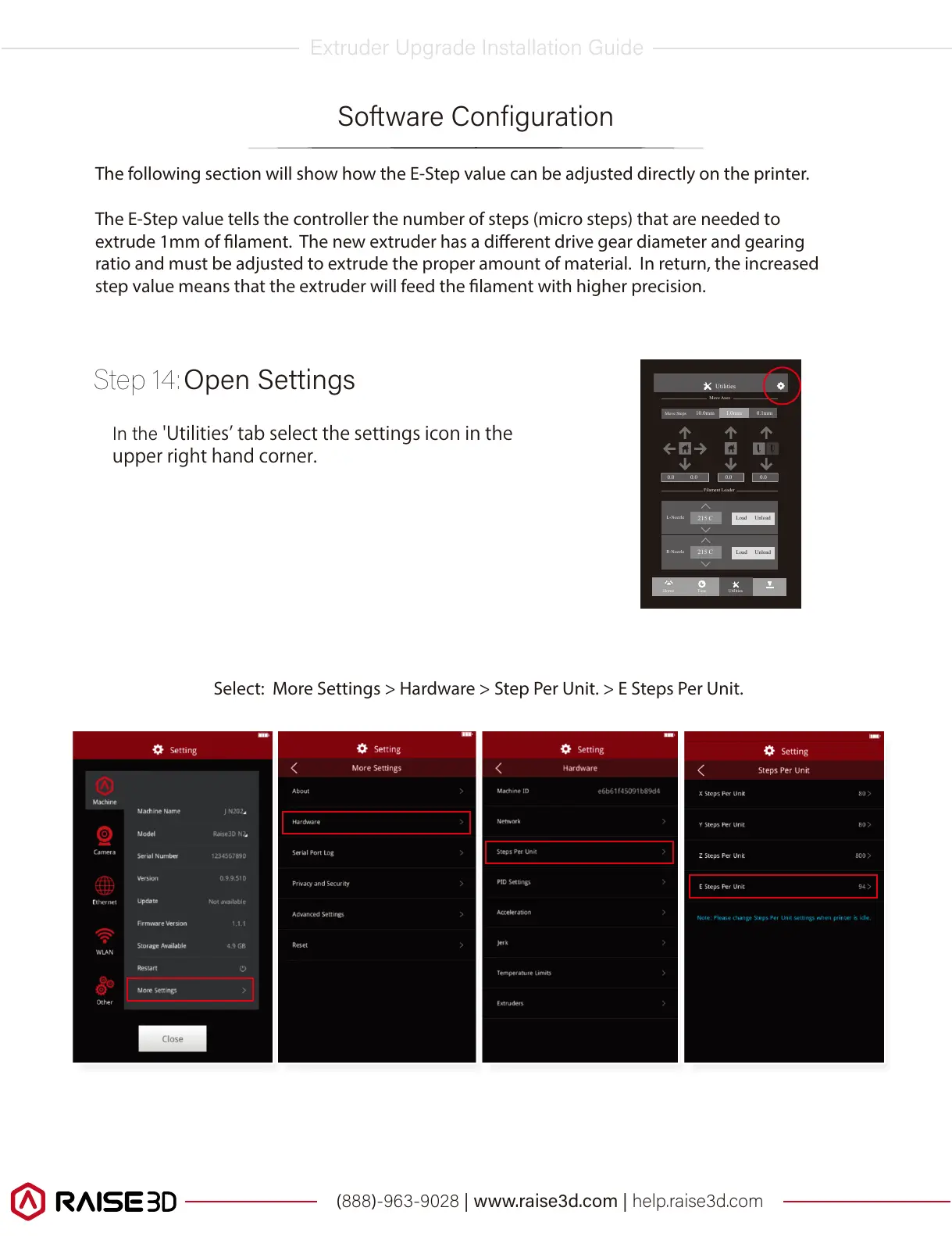
'Utilitiesʼtabselectthesettingsiconinthe
upperrighthandcorner.
Select: More Settings > Hardware > Step Per Unit. > E Steps Per Unit.



 To Next Page