4 Power on and off
18
4.2 Troubleshooting
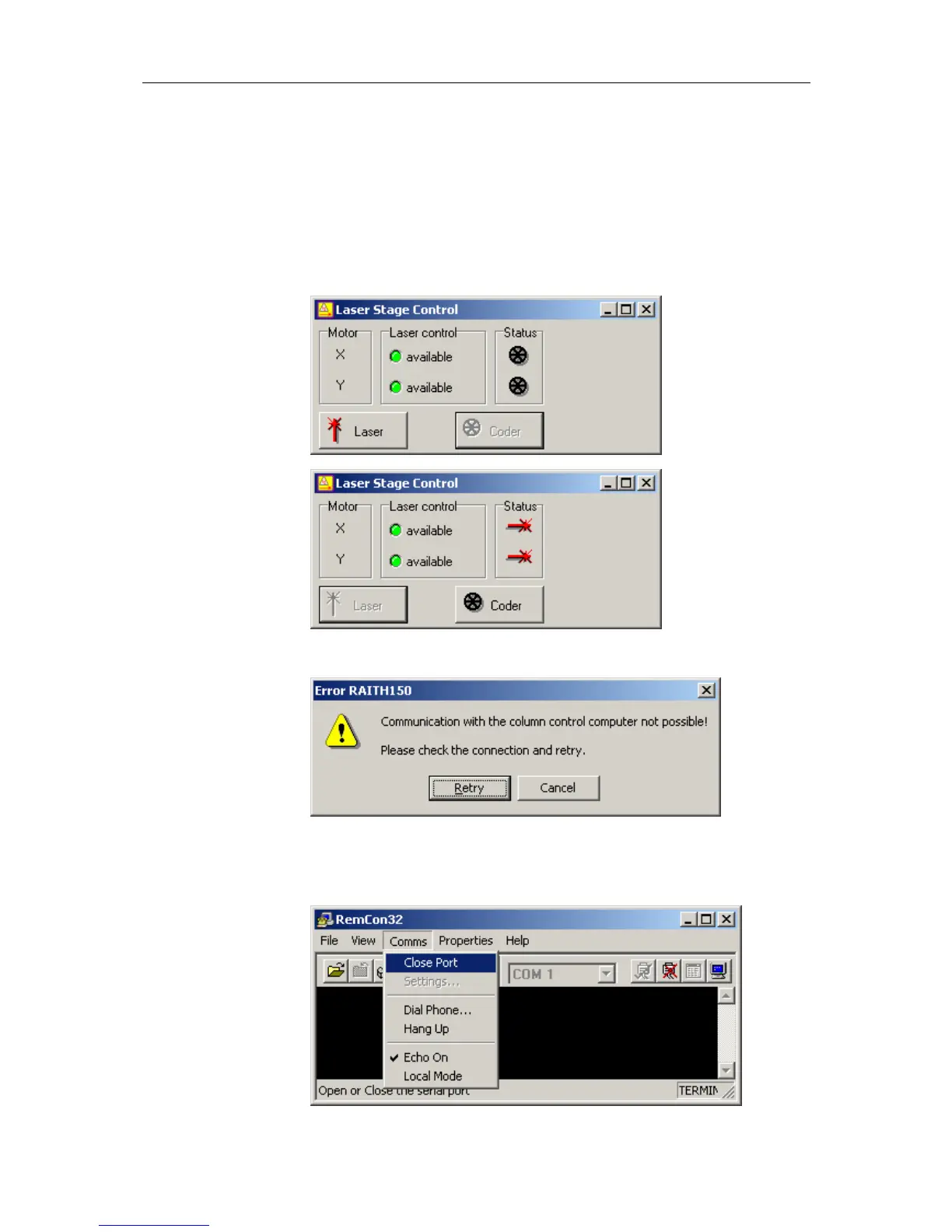
PROBLEM 1 ► The stage is not moving smoothly at higher magnification.
Cause / solution The frequency of Laser Interferometer is not locked and the stage is
running in coder mode. This could happen if the Laser Interferometer
Source was turned on just some minutes before. In this case, wait
around 20 Minutes. After the frequency is locked the stage can be
switched to laser mode via the laser control window.
PROBLEM 2 ► The communication between the Raith and the SEM software failed.
Cause / solution Check if the RenCom32 program is running on the SEM PC. If not
start this interface program. Further check, if the port is opened. This
is case, if the command Comms > Close Port is visible.



 To Next Page