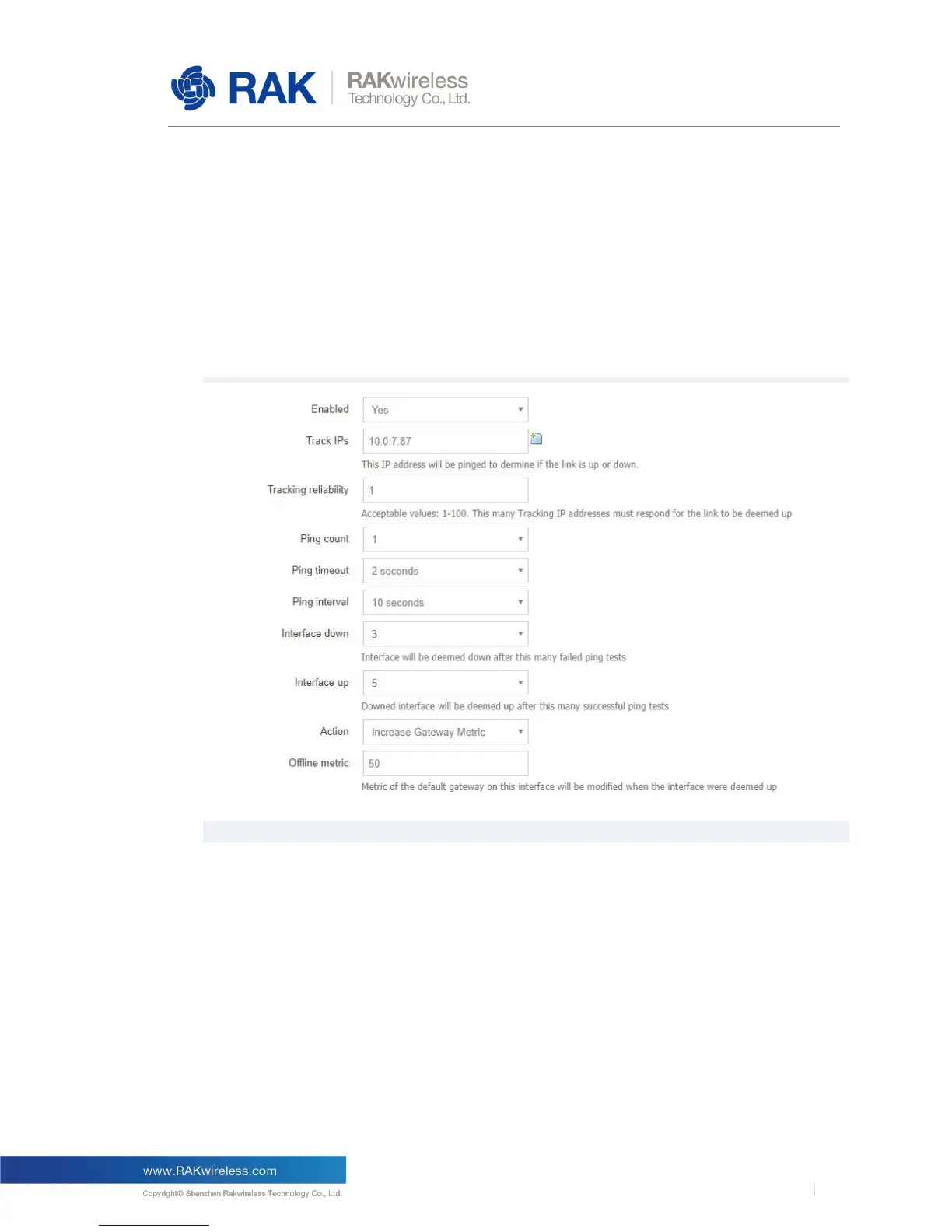
Note: Reducing the priority of an uplink interface only works when the LoRa gateway uses
both the Ethernet uplink link and the LTE cellular network uplink link.
WAN interface represents the Ethernet uplink interface and WWAN represents the LTE
cellular network uplink interface. If Ping watchdog is opened on both uplink network
interfaces at the same time and action is set to Increase Gatway Metric, the two uplink links
form backup links and automatically switch to another link when one link fails. The priority of
the two links is determined by the default gatway metric of their respective network
interfaces. The default gatway metric can be set in Network->WAN Network and Network-
>Cellular Network. The lower the gatway metric, the higher the priority of the link.
Figure 14 | Ping Watchdog Configuration
6.2.7 Backup or Upgrade
In Backup/Flash Firmware page, you can backup your configuration or restore your gateway,
and you can upgrade to a new firmware. As shown in the following figure.



 To Next Page