114 GETTING TO KNOW YOUR INSTRUMENT PANEL
INSTRUMENT CLUSTER DISPLAY
C
ONTROLS
The instrument cluster display features a driver
interactive display that is located in the
instrument cluster.
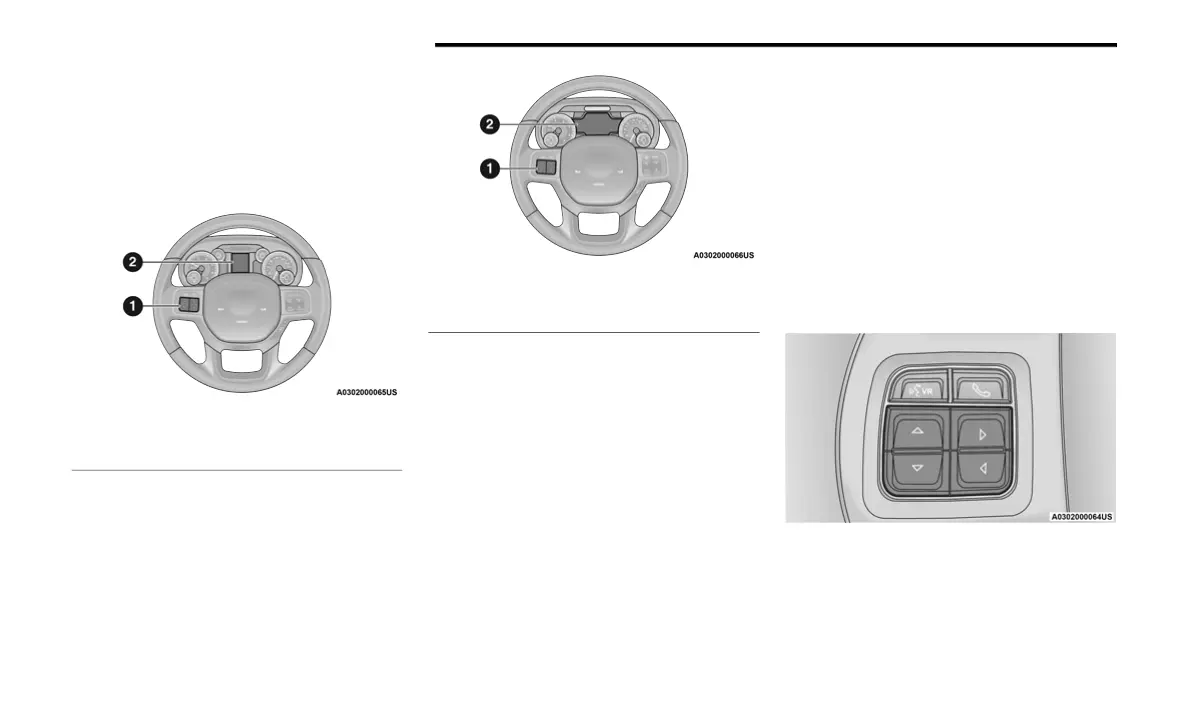
Base Instrument Cluster Display
Premium Instrument Cluster Display
The instrument cluster display menu items may
consist of the following:
Speedometer
Vehicle Info
Driver Assist — If Equipped
Fuel Economy
Trip Info
Trailer Tow — If Equipped
Audio
Messages
Screen Set Up
Commercial Settings — If Equipped
The system allows the driver to select
information by pushing the following instrument
cluster display control buttons located on the
left side of the steering wheel:
Instrument Cluster Display Control Buttons
1 – Instrument Cluster Display Controls
2 – Instrument Cluster Display Screen
1 – Instrument Cluster Display Controls
2 – Instrument Cluster Display Screen
20_DJD2_OM_EN_USC_t.book Page 114



 To Next Page