MULTIMEDIA 537
Ending A Call
Press the End button on the touchscreen or the
PHONE button on the steering wheel controls to
end a call in progress.
Only the ongoing call is ended and any call on
hold becomes the new active call.
Depending on the type of mobile phone, if the
ongoing call is ended by the caller, the call on
hold may not be activated automatically.
Uconnect Phone Features
Mute/Unmute
1. During a call, push the VOICE COMMAND
button on the steering wheel.
2. After the beep, say “mute” or “mute off”.
Reading Messages
The system can read the messages received by
the mobile phone.
To use this function, the mobile phone must
support the SMS exchange function via
Bluetooth®.
If this function is not supported by the phone,
the corresponding message button is
deactivated (grayed out) or may only accept
incoming messages.
When a text message is received, the display
will show a screen where the options "Listen",
"Call" or "Ignore" can be selected.
Press the Message button to access the list of
SMS messages received by the mobile phone.
The list displays a maximum of 60 messages
received.
Browsing SMS
Using the steering wheel commands, you can
view and manage the last 10 SMS messages
received on the instrument panel. To use this
function, the mobile phone must support the
SMS exchange function through Bluetooth®.
Select the PHONE button on the instrument
panel menu, and then select “SMS Reader”
using the arrow keys on the steering wheel
controls.
The “SMS Reader” submenu allows the last 10
SMS messages to be displayed.
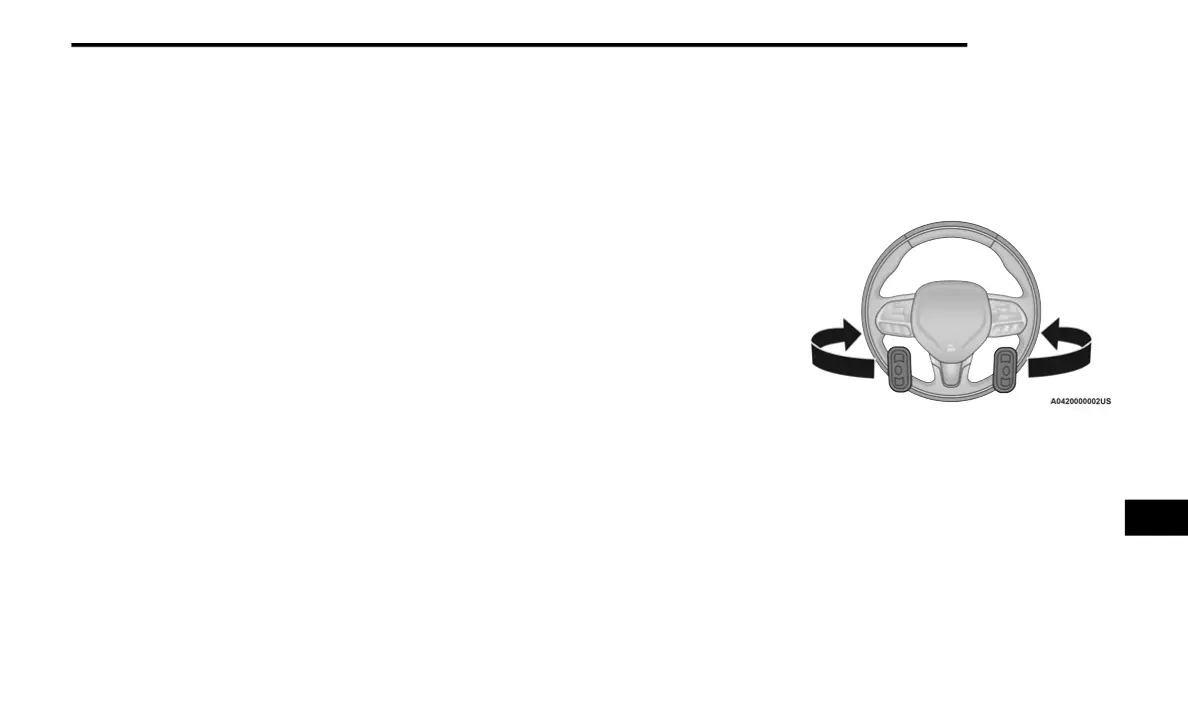
STEERING WHEEL AUDIO CONTROLS — IF
EQUIPPED
The remote sound system controls are located
on the back surface of the steering wheel.
Reach behind the wheel to access the switches.
Steering Wheel Audio Controls (Rearview Of
Steering Wheel)
The right-hand control is a rocker type switch
with a push button in the center. Pushing the
top of the switch will increase the volume, and
pushing the bottom of the switch will decrease
the volume.
Pushing the center button will make the radio
switch between the various modes available
(AM/FM/SXM or Media etc.).
9
20_DJD2_OM_EN_USC_t.book Page 537



 To Next Page