288 STARTING AND OPERATING
The system automatically defaults to the
longest distance setting. To decrease the
distance setting, push the Distance Button and
release. Each time the button is pushed, the
distance setting decreases by one bar. Once the
shortest setting is reached, if the button is
pushed again it will reset to the default setting
(longest).
If there is no vehicle ahead, the vehicle will
maintain the set speed. If a slower moving
vehicle is detected in the same lane, the
instrument cluster displays the ACC Set With
Target Indicator Light, and the system adjusts
vehicle speed automatically to maintain the
distance setting, regardless of the set speed.
The vehicle will then maintain the set distance
until:
The vehicle ahead accelerates to a speed
above the set speed.
The vehicle ahead moves out of your lane or
view of the sensor.
The distance setting is changed.
The system disengages. (Refer to “Activating
Adaptive Cruise Control (ACC)” in this
chapter.
The maximum braking applied by ACC is limited;
however, the driver can always apply the brakes
manually, if necessary.
NOTE:
The brake lights will illuminate whenever the
ACC system applies the brakes.
A Proximity Warning will alert the driver if ACC
predicts that its maximum braking level is not
sufficient to maintain the set distance. If this
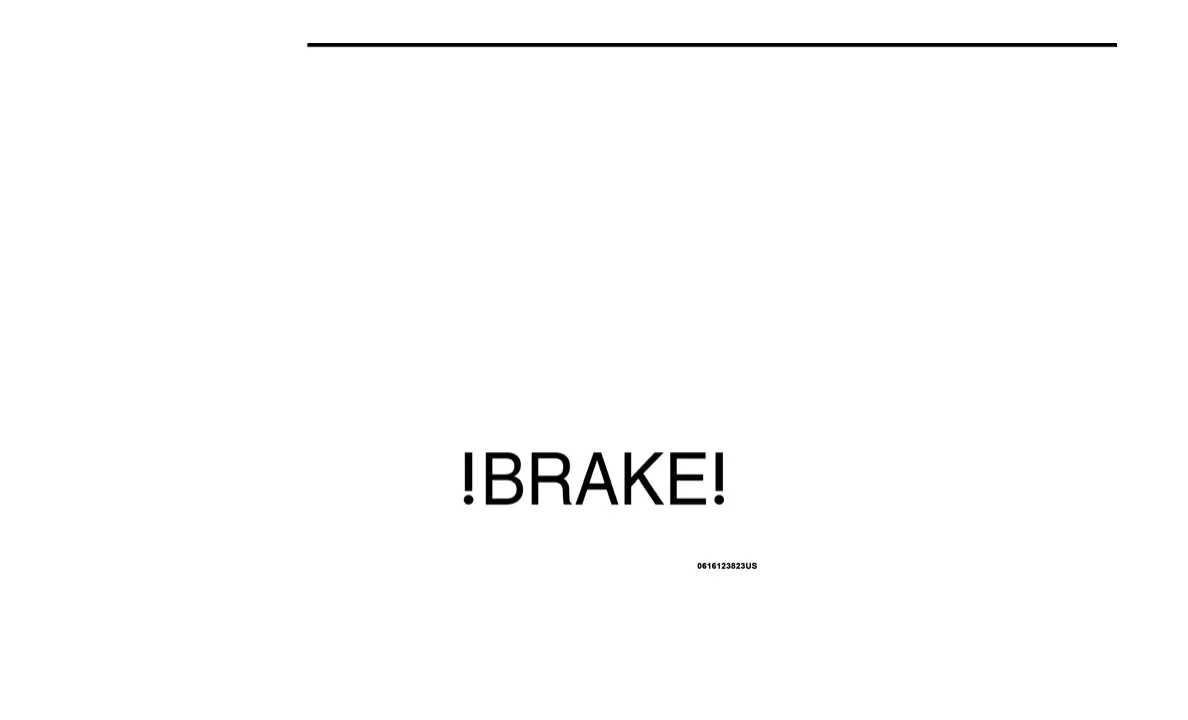
occurs, a visual alert “BRAKE” will flash in the
instrument cluster display and a chime will
sound while ACC continues to apply its
maximum braking capacity.
Brake Alert
NOTE:
The “BRAKE!” Screen in the instrument cluster
display is a warning for the driver to take action
and does not necessarily mean that the
Forward Collision Warning system is applying
the brakes autonomously.
Trailer Detect — If Equipped
When a trailer is detected, the ACC system
automatically defaults to the longest setting (four
bars). The setting can be overridden by pushing
the Distance Button on the steering wheel.
OVERTAKE AID
When driving with ACC engaged and following a
vehicle, the system will provide an additional
acceleration up to the ACC set speed to assist in
passing the vehicle. This additional acceleration
is triggered when the driver utilizes the left turn
signal and will only be active when passing on
the left hand side.
20_DJD2_OM_EN_USC_t.book Page 288



 To Next Page