4
Quick Start Guide
1. Locate the nine vacuum tube boxes, four large and five small.
2. Place the RAM according to the ventilation suggestions on page 5 of this manual.
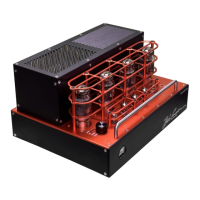
3. Carefully insert the tubes into their sockets following the diagram at right and the further details
on page 5 of this manual.
4. Connect the outputs of your preamplifier/DAC to the RCA inputs of the RAM 285. Make sure
that the gain/volume control on your preamplifier/ DAC is turned down. See page 8 for more
hook-up instructions.
5. Connect the output terminals of the RAM 285 to your loudspeakers. See page 8 for more de-
tails.
6. Connect the IEC power cable between the RAM 285 power socket and the wall receptacle.
7. Power up your preamplifier/DAC.
8. Flip the RAM 285 rear panel POWER switch to ON.
9. Rotate the power selector switch to the On position or go pass to the meter light position.
10. Wait two minutes for the tubes to warm up.
11. Activate your music source and slowly advance the volume control on your preamplifier/DAC.
12. Enjoy! If you don’t hear any sound, turn off your preamp/DAC and RAM 285, and re-check
your connections, or contact Bob Carver LLC at
Bob Carver LLC
4563 Hydraulic Rd. Rockford, IL 61109
email: Jim@bobcarvercorp.com


 To Next Page