Manual activation
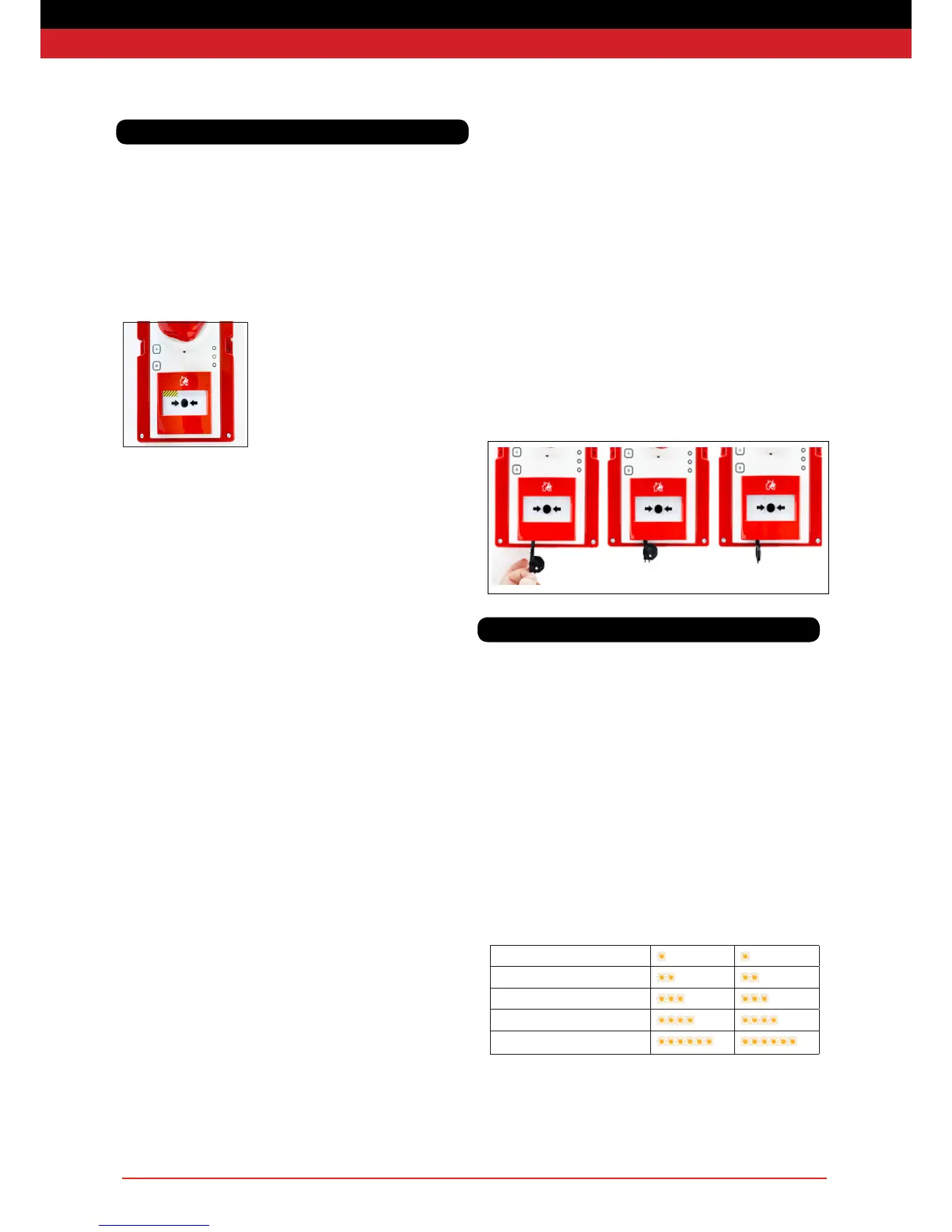
To raise the alarm, press any call point in the system. The call point will
latch into the pressed position and a mechanical yellow and black
striped ag will be displayed in the call point window as below.
Automatic activation
Smoke detection units will automatically raise the alarm if sufcient
smoke is detected.
Heat detection units will automatically raise the alarm if the
temperature rises above the threshold. The red ‘Alarm’ LED will only
ash on the unit(s) which raised the alarm.
Silencing the alarm
Note: it is vital to conrm that there is no re hazard before silencing
the alarm.
Do not attempt to open the unit or deactivate by removing the battery.
The alarm must be silenced either by using the reset key or at the
Base Station.
The re alarm will automatically silence 30 minutes after activation.
The re alarm can be manually cancelled from a call point that has
been pressed using the reset key provided. If necessary, a call point on
a nearer re point can be pressed and then reset to cancel the alarm.
Please wait for 5 seconds between pressing and resetting a call point.
After the alarm has cleared the system has a short (2 minute) re-arm
period during which the sirens will sound intermittently, and the amber
warning LEDs ash in groups of 5, following which the system is
re-armed and ready for use.
During the re-arm period, the alarm cannot be reactivated. It is
therefore vital to conrm that there is no re hazard before silencing
the alarm.
Any re point units with activated call points will periodically beep after
the re-arm period has ended as a reminder that the call points need to
be mechanically reset using the key before they can be used to raise
a re alarm.
1) Insert reset key with tab to the right as shown below.
2) Push key in as far as possible
3) Turn key anti-clockwise until a loud mechanical click is heard.
4) Remove the key
Ensure the call point is fully reset before removing the key. Partially
resetting a latched call point after the re alarm has been cancelled
can retrigger the re alarm.
Unit Alive Indication
Active units with no faults will ash their green LED once every 4
seconds to indicate that the unit is operational
Amber LED Indication
Each WES+ unit monitors itself for a number of faults. These are
indicated via the amber LED, which will ash in grouped patterns with
longer than usual gaps in between them.
Units displaying one of these patterns require further investigation and
should not be relied upon as part of the re alarm and detection system
until the fault has been corrected. Use the below chart to determine the
nature of the issue.
Group Flash 1 - Low Battery
Group Flash 2 - Low signal
Group Flash 3 - No signal
Group Flash 4 - Tamper
Group Flash 5 - Re-arm
Red LED Indication
If a detector has raised the alarm, its red LED indicator will ash during
a re alarm.
Raising the alarm Resetting a call point
System Operation
LED Indications


 To Next Page