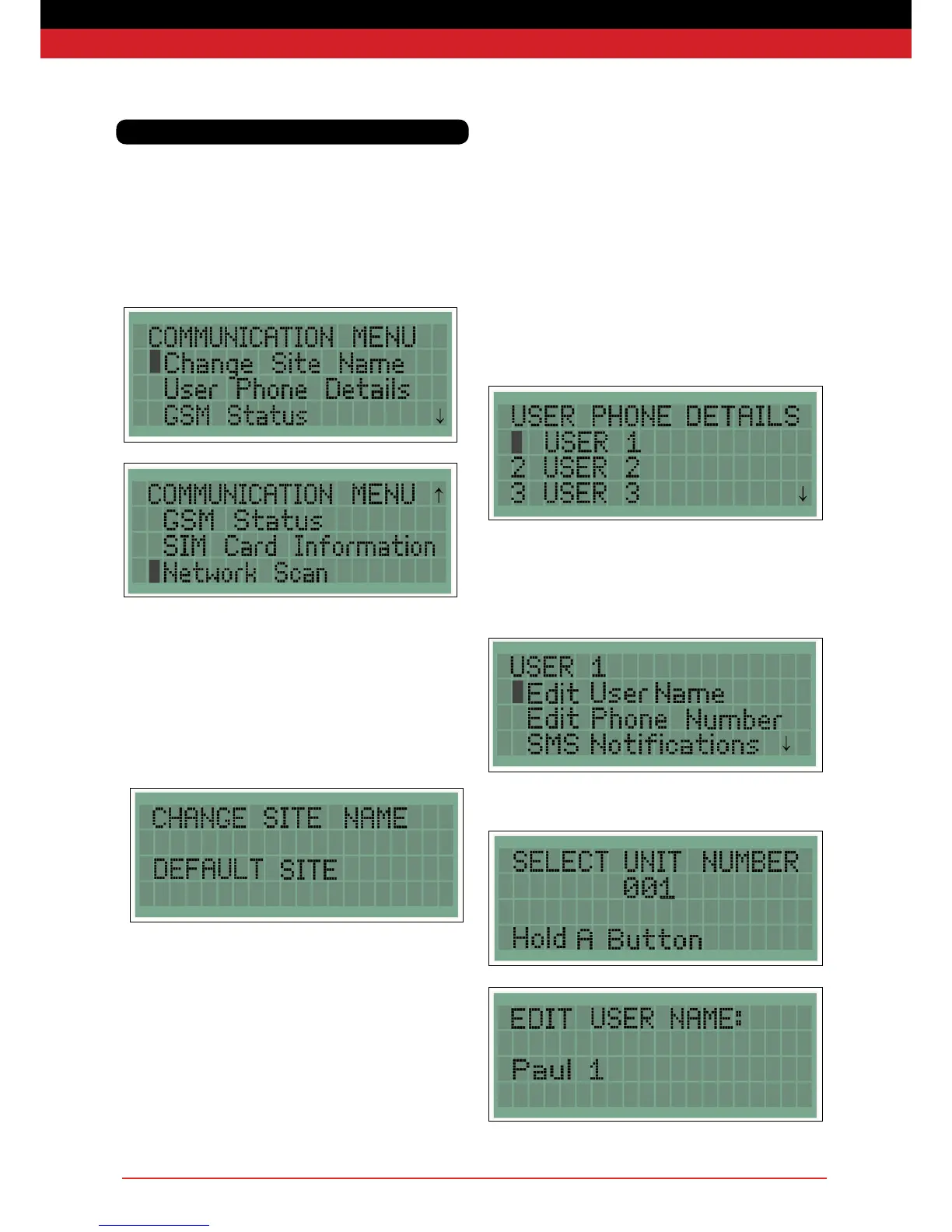
Base Stations with the optional SMS text alerts feature enabled
have a Communications menu which is used to set up text message
alerts, users and associated telephone numbers.
The communication menu has four options as shown below.
Change Site Name
The site name appears on the Home Screen and is included in every
text message so that you can quickly identify the source of the alarm
or warning. The site name should be changed to a uniquely
recognisable site location.
The site name is edited using the navigation pad and conrmed by
pressing enter.
Communications
User Phone Details
The user phone details allows up to six users’ names and telephone
numbers to be entered and the type of warning each user will
receive to be selected. Text message on a re alarm is set for each
user and cannot be altered. Only one text message is sent during each
re alarm although multiple units (re points and detectors) may be
activated during the re.
Once edited, USER X is replaced by the name of the user entered.
A user is selected using the navigation pad and pressing enter, the
user menu then appears.
Select Edit User Name and enter the name of this user with the
navigation pad.


 To Next Page