5
STEP 4 Pre-alarm function
The Pre Alarm function defines site-wide behaviour of the network during an
Inspection Delay period.
With Pre Alarm mode enabled, the entire network will emit a site-wide,
intermittent sound and (on strobe-equipped Call Points) an intermittent flash.
With Pre Alarm mode disabled, only the local Call Point which has been
triggered will sound. All other Call Points around site will remain in non-alarm
mode.
Pre Alarm can only be set during the initial activation process. Once set, the
Pre Alarm can only be changed by turning o and reactivating the WES3
CONNECT unit.
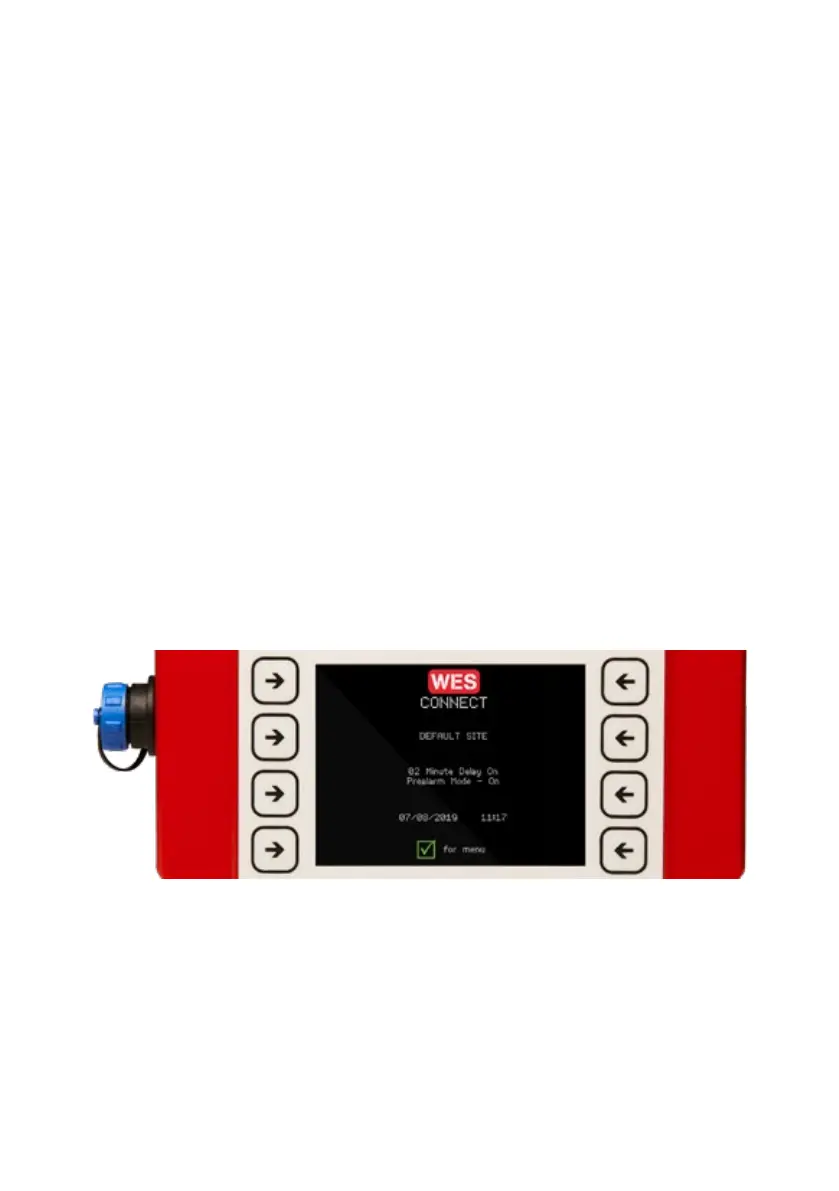
On completion of initial set up, settings for Inspection Delay and Pre Alarm
mode are displayed on the WES3 CONNECT home screen.
Check the settings displayed on screen are the desired settings, and if not,
repeat the Initial Setup process before proceeding. The display is shown for the
WES3 CONNECT below.
WES3 CONNECT | RAMTECHGLOBAL.COM/WES/
WES3 CONNECT Display



 To Next Page